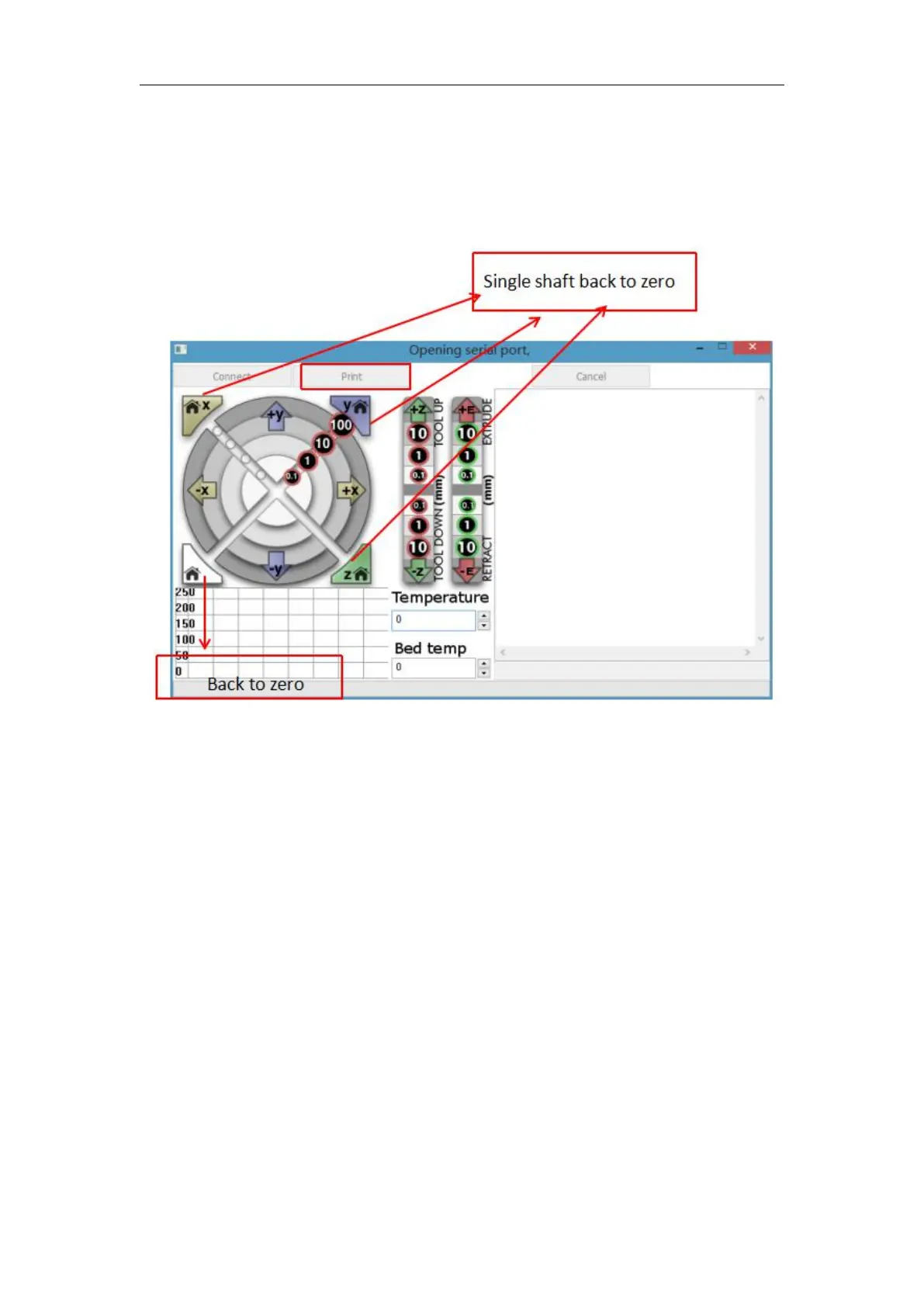
We can click on the gray circle on the window to control the motion of the
XYZE axis, respectively, 0.1, 10, 100 means the amount of each movement.
The G-code control can be entered in the lower right corner text box. Do not
use it if you don't understand it. Click “Print” to start printing. Please be
careful during printing to avoid printing failure.



 To Next Page