Page 36
User Guide MeeBox NAS
Creating, modifying, and deleting user accounts
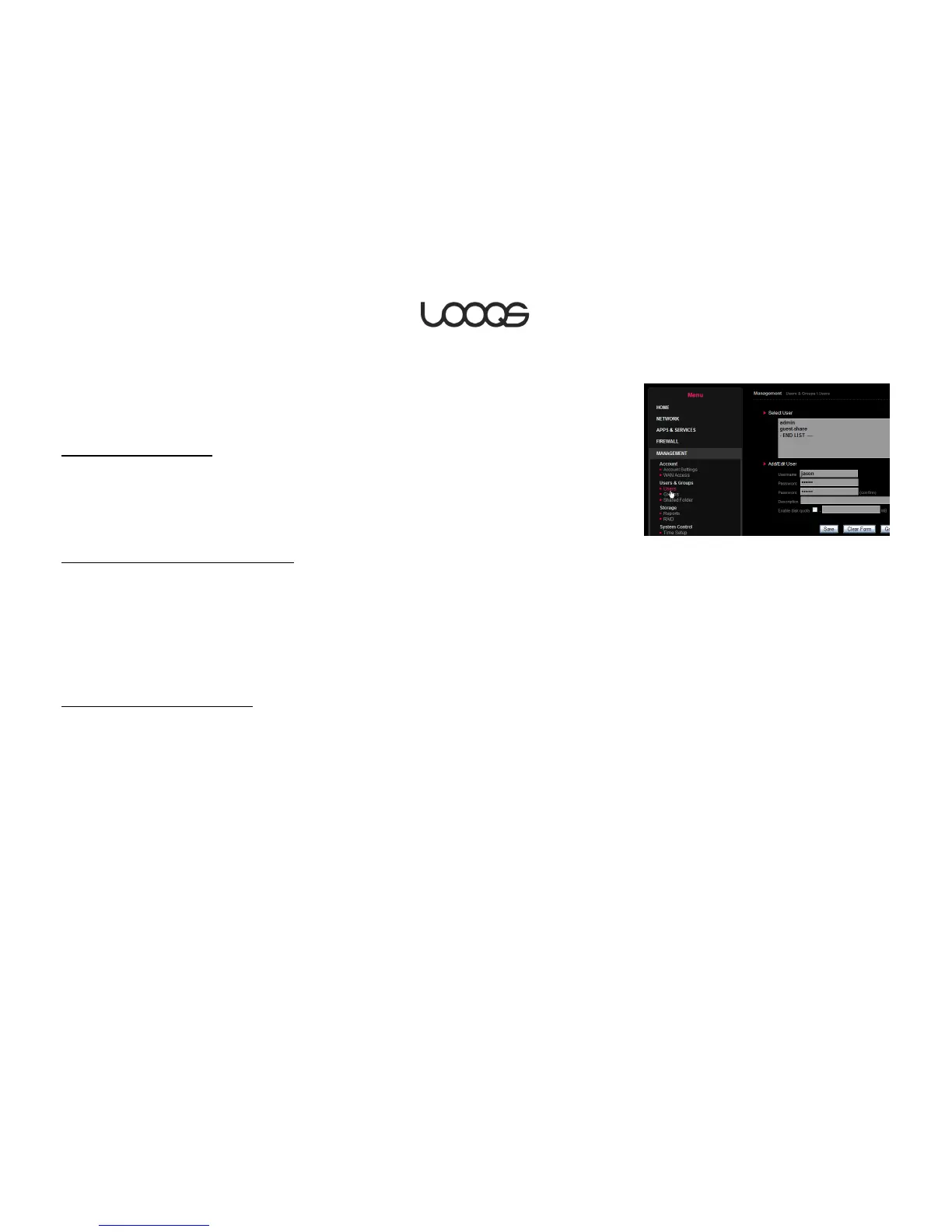
To create, modify, or delete a user account, open your MeeBox’s admin interface
(http://meebox:8090) and click Advanced Settings > Management > Users & Groups >
Users (see Figure 13).
To create a user account
1. Enter a username and password for the user.
2. To limit the amount of internal drive space the user can use, select Enable disk quota
and enter the maximum space in MB.
3. Click Save.
To specify a user’s group memberships
1. Select the user in the Users list box, and then click Group Memberships.
2. To add the user to a group or groups, select the group(s) in the Not a member of list
box, and click << Add.
3. To remove the user from a group or groups, select the group(s) in the Member of list
box, and click Remove >>.
4. When you are finished, click Save.
To edit or delete a user account
1. Select the user in the Users list box.
2. Edit the account settings as needed, and then click Save. Or, to delete the account,
click Delete User.
Note
When you delete a user account, the user’s private folder (if any) is not automatically
deleted. You can access or delete such “orphan” folders using your MeeBox’s command
line interface. For more information, see Accessing your MeeBox’s command line
interface.


 To Next Page