EasyManua.ls Logo

Lorex N846 Series - User Manual

Lorex N846 Series
8 pages
Print Icon
To Next Page IconTo Next Page
Loading...
4K Fusion Wired NVR System
Système NVR filaire Fusion 4K
Sistema NVR cableado 4K Fusion
Quick Start Guide
Guide de configuration rapide
Guía de configuración rápida
N846 Series/Série/Serie
lorex.com
Question and Answer IconNeed help?

Do you have a question about the Lorex N846 Series and is the answer not in the manual?

Summary

Package Contents

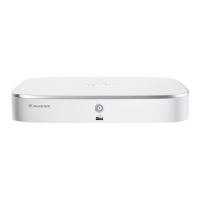
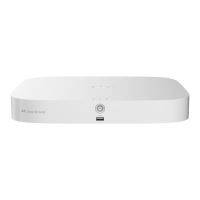
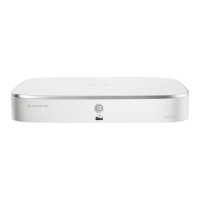
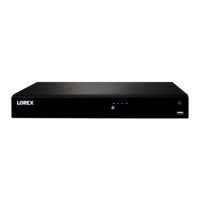
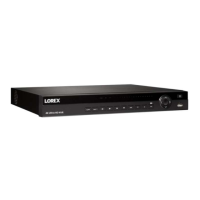
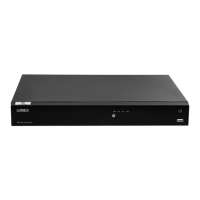
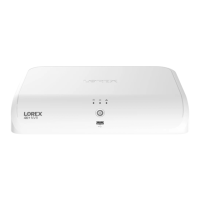
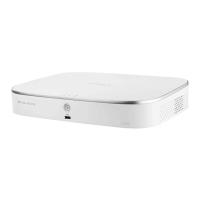
4 K Fusion NVR Unit

Lists the 4K Fusion NVR unit included in the package.

Included Cables and Peripherals

Lists Ethernet cable, HDMI cable, and USB mouse included.

Power Adapter

Lists the power adapter included with the NVR.

Device Overview

Front Panel Components

Details the components and ports located on the front of the device.

Back Panel Components

Details the ports and connections on the rear of the device.

Step 1: Camera Connection

Wired Option 1: Direct Connection

Connects camera directly to recorder's PoE port via Ethernet cable.

Wired Option 2: PoE Switch Connection

Connects camera to a PoE switch on the network using Ethernet.

Step 2: Network Setup

Connect Recorder to Network

Connects the recorder to your Wi-Fi router using the included Ethernet cable.

Step 3: Peripheral Setup

Connect USB Mouse and Flash Drive

Connects USB mouse and flash drive for firmware updates or event copying.

Step 4: Video Output

Connect Recorder to TV

Connects the recorder to a TV using the included HDMI cable.

Step 5: Powering On

Connect Power Adapter

Connects the power adapter to the recorder and a power outlet.

Remote Viewing Setup

Download and Connect Lorex Home App

Guides on downloading and connecting the recorder to the Lorex Home app for remote viewing.

Advanced Setup and Support

Connect Wi-Fi Device to Recorder

Connects Wi-Fi devices to the recorder for network configuration.

Additional Resources

Provides links to download manual, watch videos, and find troubleshooting tips.

Product Registration and Warranty

Terms of Service and Warranty Policy

Directs users to the website for terms of service and limited hardware warranty.
Summary

Package Contents

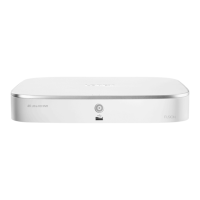
4 K Fusion NVR Unit

Lists the 4K Fusion NVR unit included in the package.

Included Cables and Peripherals

Lists Ethernet cable, HDMI cable, and USB mouse included.

Power Adapter

Lists the power adapter included with the NVR.

Device Overview

Front Panel Components

Details the components and ports located on the front of the device.

Back Panel Components

Details the ports and connections on the rear of the device.

Step 1: Camera Connection

Wired Option 1: Direct Connection

Connects camera directly to recorder's PoE port via Ethernet cable.

Wired Option 2: PoE Switch Connection

Connects camera to a PoE switch on the network using Ethernet.

Step 2: Network Setup

Connect Recorder to Network

Connects the recorder to your Wi-Fi router using the included Ethernet cable.

Step 3: Peripheral Setup

Connect USB Mouse and Flash Drive

Connects USB mouse and flash drive for firmware updates or event copying.

Step 4: Video Output

Connect Recorder to TV

Connects the recorder to a TV using the included HDMI cable.

Step 5: Powering On

Connect Power Adapter

Connects the power adapter to the recorder and a power outlet.

Remote Viewing Setup

Download and Connect Lorex Home App

Guides on downloading and connecting the recorder to the Lorex Home app for remote viewing.

Advanced Setup and Support

Connect Wi-Fi Device to Recorder

Connects Wi-Fi devices to the recorder for network configuration.

Additional Resources

Provides links to download manual, watch videos, and find troubleshooting tips.

Product Registration and Warranty

Terms of Service and Warranty Policy

Directs users to the website for terms of service and limited hardware warranty.
Lorex N846 Series Specifications

General IconGeneral
BrandLorex
ModelN846 Series
CategoryDVR
LanguageEnglish

Related product manuals