50
EN
51
EN
② . The battery capacity of the player is
approximately 97Wh. Under normal circumstances
and with a 60W charger, the typical charging time
is around 4 hours.
③ . It is possible to play music on the player while
it is being recharged. Simply keep the power
adapter connected, and the player will continue
playing music seamlessly while charging.
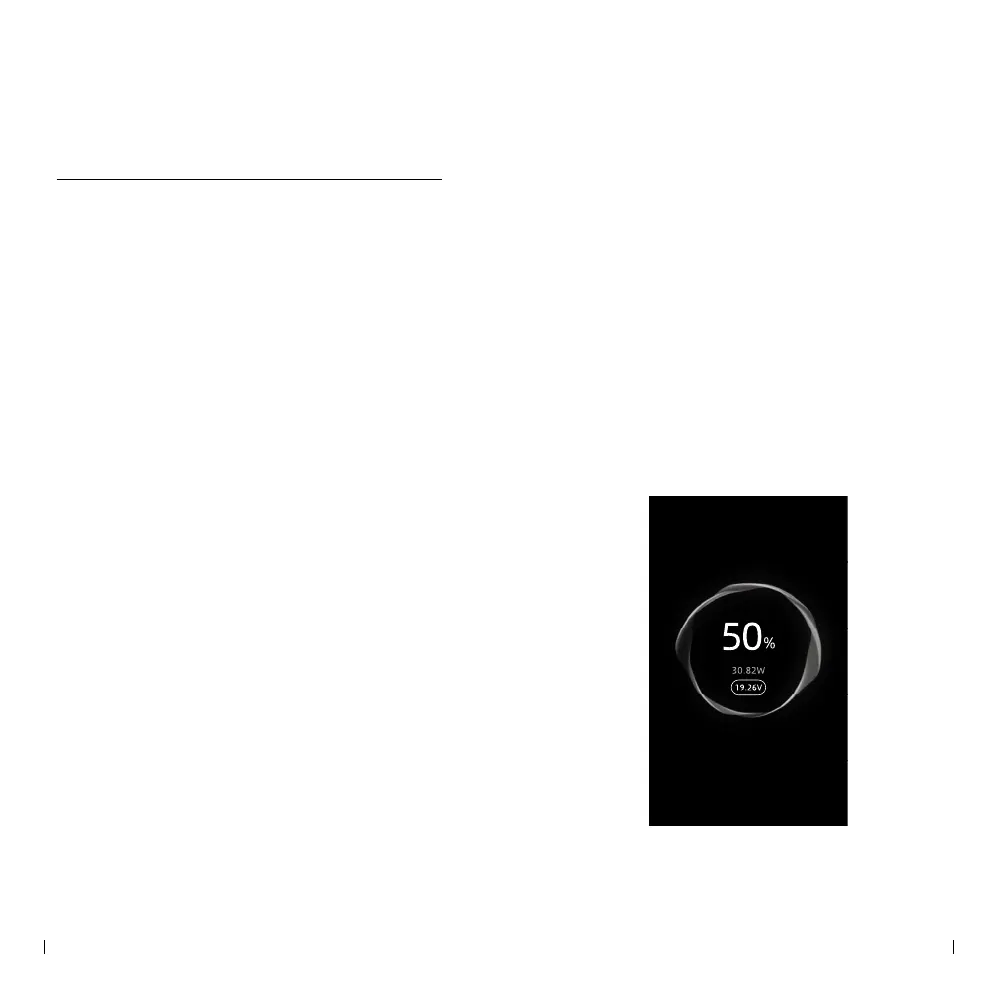
④ . When the player is in the power-o state and
undergoing recharging, the top screen will display
the power and voltage information of the ongoing
recharge process. If the charging rate is very low
or shows as zero, it is advised to check the PD
charger being used. Ensure that the PD charger
is functioning correctly and providing sufficient
power output for ecient recharging.
Power
• Power on & o
① . When the player is powered o, Press and hold
the “Power” key to turn on the device.
② . When the player is powered on, Press and hold
the “Power” key to turn o the device.
• Screen On/O
① . After powering on, the front screen will display
information about the current music le.
② . To access additional functions and settings,
switch the "Hold/TSC" key to the "TSC" side. This
will activate the top screen.
③ . Switch the "Hold/TSC" key to the "TSC"
position again to turn o the top screen.
④ . Both screens will automatically turn off to
conserve battery life if there is no activity for a
certain period. The duration before the screens
turn o can be adjusted in the settings.
• Recharge
① . To initiate charging, connect the player to a PD
charger via the USB PD port. The recharge process
will commence immediately. For optimal charging
speed, it is recommended to use a charger with a
power output higher than 60W and a 20V output.



 To Next Page