76
EN
77
EN
Firmware Update
To update the rmware of the player, please follow
these steps:
Ensure Battery Power: Before initiating the rmware
update, ensure that the battery power of the player
is above 20%. This helps prevent any interruptions
during the update process.
Download Firmware File: Visit www.lotoo.cn and
download the firmware file. Once downloaded,
copy the rmware le to a folder on the SD card.
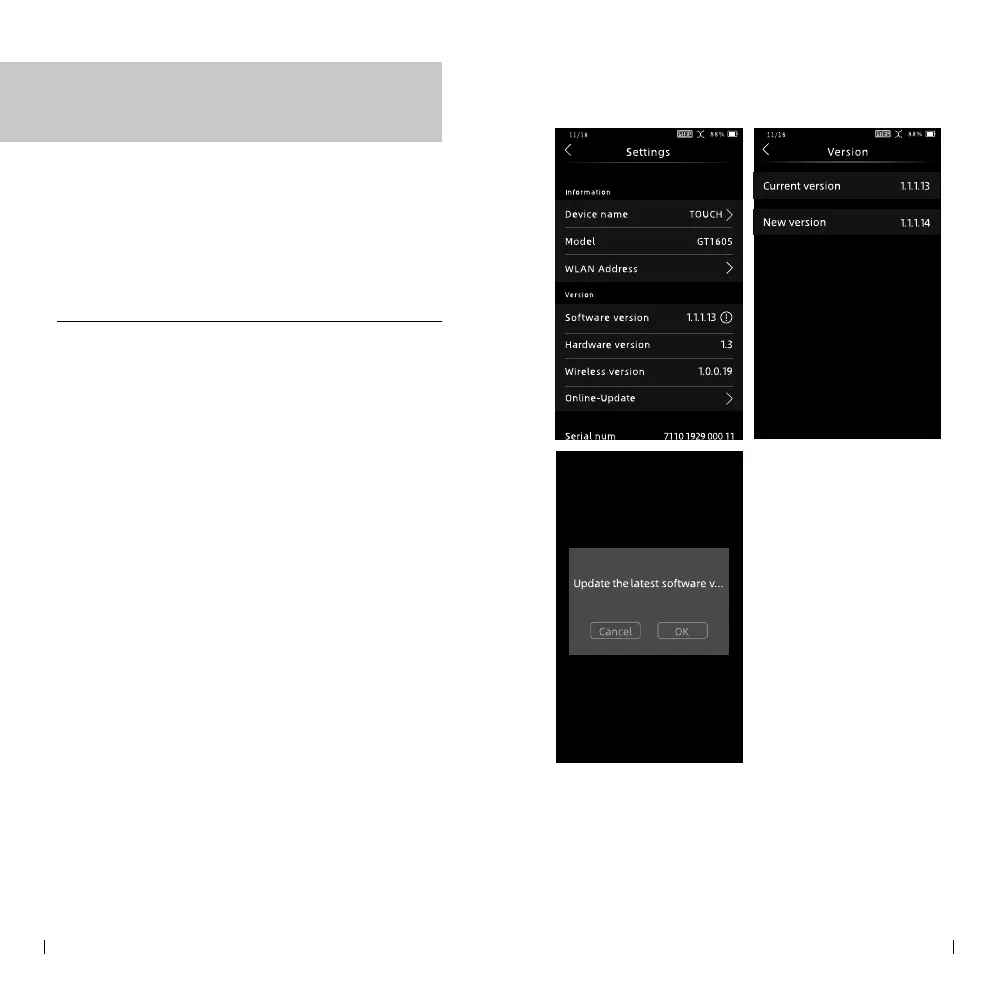
Enter Settings: Access the Settings menu on the
player. Click on the software version option, which
will prompt the rmware update process to begin.
Follow On-Screen Instructions: Follow the
instructions displayed on the screen to complete
the rmware update:
Firmware Update
After a successful update, the player will
automatically shut down. Upon powering on again,
you can check the latest software version number in
"Settings > Software Version."



 To Next Page