54
EN
55
EN
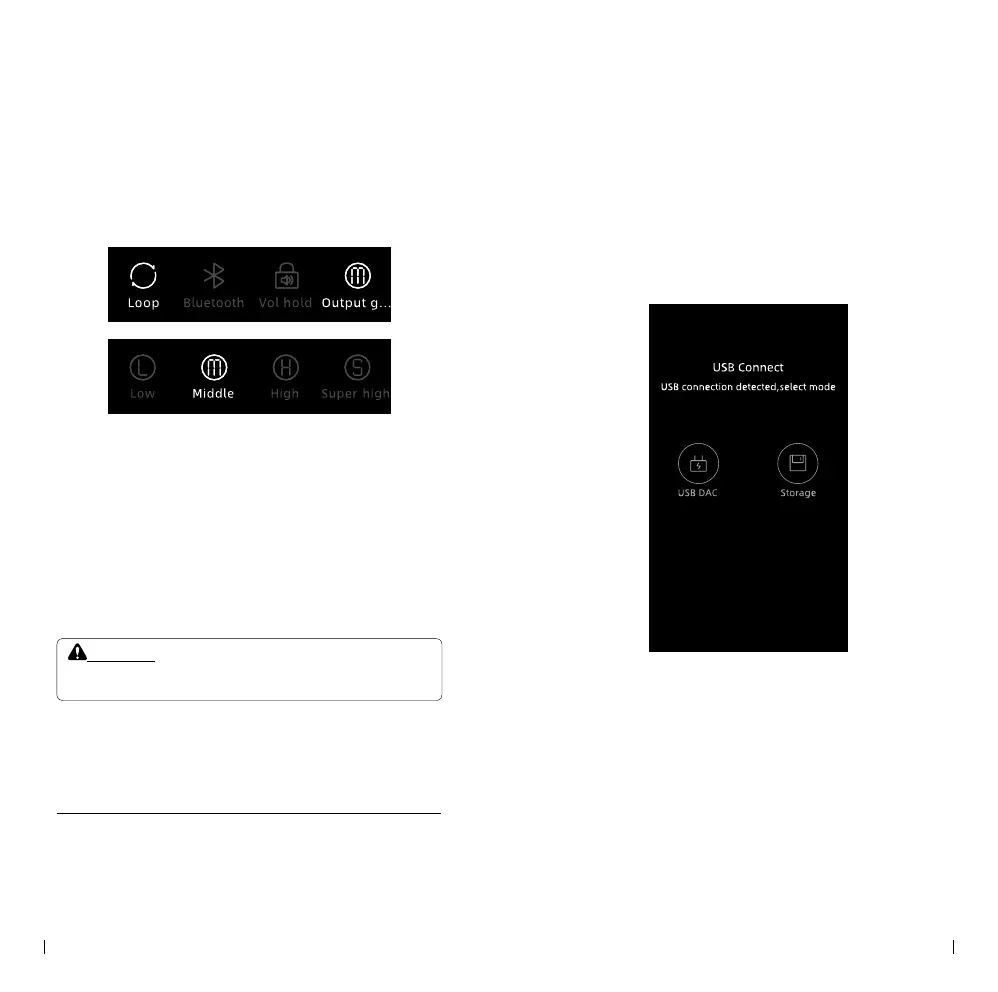
• The player oers four selectable gain levels, which
can be found in the drop-down menu: L (Low), M
(Mid), H (High), and S (Super). It is important to
choose the appropriate gain level based on the
specications and sensitivity of your headphones.
• To ensure the safety of your hearing, it is
recommended to lower the volume to below 30
before changing headphones. Listening to music
at high volume for an extended period can be
detrimental to your hearing, so please avoid doing
so.
• Please do not listen to music at high volume for
extended periods of time to protect your hearing.
Notice:
• Please be aware that the player does not have a built-in speaker,
meaning music can only be listened to through headphones.
File Transfer
• The player is equipped with a USB Type-C port,
which enables high-speed le transfers. To transfer
les, follow these steps:
① . Connect the player (not the PD port) to your
computer (Mac or PC) using the provided USB
Type-C cable.
② . On the player's screen, select the "Storage"
icon.
③ . A pop-up window labeled "Removable Disk"
will appear. Copy the desired les to this disk.
④ . Once the le transfer is complete, safely eject
the "Removable Disk" from your computer.
⑤ . Finally, disconnect the USB cable to complete
the process.



 To Next Page