34
35
Chart Operation | HOOK series
Chart Operation | HOOK series
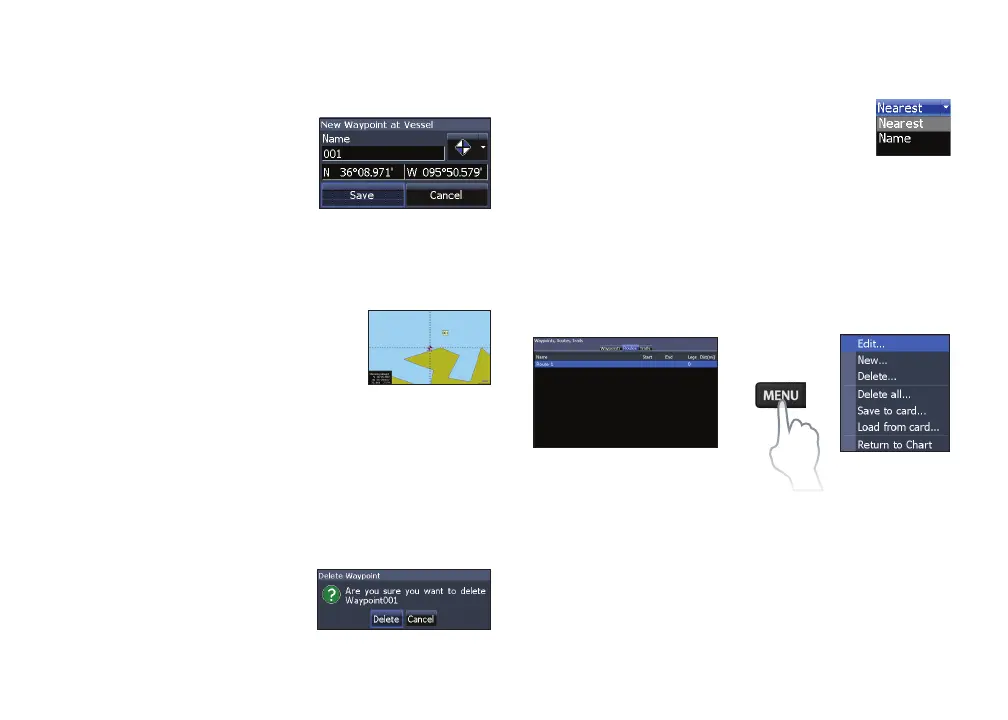
New
Creates a new waypoint
at the cursor or vessel
position. You can also
select waypoint name, icon
and latitude/longitude
from the new waypoint menu.
Show
Displays the selected waypoint
on the map.
Goto
Allows you to navigate to a waypoint.
Delete and Delete All
Delete is used to delete a
selected waypoint. Delete
All deletes all waypoints.
Sort
Controls how the waypoints list will be
sorted — by name or by nearest.
Routes screen
Used to create, edit, navigate and delete routes.
Use the keypad to highlight the Routes tab to ac-
cess the Routes screen.
Creating a route
Routes can be created by inserting waypoints from
the waypoints list or by using the cursor to posi-
tion new points on the chart. You also can add way-
points to a route by selecting them from the chart
screen.
Routes screen
Routes
menu










 To Next Page