38
39
Chart Operation | HOOK series
Chart Operation | HOOK series
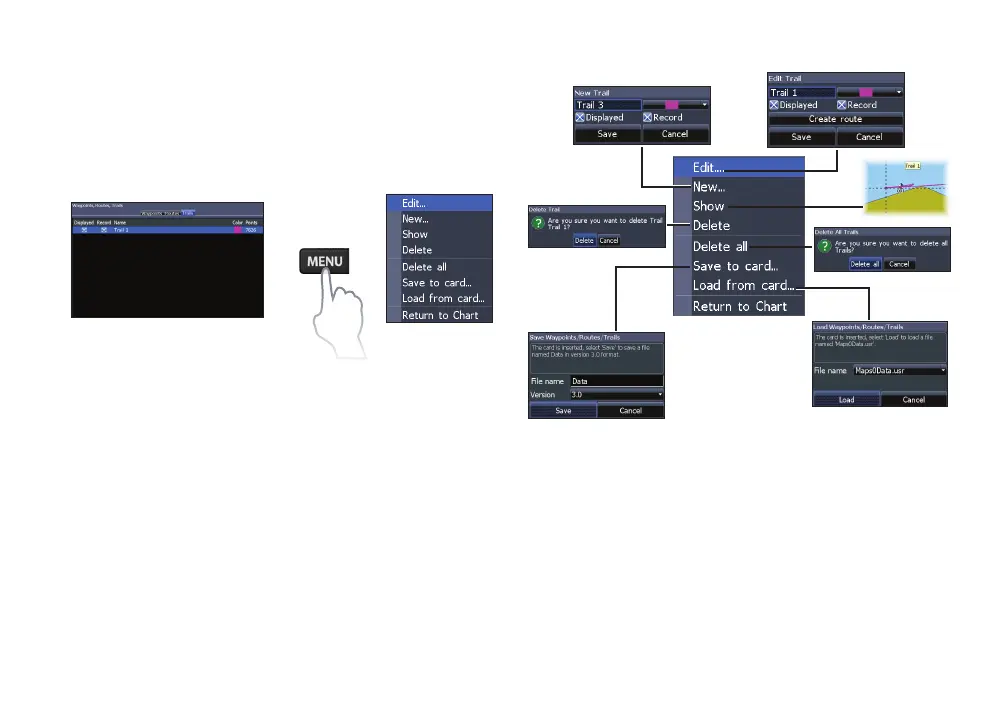
Trails screen
Used to create, edit, navigate and delete trails. Use
the keypad to highlight the Trails tab to access the
Trails screen.
Creating trails
When creating a trail you can customize the trail
name and color from the New Trail.
To create a trail:
1. Select New and press ENTER. The
New Trail dialog will appear.
2. Select Save and press ENTER.
Trails screen
Trails menu
Trails menu










 To Next Page