Atom Operator Manual Modes of Operation
LSC Lighting Systems (Aust) Pty. Ltd. 11
4.3 Wide Preset Mode
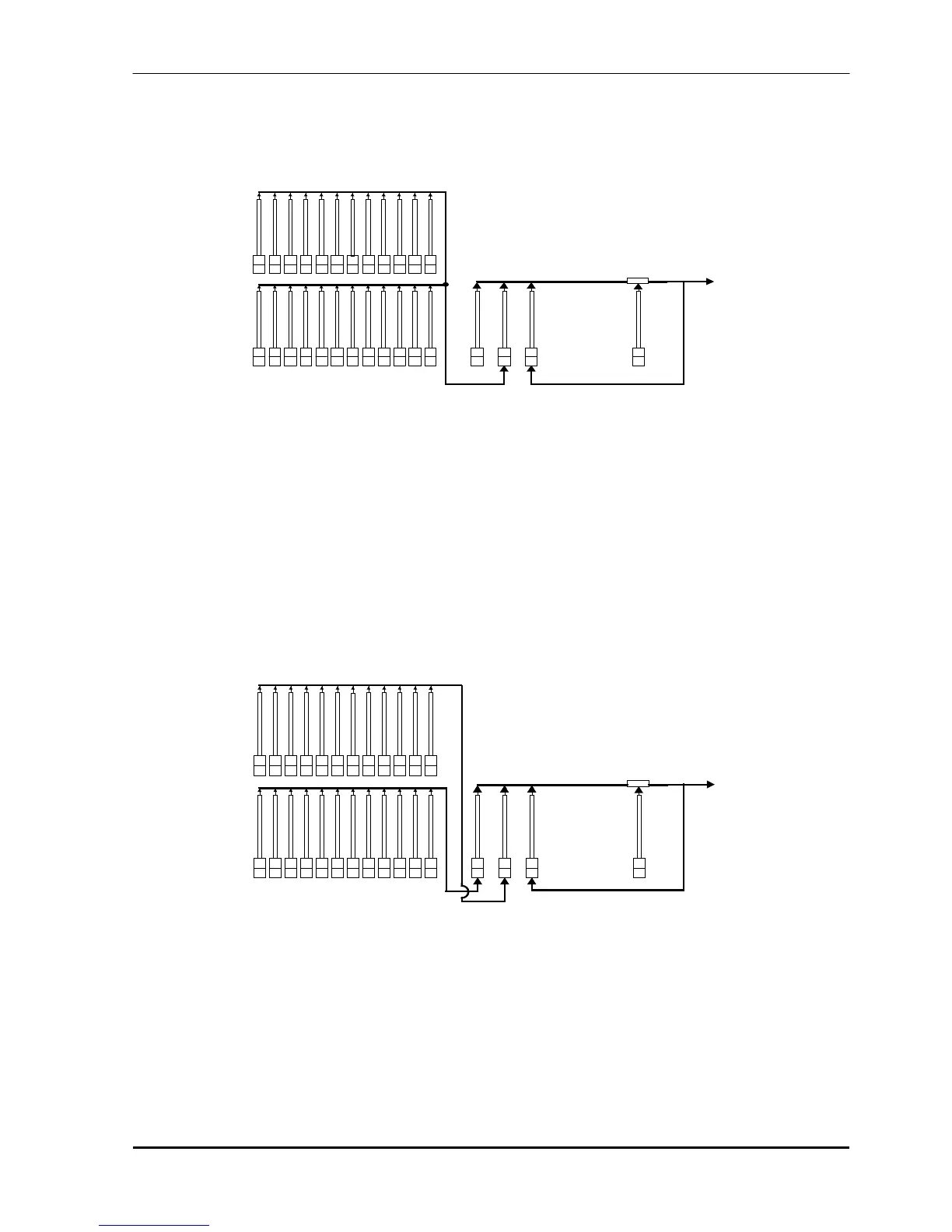
Wide preset mode utilises both the red and yellow fader banks as a single manual preset of 24 (48) channels.
The yellow faders control the low channels and the red faders control the high channels. There is an individual
fader for every channel. The yellow preset master controls the total output of this single (wide) preset.
RED
GRAB
ADD/KILL
YELLOW PRESET
RED PRESET
PRESET
MASTERS
YELLOW
1
234
5
6
789101112
13 14 15 16 17 18 19 20
21 22
23 24
CHANNELS 1-12
CHANNELS 13-24
OUTPUT
Simplified block diagram of a 12/24 Atom in Wide preset mode.
As in Preset mode, you can “balance” the look that you are creating by adjusting the intensities of the
individual channels with their channel faders. You may fade this “look” up and down with the Yellow Preset
master and of course, you may use the In and OUT time faders to set the fade times.
ADVANTAGE
You have access to all of the channels that are available on the Atom. This is most useful when you are
RECORDING scenes as you can utilise all channels to create your scenes. (See “Scene Mode” below).
DISADVANTAGE
You do not have a second preset on which to create the next look although you can perform crossfades to
another “look” by utilising the Grab master as a “phantom” preset. See the “GRAB MASTER” chapter for
details.
4.4 Scene Mode
In Scene mode the faders of the red fader bank become Submasters containing scenes or chases
RED GRAB
ADD/KILL
YELLOW PRESET
RED PRESET
PRESET
MASTERS
YELLOW
123 456789101112
12
3
456 7
8
91011
12
SUB MASTERS 1 - 12
CHANNELS 1 - 12
OUTPUT
Simplified block diagram of a 12/24 Atom in SCENE mode.
Scenes and chases can be recorded, previewed or edited whilst operating in any of the three modes but the
Red preset may only be used to replay scenes and chases in Scene mode.
ADVANTAGE
During rehearsal (in any mode), each lighting look can be created and “recorded” into a Scene, (with its own
IN and OUT fade times if required). During the performance (in scene mode), the Submaster containing each
scene is simply faded up when required. The Atom remembers (in battery backed up memory) all the
channels and their levels together with the fade times for all of the scenes. You may also use the Submasters
to play chases that you have recorded.



 To Next Page