English - 15
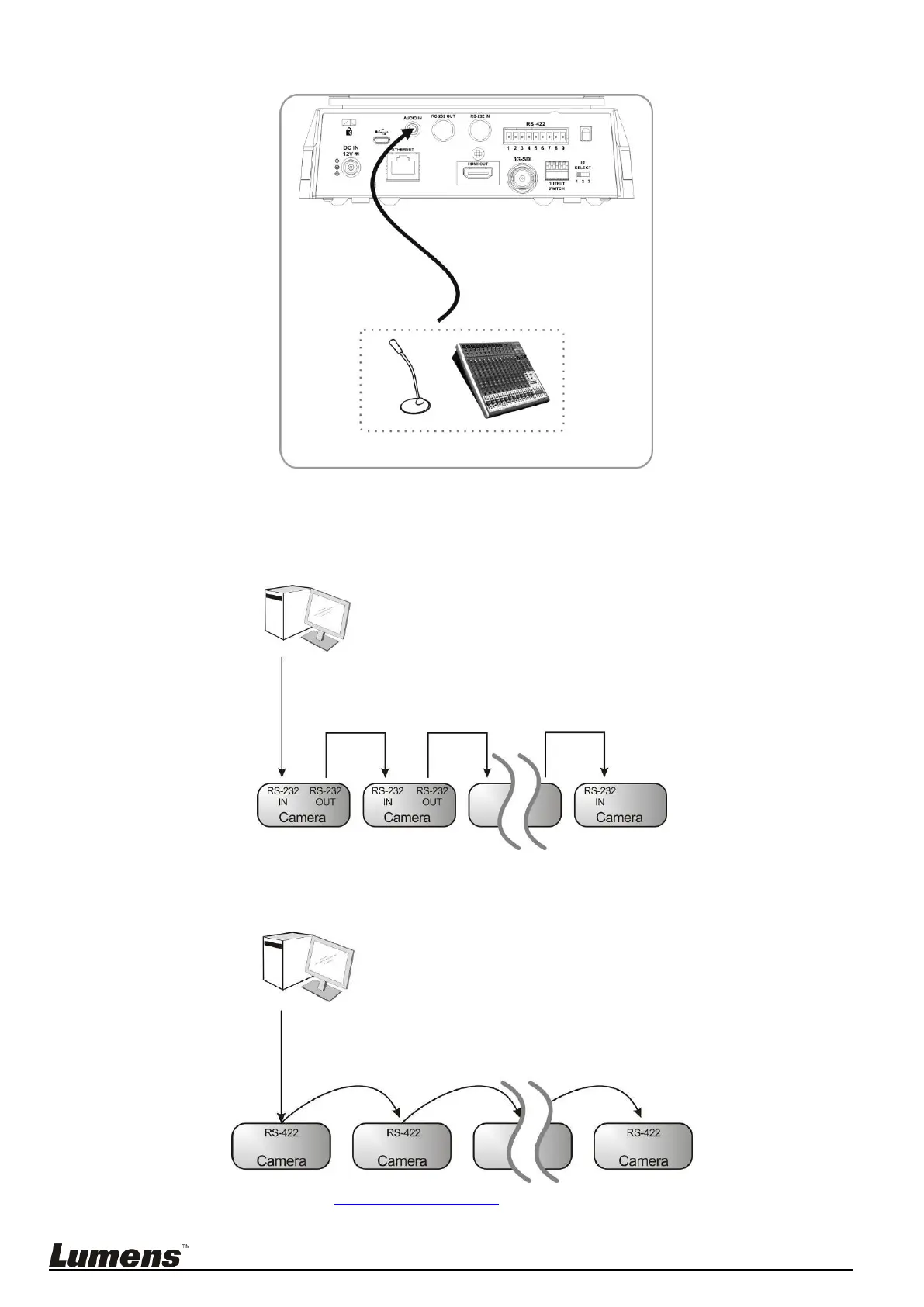
4.3.1.4 Connecting AUDIO IN
<Remark 1> Set the [Audio In] in the OSD to reflect the input device
4.3.2 Controlling VCs with the computer
4.3.2.1 Connecting to one computer for connection between VCs (RS-232 in/out)
<Remark> With RS-232 in/out, at most 7 VCs can be connected.
4.3.2.2 Connecting to one computer for connection between VCs (RS-422)
<Remark> Please refer to 8.2 RS-422 connection for the RS-422 connection instructions.



 To Next Page
 Loading...