EasyManua.ls Logo

Lumens VC-A61P - Video, Picture, and Audio Settings

Lumens VC-A61P
52 pages
Print Icon
To Next Page IconTo Next Page
To Previous Page IconTo Previous Page
Loading...
English - 35
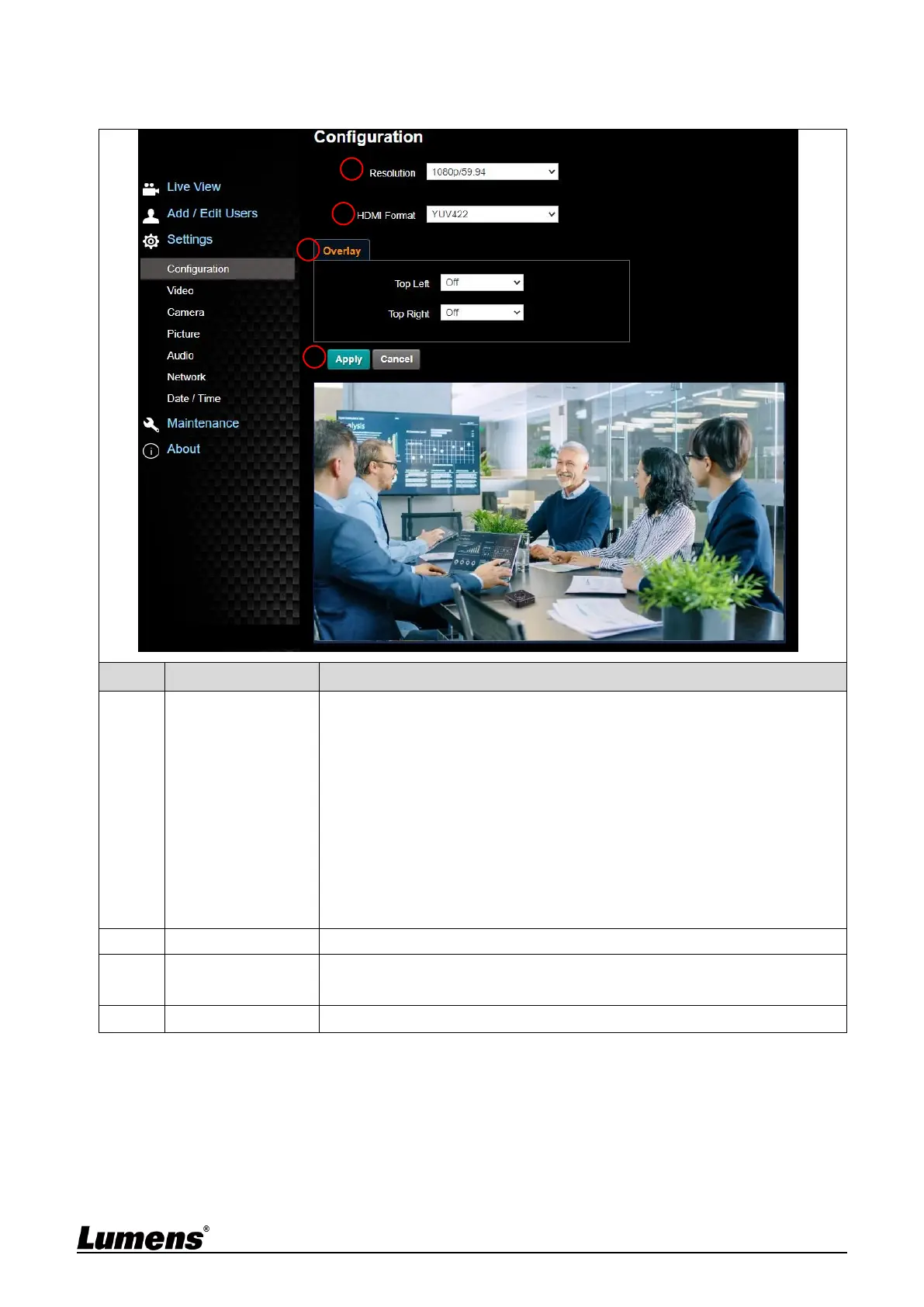
6.2.4 Settings - Configuration
<Remark> Preview is not supported when VC-A61PN NDI|HX is on
No
Item
Function Descriptions
1
Resolution
Set the resolution of the camera, resolutions supported by the camera are
as follows:
3840x2160 29.97/25 fps
1080P 59.94/50/29.97/25 fps
720P 59.94/50/29.97/25 fps
1080i 59.94/50fps
After switching to the resolution, the camera will restart. Please refresh the
browser
<Remark>VC-A61PN does not support 720p 29.97 / 25 fps resolutions
<Remark>Select 1080i/59.94, 1080i/50, only HDMI/SDI outputs 1080i,
while NDI will output 1080p
e.g. HDMI 1080i60; NDI 1080p60

2
HDMI Format
Select YUV422 / RGB
3
Overlay
Set the stream to display “date and time” or “custom content” and to
display location
4
Apply
After the setting has been modified, select this button to apply the setting
1
2
3
4

Other manuals for Lumens VC-A61P

Related product manuals