English - 29
Chapter 6 Descriptions of Major Functions
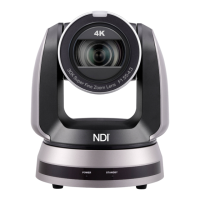
6.1 I would like to switch to VC-A70H
1. Press [Camera 1 ~ 3] on the remote control to select VC-A70H.
Camera 1 ~ 3 is selected with IR SELECT.
6.2 I would like to set the Digital Output (RGB, YUV)
1. Press [MENU] to activate the setting menu.
2. Press [] or [] to select [System].
3. Press [ENTER] to activate.
4. Press [] or [] to select [Digital Output].
5. Press [ENTER] to activate.
6. Press [] or [] to select [YUV / RGB].
7. Press [MENU] to exit.
6.3 I would like to enable the Tally Mode function
1. Press [MENU] to activate the setting menu.
2. Press [] or [] to select [System].
3. Press [ENTER] to activate.
4. Press [] or [] to select [Tally Mode].
5. Press [ENTER] to activate.
6. Press [] or [] to select [Low / High / Off].
7. Press [MENU] to exit.
6.4 I would like to hide the preset image switch (Motionless
Preset)
1. Press [MENU] to activate the setting menu.
2. Press [] or [] to select [System].
3. Press [ENTER] to activate.
4. Press [] or [] to select [Motionless Preset].



 To Next Page
 Loading...