Select the number first and then select SAVE or LOAD
Adjust the Pan/Tilt position of the camera screen
Adjust the horizontal/vertical moving speed of the lens
Enable/Disable Auto Tracking
Enable/Disable Auto Framing
Please refer to 5.2.3 Live Video - Camera Setting for related settings
Enlarge the preview
window
Zooming in/out the preview image
5.2.3 Live Video - Camera Setting
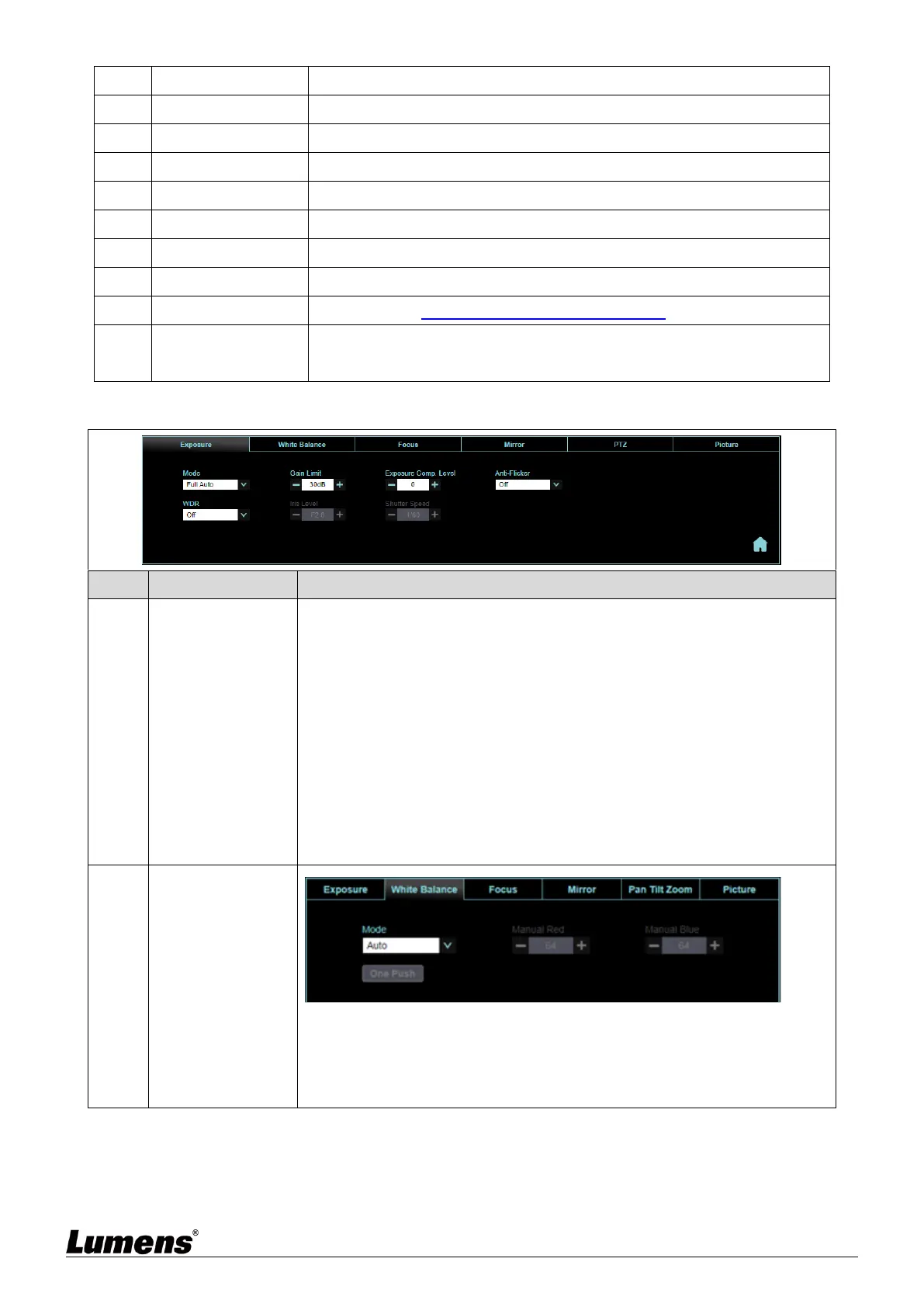
Mode: Select exposure mode (Full Auto/Shutter Pri/Iris Pri/Manual/
White Board)
Gain Level: Adjust the gain level (adjustable only under the “Manual”)
Gain Limit: Adjust he gain limit (adjustable only under the “Manual”)
Exposure Comp. Level: Select exposure compensation level
WDR: Set the level of wide dynamic range (WDR) in order to obtain
better images
Iris Level: Adjust the size of aperture (adjustable only under the “Manual”
or “Aperture Priority”
Shutter Speed: Adjust the shutter speed (adjustable only under the
“Manual” or “Shutter Priority”
Anti-Flicker: Enable Anti-flicker function(adjustable 50Hz or 60Hz)
Mode: Select the color temperature mode
Open Push WB: Single color temperature execution adjustment
(adjustable only under the “One Push WB”
Manual Red/Blue: Manually adjust blue/red color temperature


 To Next Page
 Loading...