English-18
5.2.3 Live Viewer - Camera Setting
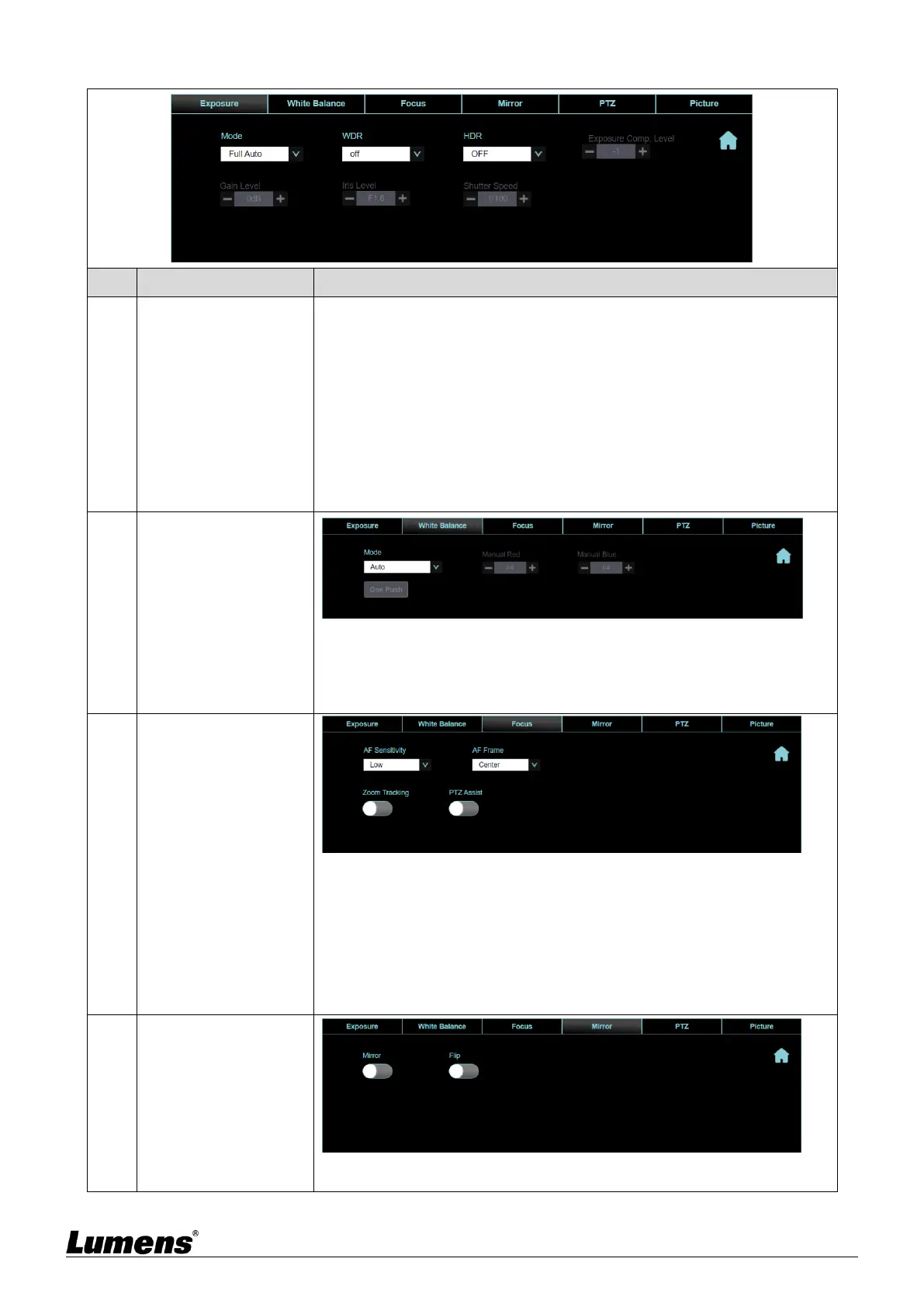
Mode: Select exposure mode (Full Auto/Shutter Pri/Iris Pri/Manual/
White Board)
WDR: Set the level of wide dynamic range (WDR) in order to obtain
better images
HDR: Set the On/ Off of high dynamic range (HDR) in order to obtain
better images
Exposure Comp. Level: Select exposure compensation level
Gain Level: Adjust the gain level (adjustable under the “Manual”)
Iris Level: Adjust the size of iris (adjustable under the “Manual” or “Iris
Priority”)
Shutter Speed: Adjust the shutter speed (adjustable under the “Manual”
or “Shutter Priority”)
Mode: Select the color temperature mode
Manual Red/Blue: Adjust blue/red color temperature (adjustable under
the “Manual”)
One Push WB: Single color temperature execution adjustment
(adjustable only under the “One Push WB”)
AF Sensitivity: Set automatic focus sensitivity
AF Frame: Set automatic focus range
Zoom Tracking: The focus mode during lens zooming (can be set in
“Manual”)
PTZ Assist: Check whether auto focus is enabled if there is any
changes of PTZ (can be set in “Manual”)
<Remark> When PTZ Assist is enabled and PTZ control is in operation,
the focus will be triggered. The focus will not be triggered when the scene
changes
Mirror: Set image mirroring
Flip: Set the mode at which the image is turned


 To Next Page
 Loading...