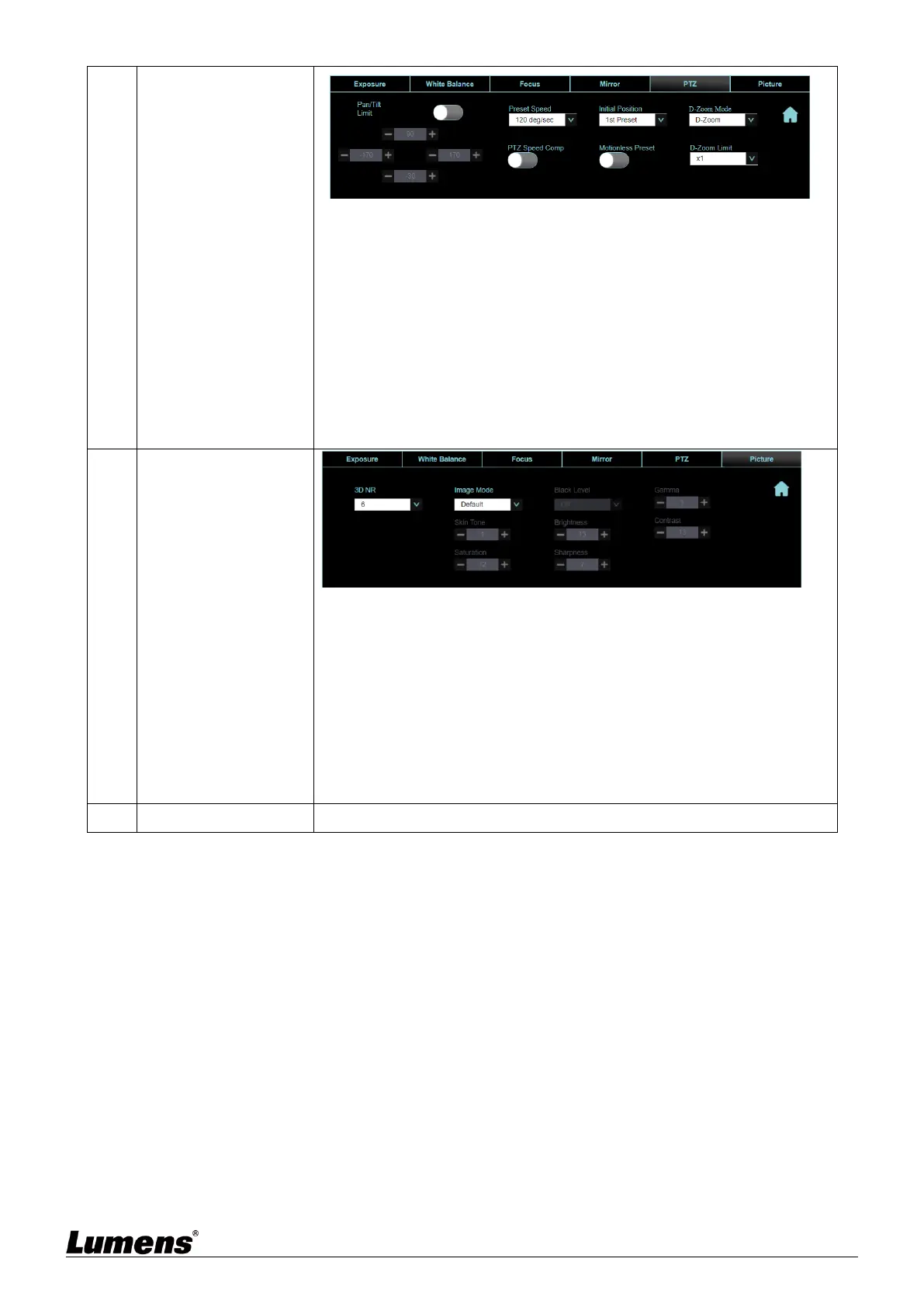
Pan/Tilt limit: Enable, and set the pan/tilt limit
Preset Speed: Set the rotation speed of the cradle head when Preset is
executed
Initial Position: Set the camera lens to return to the last MEM or the 1st
Preset after POWER ON
<Remark> 1
st
Preset= Preset 0
D-Zoom Mode: Select D-Zoom/Sensor Zoom Limit
D-Zoom/Sensor Zoom Limit: Set the zoom limit
PTZ Speed Comp: After it is activated, the Pan/Tilt moving speed will
vary from the zoom position
Motionless Preset: When the function is enabled, the screen will Freeze
when Preset is executed. Freeze will be released after Preset is
completed
3D noise reduction: 3D noise reduction settings
Image Mode: The user may customize his/her desired image mode
Gamma: Gamma Level adjustment; Adjustable when the image mode
is set to Custom
Brightness: Brightness adjustment of the image; Adjustable when the
image mode is set to Custom
Contrast: Image contrast adjustment; Adjustable when the image mode
is set to Custom
Saturation: Saturation adjustment of the image; Adjustable when the
image mode is set to Custom
Sharpness: Sharpness adjustment of the image; Adjustable when the
image mode is set to Custom
Go back to PTZ Control page


 To Next Page
 Loading...