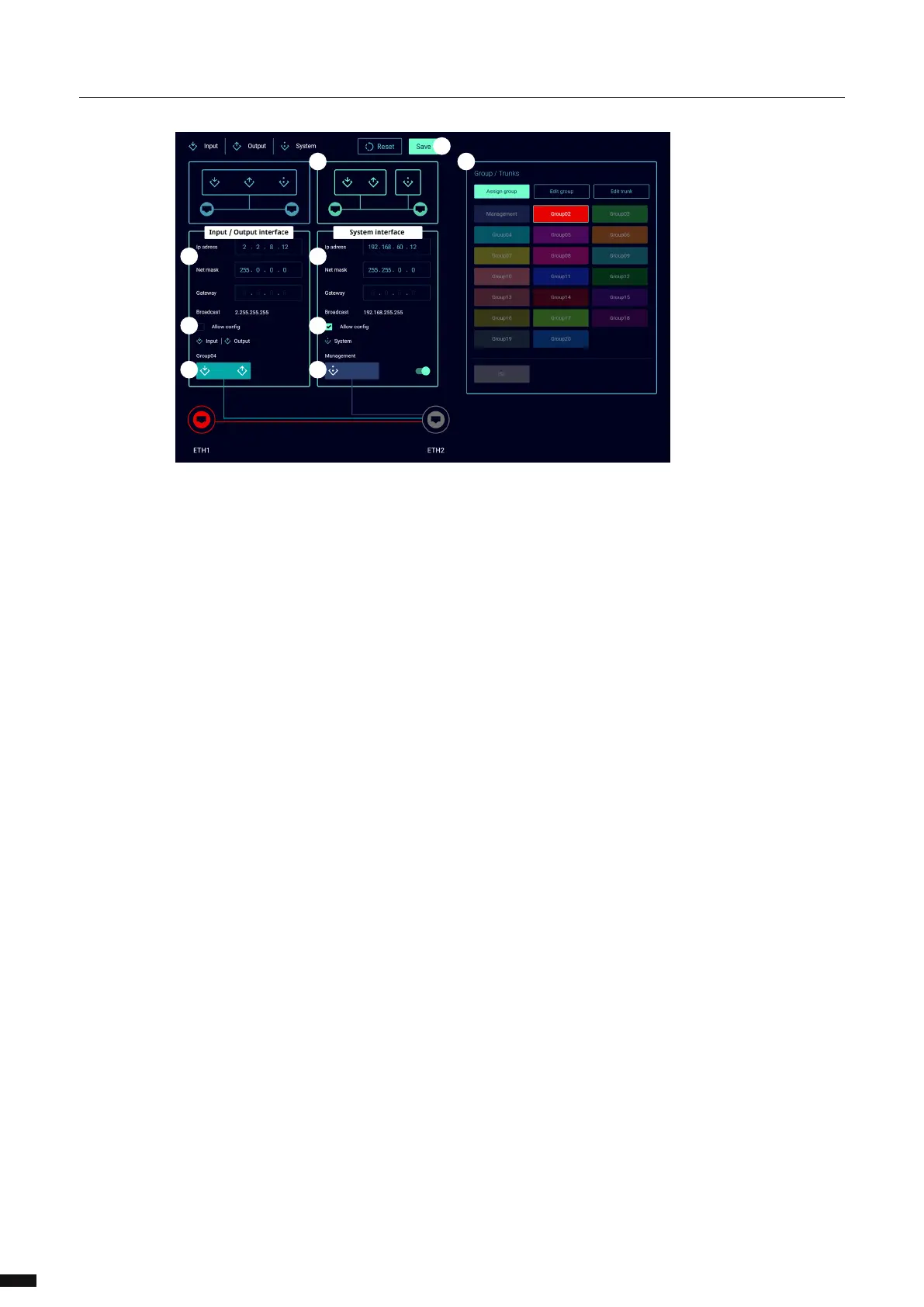
The network page is devided in two scenarios.
SCENARIO 1(A): (DEFAULT)
The Lighting data input/output and the management of the LumiNode are all assigned to the same
network group and share a single IP address.
In the IP address section (C):
Enter the IP address you wish to use.
Enter the subnet.
Enter a gateway IP address if required.
Click Save (J) to apply the changes.
Enter the new IP address in your web browser to refresh the page.
SCENARIO 2(B): (ADVANCED)
Groups/VLANs including an ISL group (Trunk) can be assigned to ports and interfaces.
This can be useful when data from dierent applications, in coexistence with the lighting data, needs to be
transported over the same network.
The Lighting data input/output and the management of the LumiNode can be separated in dierent
network groups and can each have a unique IP address.
18



 To Next Page