46
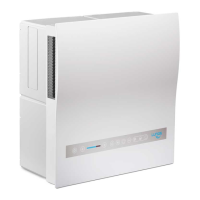
DIP-Schaltereinstellung
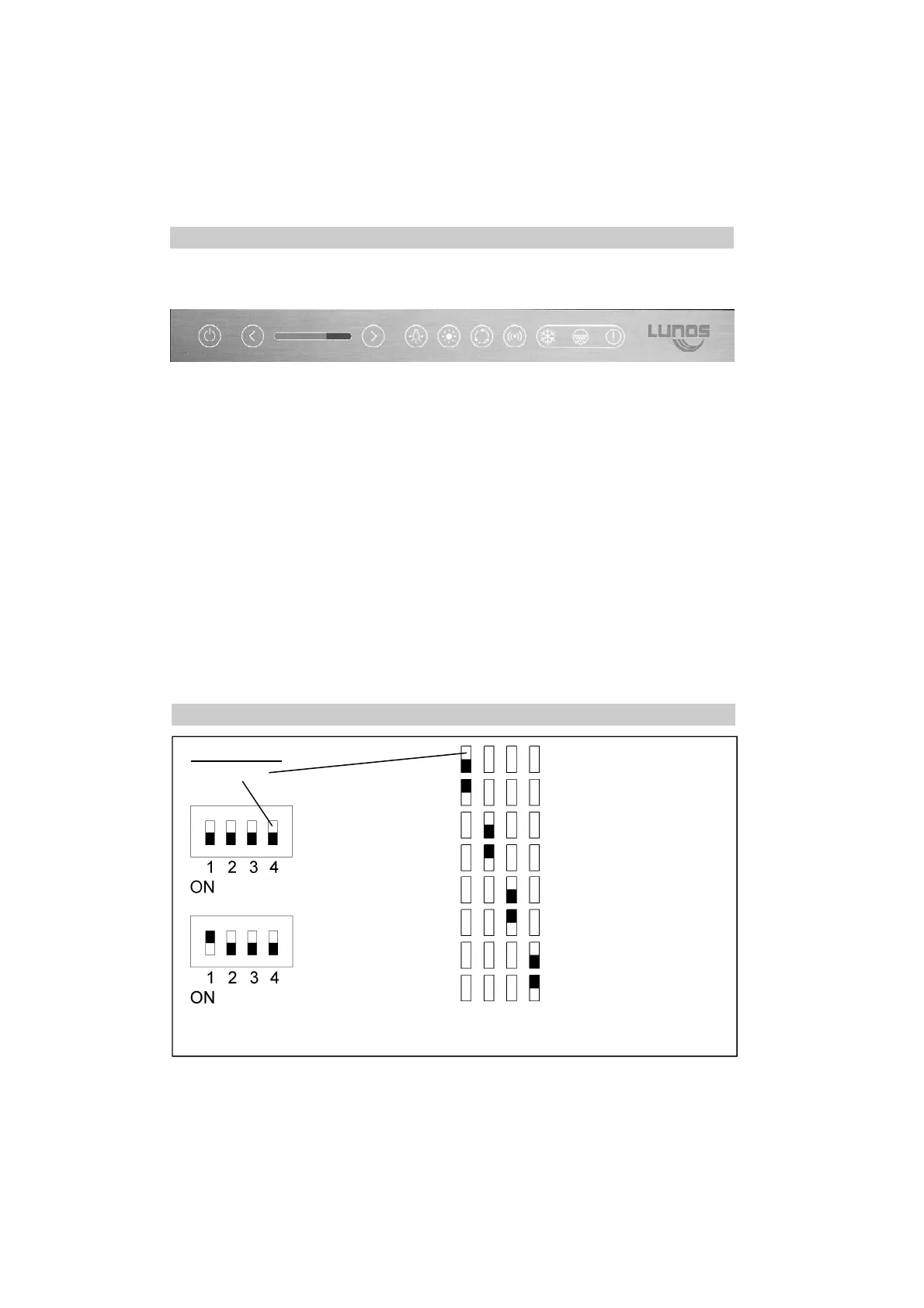
Operating element EN
1 2 3 4 5 6 7 8 9 10 11
1 ON/OFF Key and indication
2 Volume flow less Key
3 Volume flow stage Indication
4 Volume flow more Key
5 Possibility of the disconnection of the key back-lighting Key and indication
6 Summer circuit Key and indication
7 Automatic operation Key and indication
8 WLAN Key and indication
9 Antifreeze operation warning display Indication
10 Filter change indication Indication
11 Error indication Indication
Ex-works setting:
White DIP switch
Ne
xx
t NXT-G
Ne
xx
t NXT-K
Standard key function accord-
ing to wiring diagram 2
Special function according to
wiring diagram 3
Ne
xx
t NXT-G
Ne
xx
t NXT-K
1 2 3 4
Attention! Do not change the adjustment of the
DIP switch 1!


 To Next Page