12
AUTOMUTE
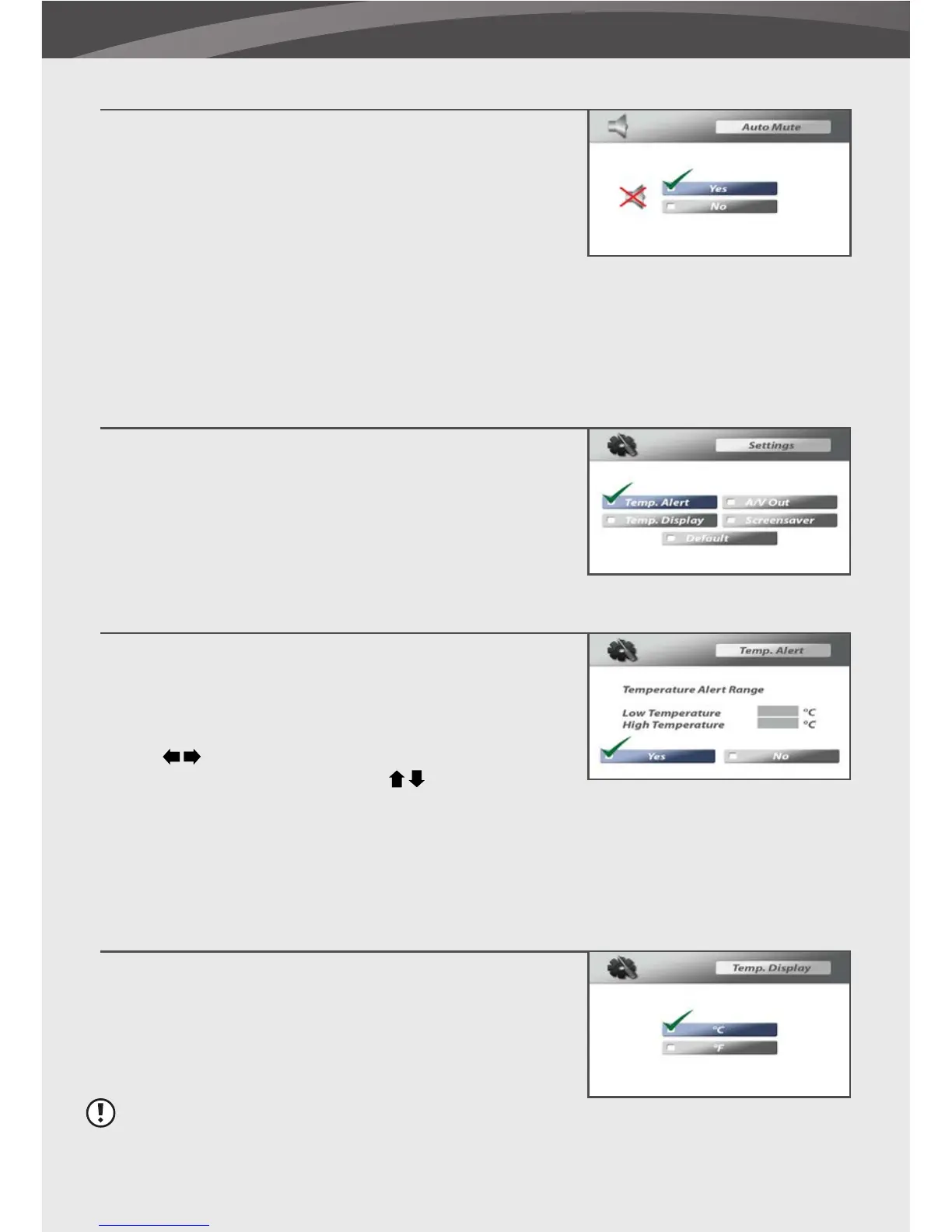
Auto mute is a feature where you can choose between
a so called “open channel”, or for the sound activated
option. Using the sound activated mode, you will only
hear you baby when there is a certain amount of sound.
The sensitivity of for this level of sound detection can be
adjusted on the side of the baby unit.
The advantage of the sound activated mode is that you will not hear any background sound and
that you will only be alerted if there is certain sound in the baby room. Should you prefer to hear
the sound of the baby room continuously, a so called “open channel”, then this option can be
chosen in this menu by selecting NO.
SETTINGS
The settings menu contains 5 submenus:
1. Temperature alert 3. A/V Out
2. Temperature Display 4. Screensaver
5. Default
1. Temperature Alert
You can use this menu to set the temperature range of the
temperature alert. When the temperature is outside this
range, a warning sound will be emitted.
Use the
buttons to select the minimum and
maximum temperature, then use the
buttons to
set the temperature value. After successfully setting the
temperature range, select On and then press OK to conrm
the settings.
Select OFF to disable the temperature alert.
2. Temperature display
Select the temperature unit you want to use. You can
choose between degrees Celcius or degrees Fahrenheit.
Note:
Because the temperature sensor is located next to the
(warm) camera, the measured temperature can deviate
slightly from the room temperature. The temperature
displayed on the screen is about 1-2 degrees Celcius higher
than the room temperature.















 To Next Page