2
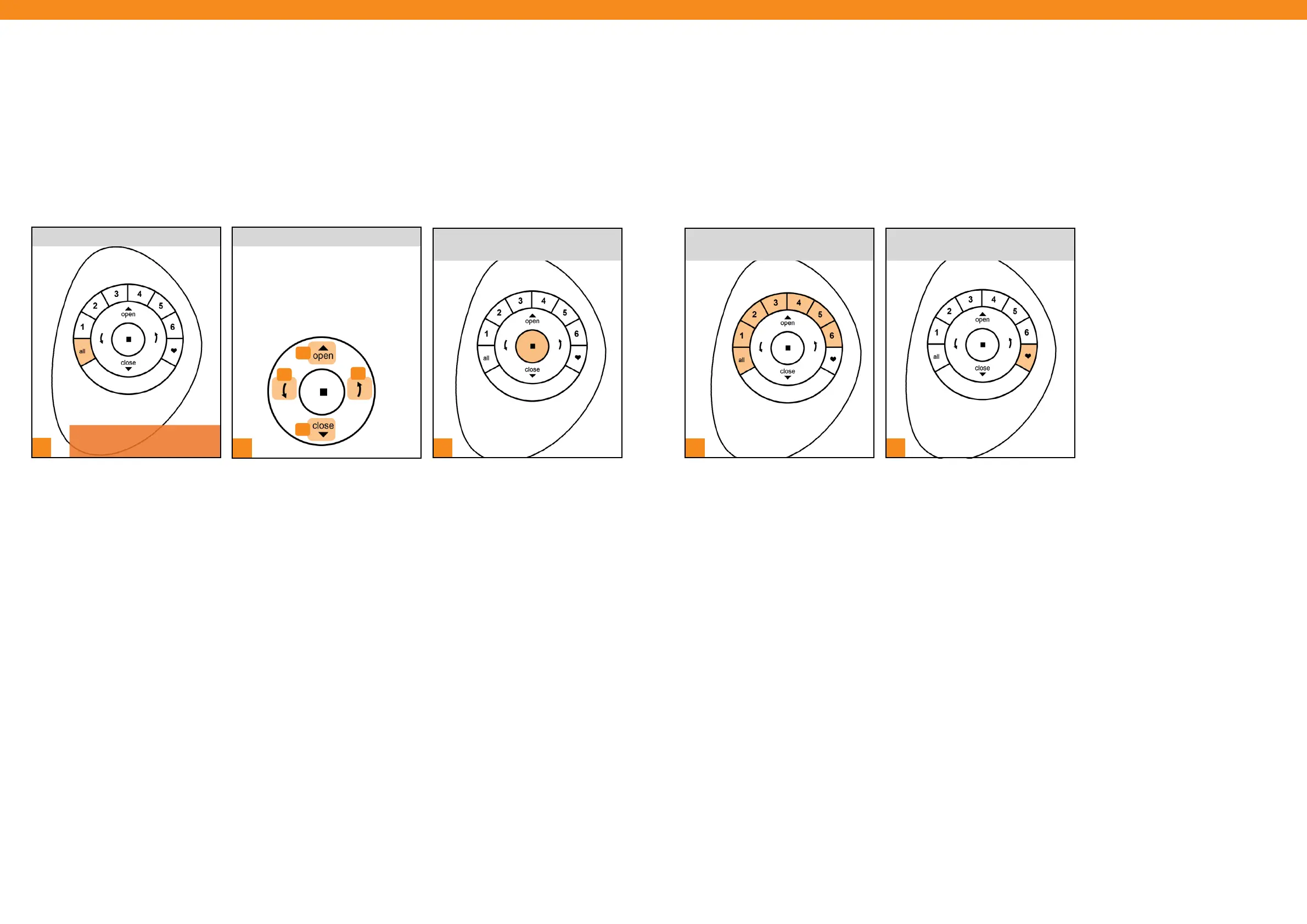
NOTE: To de-select ALL, press
any Group number.
PRESS and RELEASE either:
A. Open on the remote to open shade
B. Close on the remote to close shade
C. Right Arrow for vane operation
D. Left Arrow for vane operation
D
C
A
B
1
3
PRESS and RELEASE n (Stop) when
the desired shade position is reached.
1 2
[ 14 ] [ 15 ]
PRESS and RELEASE All button.
Product Operation: ALL Button
The ALL button allows all Grouped shades to be operated simultaneously.
PRESS and RELEASE desired Group
number(s) (1-6) or ALL.
Product Operation: Favorite Button
The Favorite button moves selected Grouped shades to their individually set Favorite positions. All shades come
from the factory with a default Favorite position set at 50% open. If you prefer a different shade position, you can
create a custom Favorite.
PRESS and RELEASE Favorite
button.


 To Next Page
 Loading...