41 SolsTiS User Manual v10.0
Not all laser optics are designed to be removed from their mounts. If an optic
has been designated as removable for cleaning in the manual for your laser
system, always handle the optic by the outer edge when removing or
replacing the optic, and place the optic on its edge on a clean piece of lens
tissue. Do not allow the optic to rest on one of its polished surfaces.
The temperature of the optic may, in some cases, be elevated from its use in
the laser. In these cases, allow enough time for the optic to cool down to room
temperature before handling or attempting to clean the optic. Once the optic
has cooled, illuminate it at different angles of incidence to examine it for signs
of surface contamination, defects, scratches, or internal laser damage. If
required, clean the optic using the cleaning procedure outlined below. If any
scratches or contamination cannot be removed, the optic may need to be
replaced. If so, please contact M Squared Lasers or an authorized
representative for advice on how to proceed.
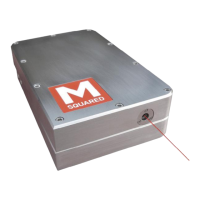
Cleaning Optics in the SolsTiS System
Warning! The SolsTiS laser head is a sealed, maintenance-
free design, and the laser head must never be opened, nor
must any optic in the SolsTiS system be removed from its
mount. In general, the only optics that are accessible and
may require occasional cleaning are the input & output port
windows on the SolsTiS laser head. Incorrect or unnecessary
cleaning of an optic could also lead to safety hazard, and/or
result in damage to an optical surface that could require a
Return to Factory repair.
The only optic that can be cleaned by the user, and only then if absolutely
necessary per the guidelines above, is the output window. If dirt or
contamination is found on the output window, the following cleaning procedure
should be used:
1. Record the laser system output power, and output beam characteristics
if applicable. Turn off and safety-interlock the laser system to ensure no
hazardous exposure to laser radiation during the inspection
and/or cleaning process.
2. First check to see if the dirt or contamination can be removed
with a gentle stream of dry air.
3. If not, using finger cots or gloves and tweezers or hemostats,
carefully fold up a clean lens tissue into a small, tight pad,
sized small enough to fit the area on the optic to be cleaned.
4. Place a drop of fresh, reagent-grade methanol along the
cleaning edge of the lens tissue pad. DO NOT USE EXCESS
METHANOL AS THIS MAY DRIP DOWN THE OPTIC. Place
the wet portion of the lens tissue on the optic surface and
slowly drag it across the optic. The lens tissue and optic
should be nearly dry before completing this drag wipe.
5. Inspect the surface of the optic as outlined above. If streaks
or contamination can be seen on the surface of the optic,
repeat the cleaning process using a fresh lens tissue and
fresh methanol.
6. After checking carefully that the optic is clean, and that the
cleaning process did not disturb the rest of the laser system,
carefully restore operation of the laser system using the turn-
on procedure described in the laser system’s manual.


 To Next Page