MA Lighting Technology GmbH
.
Dachdeckerstr. 16
.
D-97297 Waldbüttelbrunn
1010
1010
10
Display
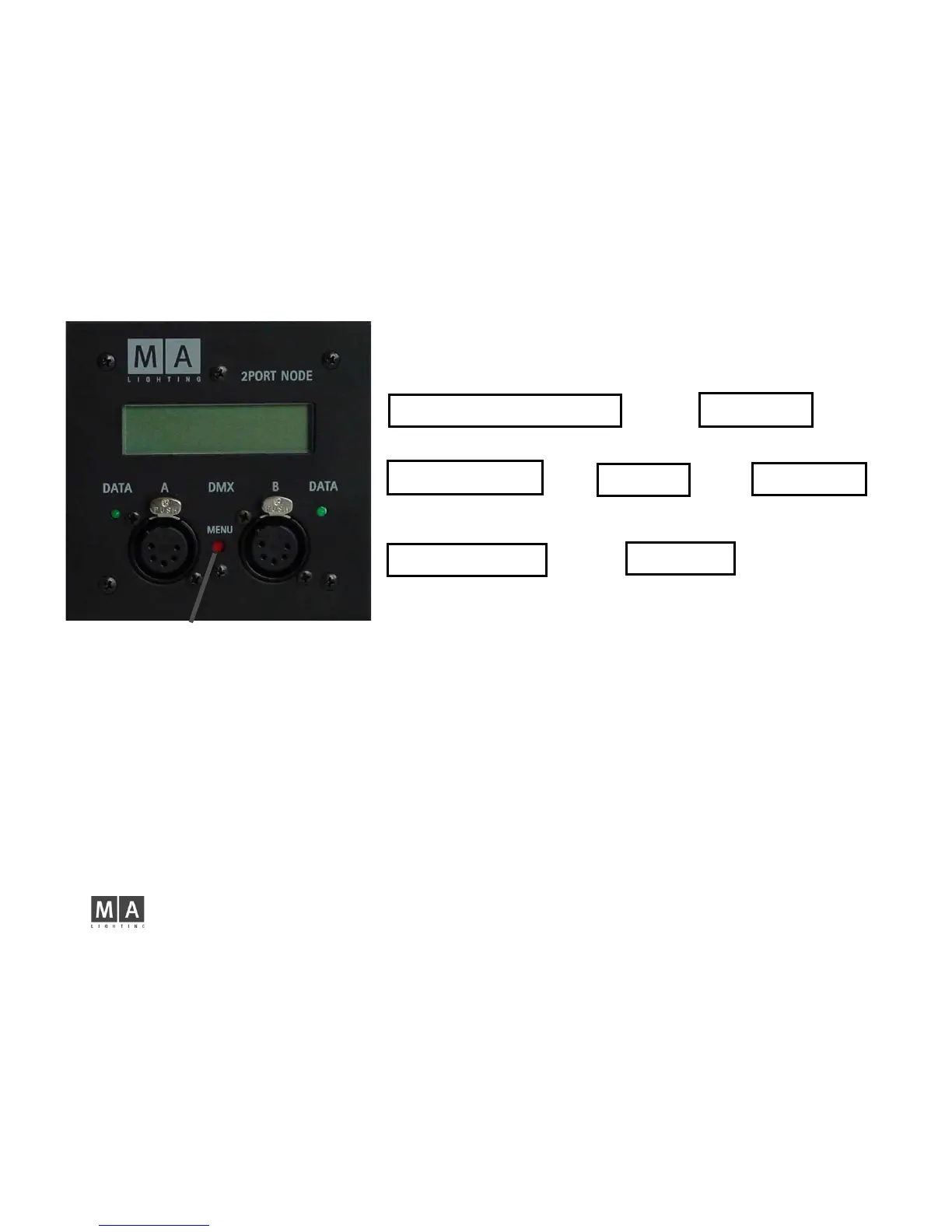
The 2-Port Node display will only show the most important settings. For configuring a node,
you have to use a grandMA console or the „onPC“ software.
after switching the device on, the display will show:
Name of 2-Port Node MA Node No1
Universe and Merge Mode Port1 and Port2 e.g. 2 LoTP 4 OUT
pressing the MENU button briefly
Mode MA NET ARTNET
Session ID or ARTNET ID e.g. Session ID:3 or 2 .102.240.3
pressing the MENU button briefly
IP Adress of 2-Port Node 192.168.0.213
Subnetmask of 2-Port Node e.g. 255.255.255.0
After a brief moment, the display will switch back to the first menu.
...release after approx. 2 seconds The first line will show the 2-Port Node serial number and the software version.
The second line will show the 2-Port Node type.
empty = onPC not available / onPC = 512 parameter version / onPC_PRO = 1,024 parameter version
...after approx. 5 seconds IDENTIFY MODE is shown on the display. Now release the button.
The green LED and the display will blink to identify, and the console menu, the 2-Port Node line will blink in green.
Pressing the MENU or IDENTIFY button on the console or in onPC will stop the blinking.
...after approx. 8 seconds....
- If the 2-Port is in MA NET mode: ARTNET OUT / OUT — IN /OUT — IN/IN release the button, if you reach the desired ARTNET
setting. The subnet and channel numbers must be set from the Artnet console.
- If the 2-Port is in ARTNET mode: MA Net Switch the 2-Port Node will be switched to the MA NET mode, when you release the button.
...after approx.10 seconds RESET / RESTORE MODE is shown on the display.
- now release the button. Will reset the 2-Port Node, i.e. will reboot the device. All settings will be kept.
- or press the button anew Will restore the 2-Port Node to factory default.
Keep the button MENU pressed and....



 To Next Page