44
Unit installation and configuration/Setting the signals
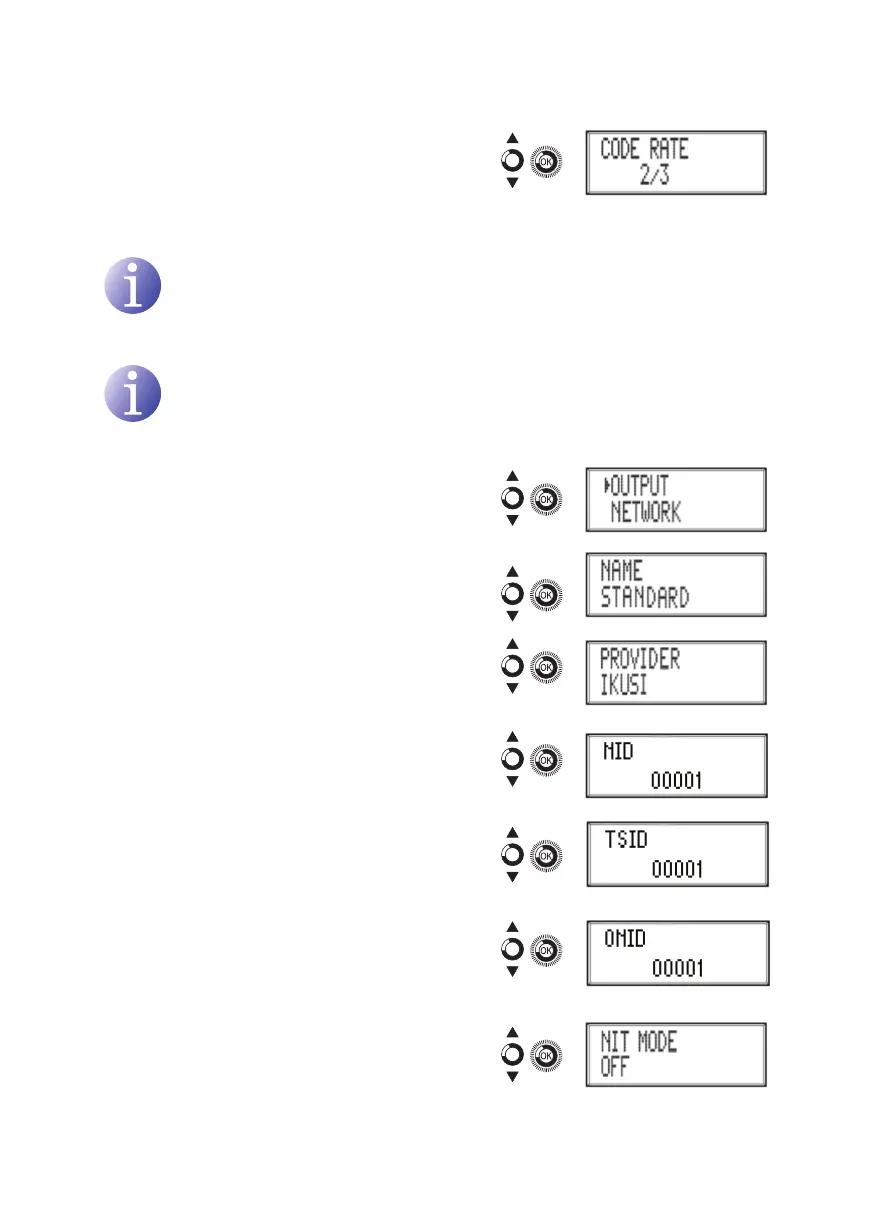
g) Locate and select the option CODE RATE.
Select the code rate between 1/2, 2/3, 3/4,
5/6 and 7/8.
Network configuration
NOTE
To introduce a sequence of digits in the display move the control button verti-
cally to change the value of the current digit and horizontally to move between
digits.
NOTE
Position the cursor to the right of the current value and move the control button
vertically to increase or decrease the current value. Hold the control button up or
down to increase or decrease the current value more quickly.
4) Locate and select the option NETwORk.
a) Locate and select the option NAmE. Con-
gure the name of the network.
b) Locate and select the option PROvIDER.
Congure the name of the network service
provider.
c) Locate and select the option NID.
Congure the value of the network identi-
er.
d) Locate and select the option TSID.
Congure the value of the trasport stream
identier.
e) Locate and select the option ONID. Select
the guard interval between 1/32, 1/16, 1/8
and 1/4 of symbol.
f) Locate and select the option NIT mODE.
Congure the NIT mode:
Ì
OFF: NIT is not inserted (the LCN values
are ignored).



 To Next Page