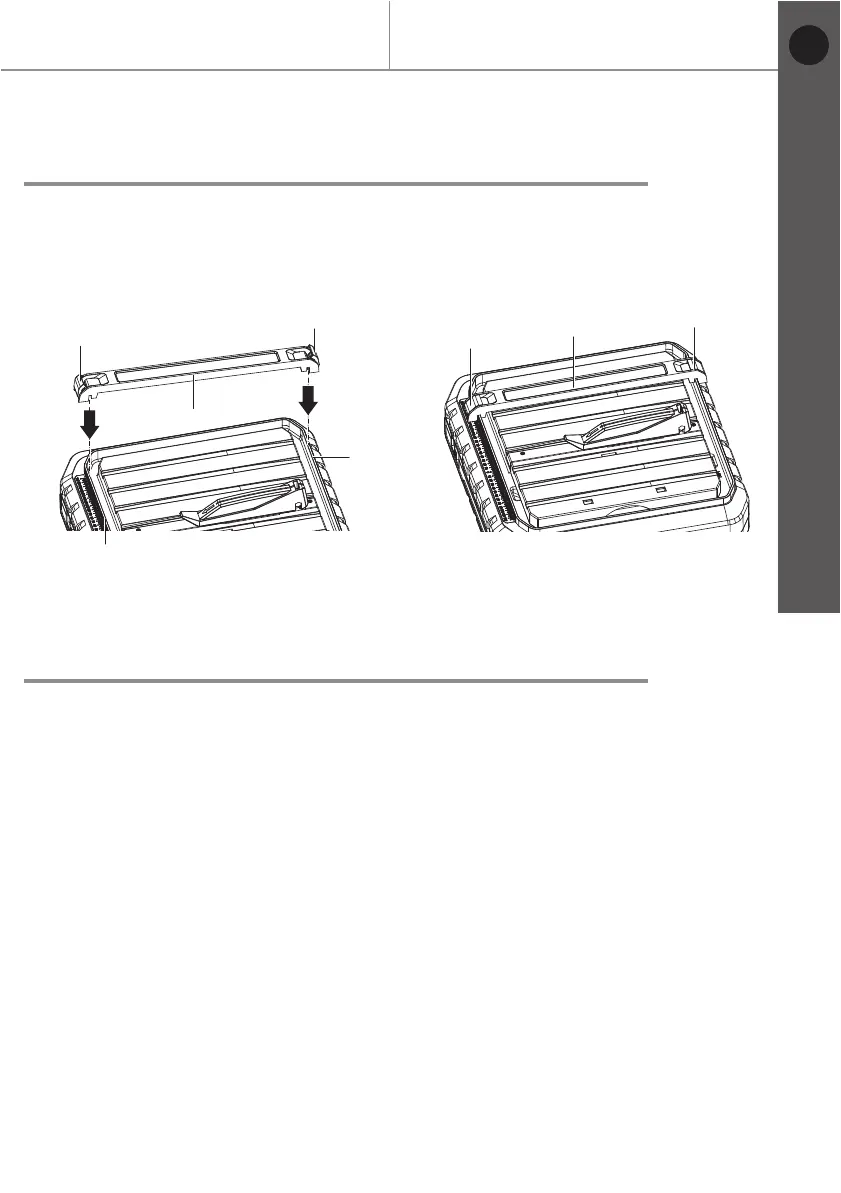
Fig. 11 Fig. 12
Before you start
MTC500 by MacAllister
Getting started...
17
Mounting the parallel cutting guide
> Unplug the tile cutter from the mains supply.
> Open the locking knobs (8) for parallel cutting guide.
> Position the parallel cutting guide (12) on the rail (30).
> Push down the locking knobs (8).
Adjusting the parallel cutting guide
> Open the locking knobs (8) for parallel cutting guide.
> Push the parallel cutting guide (12) to the desired distance.
> Push down the locking knobs (8).
30
8
8
8
8
12
12
30
EN


 To Next Page