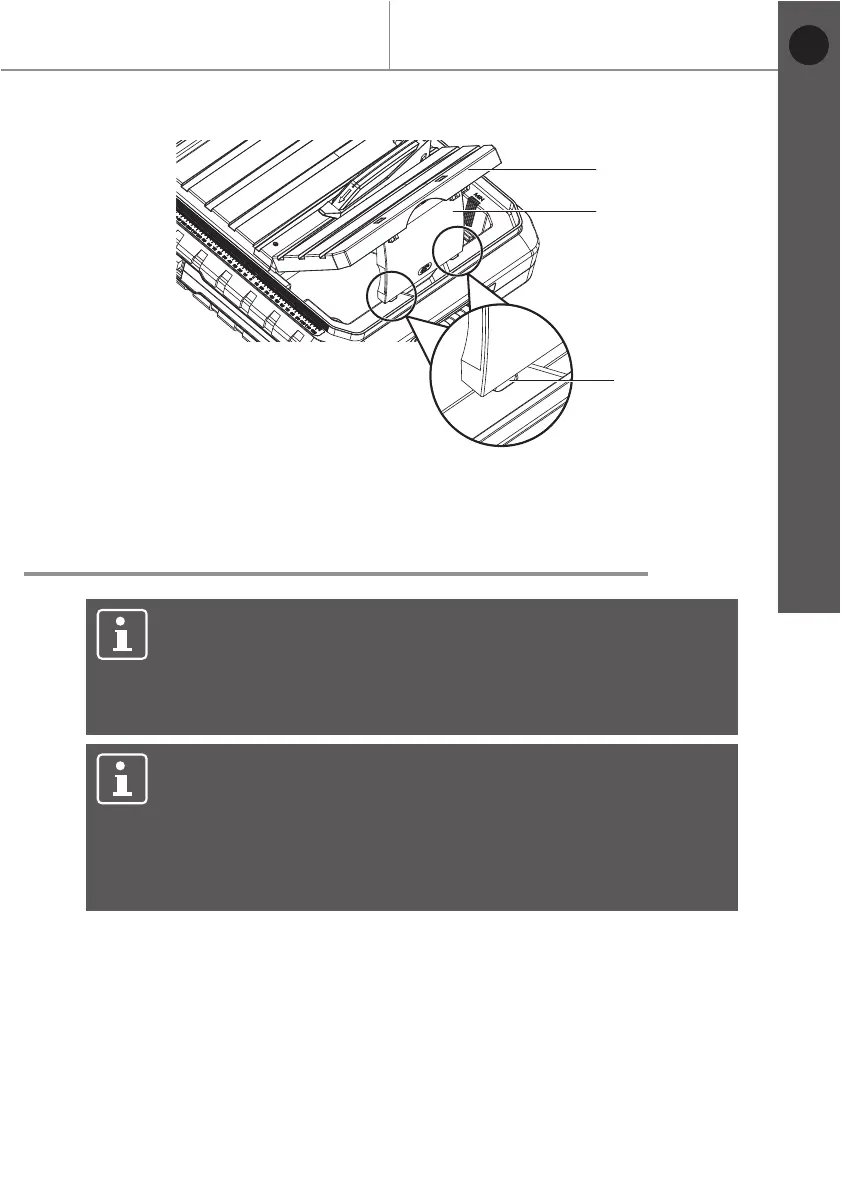
Fig. 15
NOTE: Product damage!
Fill the product with water only until water can drain from the
opening in the plug.
During use the water level must never drop below the MIN
marking (33).
NOTE: Product damage!
Fill the product only with clear water. Never use chemicals
or cleaning agents. This can cause irreparable damage to the
product.
Drain cooling water out of the product on completion of the work
(Refer to “Replacing the cooling water” section).
19
Before you start
MTC500 by MacAllister
Getting started...
Filling the product with water
> Unplug the tile cutter from the mains supply.
> Raise the 45° vertical fence approx. 45° and remove.
> Insert the water reservoir plug (9) into the drain opening.
> Fill the tank with water only until water can drain from the opening in the plug.
> When you have finished cutting, remove the water reservoir plug (9) inside
the tank to drain the water.
1
31
32
EN


 To Next Page