17
ATTACHING & DETACHING
ATTACHING ADAPTER TO TRACTOR
The adapter should be disconnected from the
header; standing on level ground, with both
adapter stands down. See decal on adapter frame
for stand adjustment for various tractor/tire
combinations. On softer ground, 2x4 blocks under
stand pad may be required.
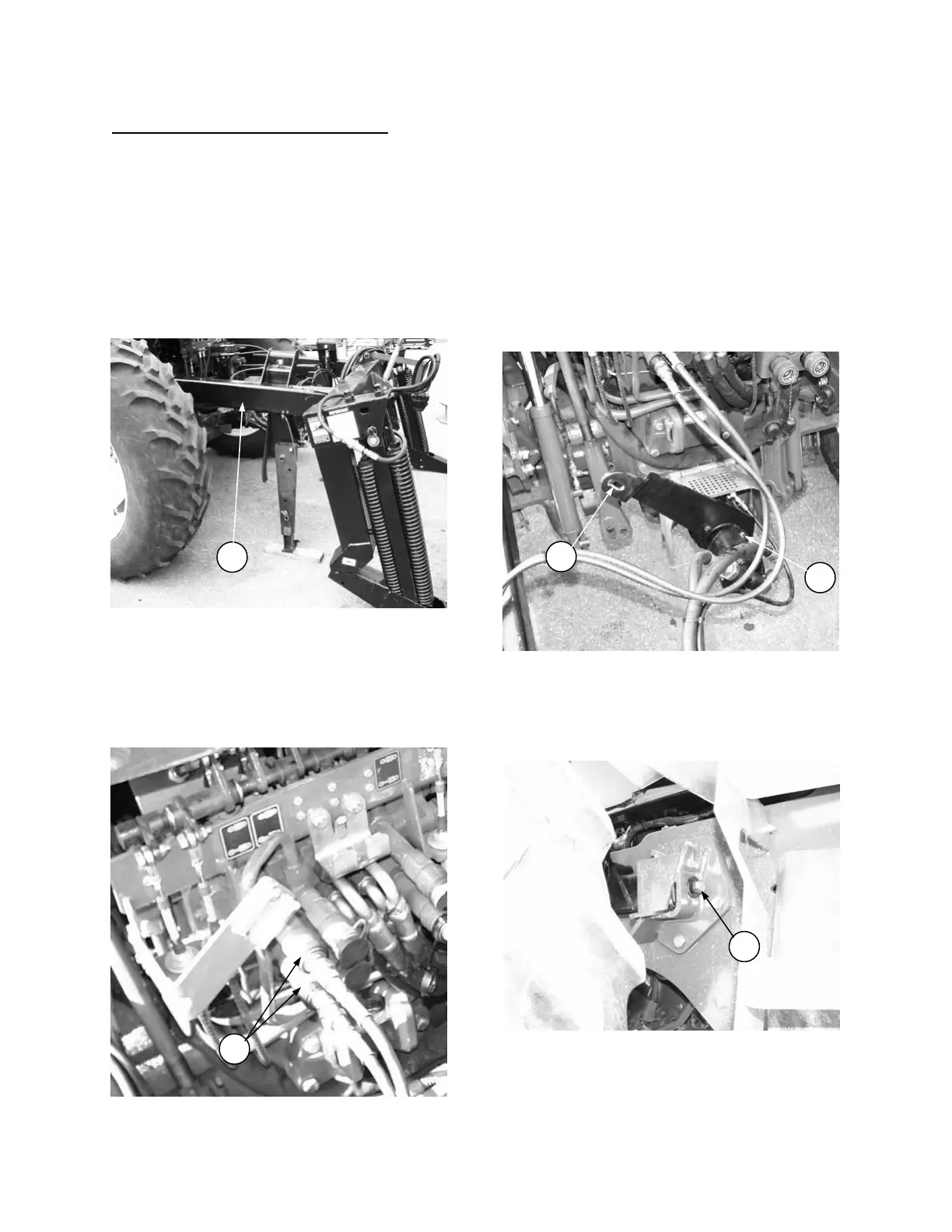
1. Drive the tractor slowly towards the adapter
until the 4 x 4 tubes (A) contact the loader
frame rails on the tractor.
2. Attach the header lift hoses (B) to the GREEN
couplers on the tractor.
NOTE: For TV140 tractor, ensure that “header
raise” hose is installed in the EXTEND port.
3. Raise or lower cylinders as required to drive
tractor into adapter frame.
NOTE: Turning slightly from side to side will
aide in engaging 4x4 tubes on tractor.
4. Drive partially into adapter. Stop engine and
remove key.
5. For 9030 Tractor & TV140 Tractor with
MacDon Header Drive Pump: Connect pump
(C) to tractor PTO. Rotate torque arm (D) to
position shown.
6. Drive tractor fully into adapter. Install ¾ NC x 3
bolt, flat washer and lock washer to secure 4 x
4 tubes to loader frame rails at (E), both sides.
POSITION TRACTOR FOR HOOK-UP
A
ATTACH LIFT HOSES
B
SECURE 4 X 4’S TO TRACTOR
E
CONNECT PUMP:
9030 & TV140 with MacDon PUMP
D
C



 To Next Page