24
ATTACHING & DETACHING
ATTACHING HEADER TO TRACTOR
AND ADAPTER
(continued)
DANGER: To avoid bodily injury
from fall of raised header, always
set adapter stands in prop position
when working under raised header.
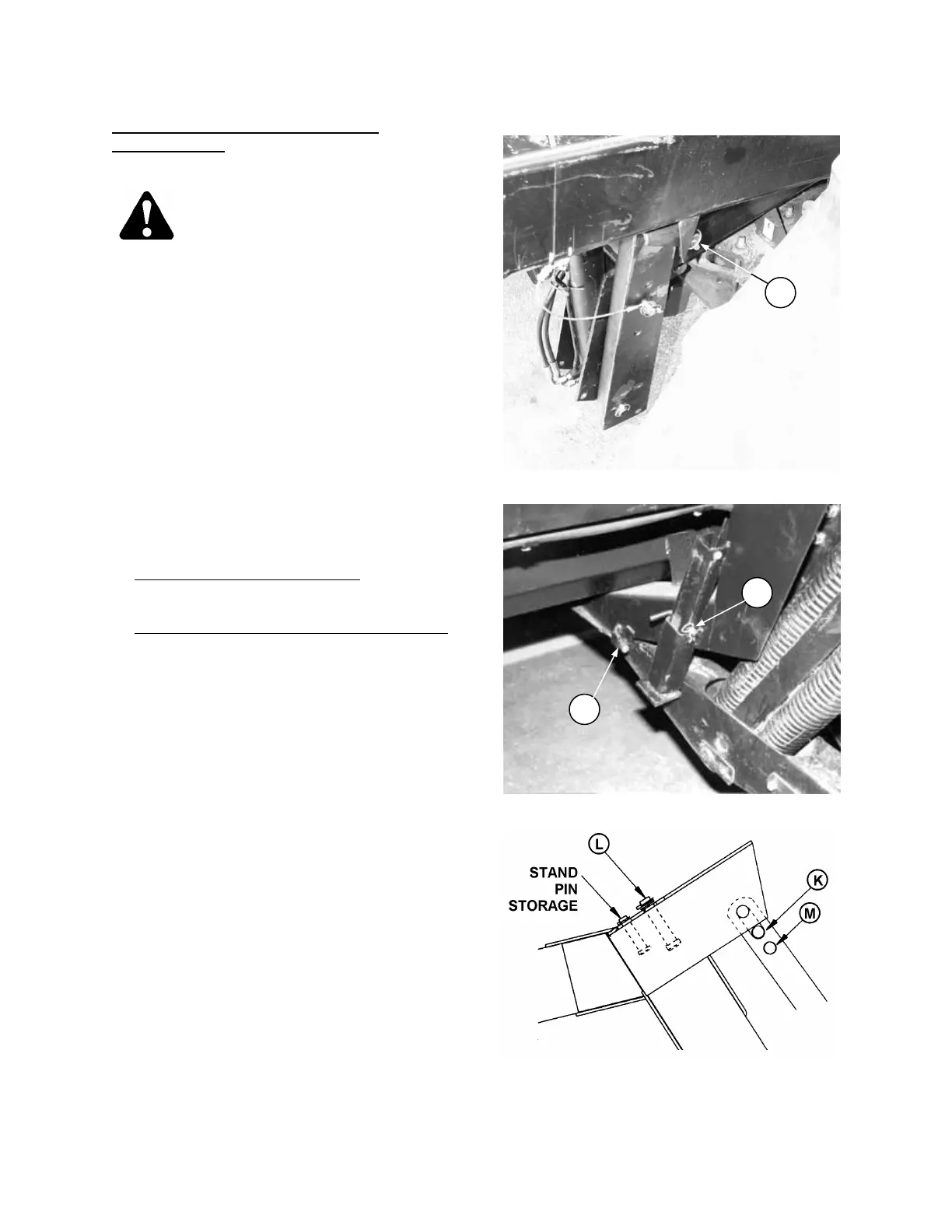
7. Remove lynch pin at foot of
adapter stand and swing adapter stands into
prop position. Replace lynch pin at (B) to lock
the position. Repeat at other side.
8. Install pin through header leg, engaging the U-
bracket in lift linkage and securing adapter to
header leg, both sides.
For 910, 920, 932 & 942 Headers
secure L-pin
(J) behind lug.
For 970 Series and 912/922/933 Headers
secure clevis pin with lynch pin.
9. Raise the header stand to storage position (C).
10. At right hand side, move float lockout pin from
engaged position (K) to storage position (L). At
left hand side, move float lockout pin from
engaged position (M) to storage position (L).
MOVE FLOAT LOCK-OUT PINS
TO STORAGE POSITION
ADAPTER STANDS – PROP POSITION
B
LOCK ADAPTER TO HEADER LEG
C
J



 To Next Page