UNLOADING AND ASSEMBLY
169558 22 Revision D
D
E
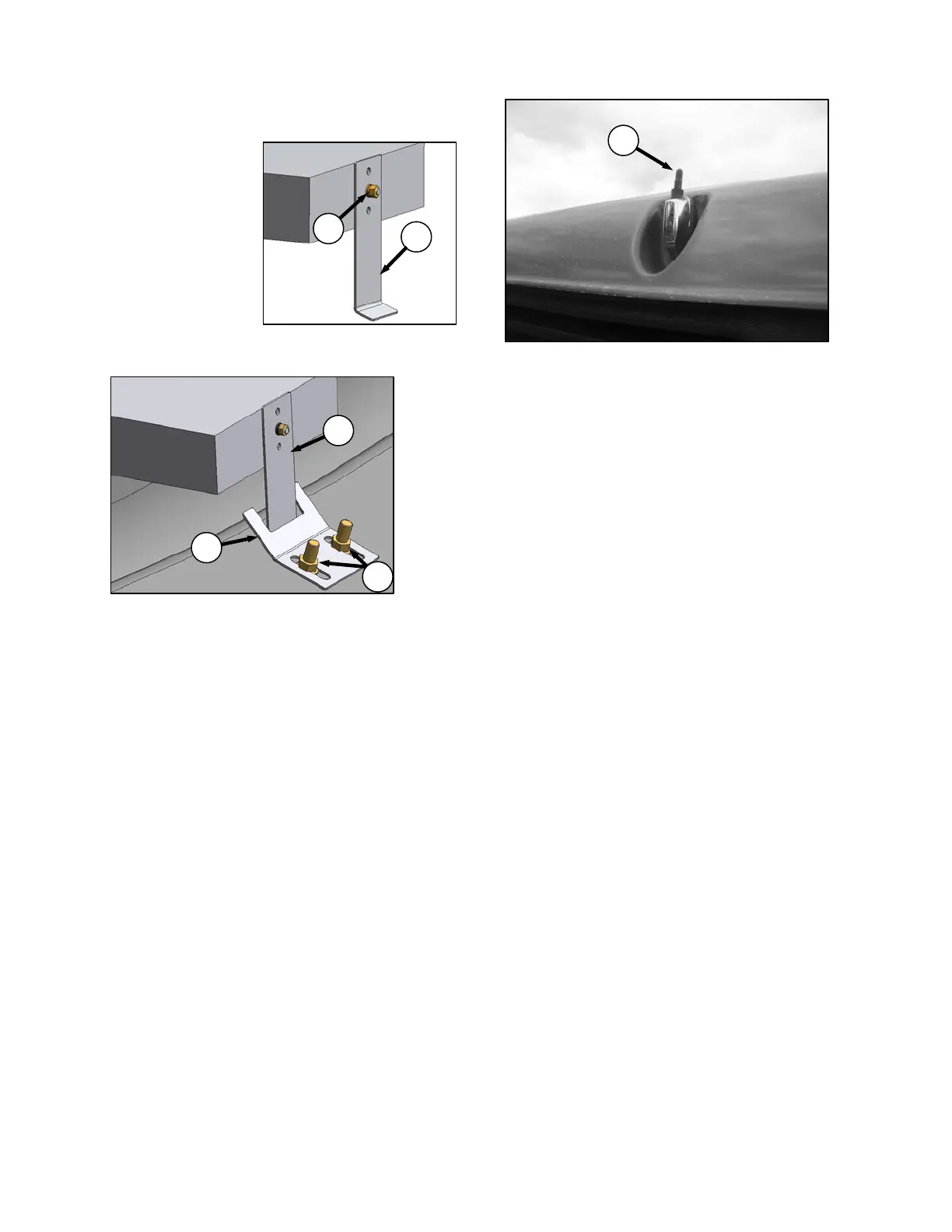
j. Attach stud (supplied with radio) to center rear of
radio.
k. Attach support (D) to
stud on back of radio
chassis with lock
washer and metric nut
(E) that was supplied
with the support.
l. Support can be
attached to chassis in
multiple locations to
allow for proper
mounting of radio.
m. Re-install radio panel with original screws.
n. Adjust bracket (J) if necessary by loosening nuts
(K) to allow radio to slide into opening, and
securely capture support (D).
o. Retrieve antenna from inside cab, and remove
protective cover from base end.
p. Remove protective cover (L) from antenna
mount on cab roof, and thread antenna onto
base until hand-tight.
NOTE
Store protective cover in cab to
protect antenna mount if antenna
needs to be removed.
q. Check battery disconnect switch is ON.
r. Turn ignition key to ACC, switch radio ON, and
check operation in accordance with instructions
supplied with the radio.
J
D
K
L



 To Next Page