PRE-DELIVERY CHECKS
169558 48 Revision D
K. SET KNIFE SPEED
The knife speed is manually set by making
adjustments to the knife drive pump, and has
been pre-set at the lowest knife rpm. For
optimum performance, adjust the knife speed
according to the header being used. See the
table below.
NOTE
The knife speed should be set within
the range specified for each header.
Header description Knife speed
Type
Size
(FT)
Minimum Maximum
RPM SPM RPM SPM
Draper DK
15
750 1500
950 1900
20 and 25 700 1400 850 1700
30
600 1200
800 1600
35 700 1400
Draper SK
20 and 25 750 1500
30
700 1400
35 550 1100
Grass Seed
All
700 1400 975 1950
Auger A40-D
Auger A30-D 775 1550 925 1850
Auger A30-S 625 1250 775 1550
RPM = speed of sickle drive box pulley.
SPM = strokes per minute of knife (rpm x 2).
a. Start engine. See STEP 13. J. III. on page 43.
b. Move throttle to adjust engine speed to IDLE.
c. Set the Intermediate Speed Control (ISC) to
OFF (see STEP 11. PROGRAM CAB DISPLAY
MODULE [CDM]).
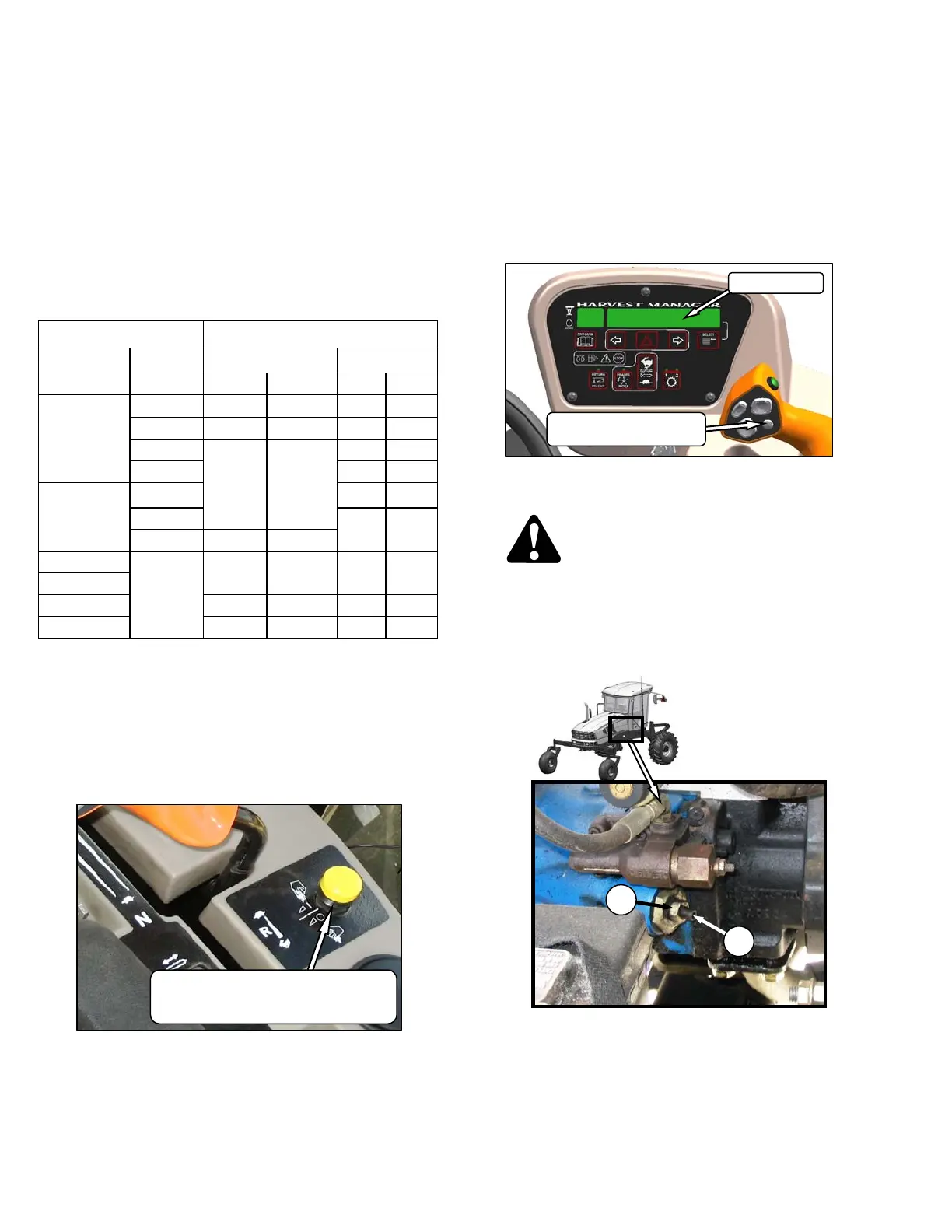
d. Push down on the yellow knob, and pull up on
the black ring at the base of the switch.
e. A slight delay between switch ON and operating
speed is normal.
f. Run engine at maximum rpm.
g. Press SELECTOR button on the GSL until the
CDM displays the knife speed in Strokes Per
Minute (SPM). This indicates that Optional
Sensors Expansion Module MD #B4666 is
installed.
If knife speed is not displayed, the Module is
NOT installed. Proceed to step j. on next page.
h. Compare reading to the table opposite.
i. If required, adjust knife speed as follows:
DANGER
Stop engine, and remove key from ignition
before leaving Operator’s seat for any
reason. A child or even a pet could engage
an idling machine.
1. Shut down engine, and open engine hood.
2. Loosen jam nut (A).
3. Turn adjuster screw
(B) clockwise (screw in)
to decrease knife speed, and
counterclockwise (screw out) to increase the
knife speed.
(continued next page)
DISPLAY
DISPLAY SELECTOR
FOR UPPER LINE
A
B
HEADER DRIVE
ENGAGE - Push Center and Pull Up
DISENGAGE - Push Down



 To Next Page