Home
MacDon
Farm Equipment
M1240
Software Update Instructions
Page 33
MacDon M1240 - Page 33
52 pages
Manual
Save Page as PDF
To Next Page
To Next Page
To Previous Page
To Previous Page
Loading...
147867
27
Revision
J
1032340
A
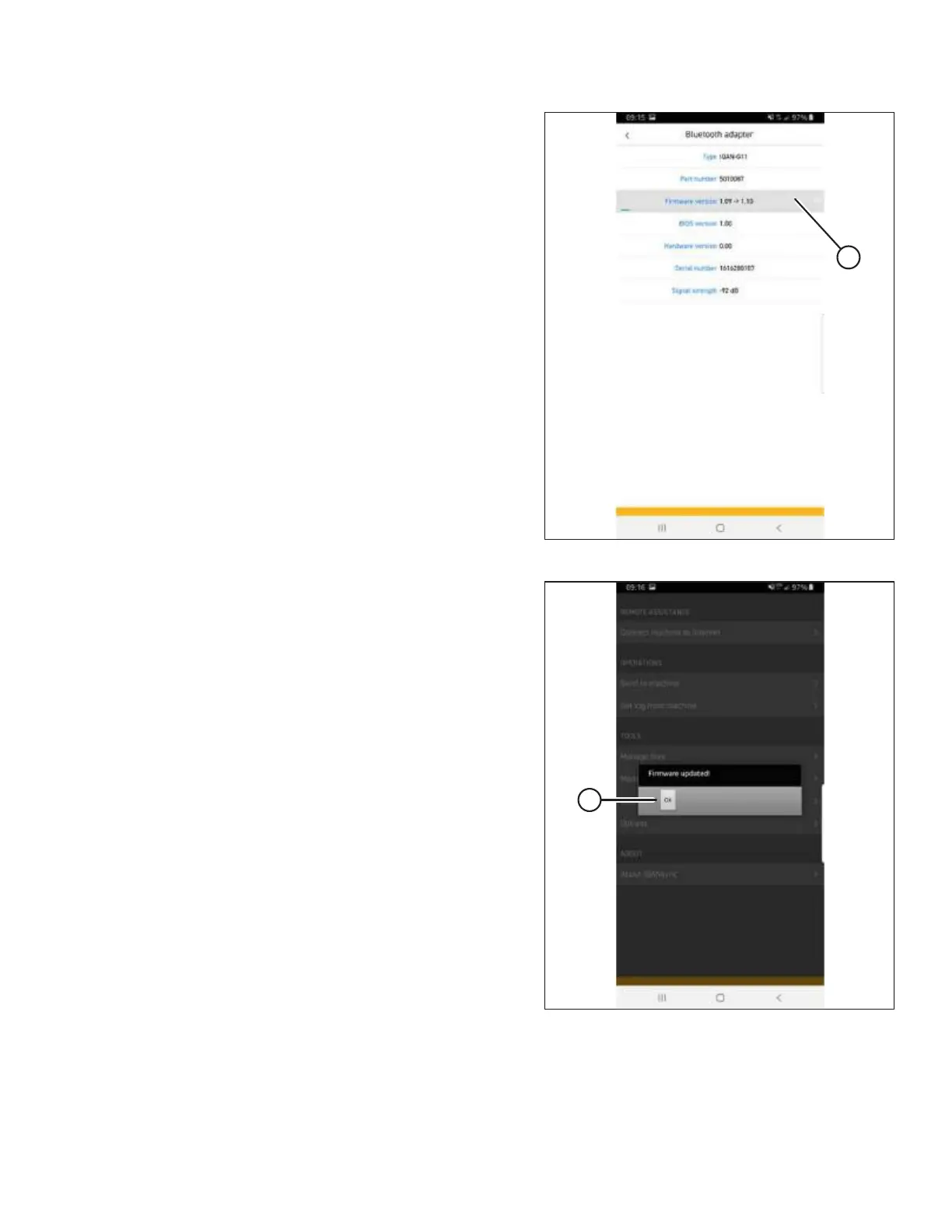
Figure
3.40:
Firmware
Update
If
an
update
is
selected,
a
progress
bar
(A)
will
appear
.
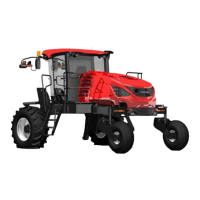
1032341
A
Figure
3.41:
Firmware
Update
6.
When
the
update
is
complete,
a
FIRMWARE
UPDATED
dialog
box
(A)
appears.
Tap
OK.
INSTALLATION
INSTRUCTIONS
32
34
Table of Contents
Main Page
Default Chapter
5
Table of Contents
5
Chapter 1: Safety
7
Signal Words
7
General Safety
8
Chapter 2: Parts List
11
Chapter 3: Installation Instructions
13
Formatting USB Drive for Software Installation
13
Updating Harvest Performance Tracker Software
15
Installing the Iqansync Application
21
Installing the Iqansync App - Ios
21
Installing the Iqansync App - Android
23
Installing an IQAN G11 Bluetooth
25
Module
25
Updating Firmware on an IQAN G11 Bluetooth
26
Module - IOS
26
Updating Firmware on an IQAN G11 Bluetooth
30
Module - Android
30
Downloading Master Controller Software Update
35
Updating Master Controller Software
37
Updating Master Controller Software - Ios
37
Updating Master Controller Software on an Android Device
44
Removing an IQAN G11 Bluetooth
50
Module
50
Other manuals for MacDon M1240
Operator's Manual
614 pages
Unloading And Assembly Instructions
266 pages
Manual
20 pages
Related product manuals
MacDon M155
510 pages
MacDon M150
234 pages
MacDon M105
384 pages
MacDon M1170
528 pages
MacDon M1170NT5
504 pages
MacDon M1 Series
266 pages
MacDon M155 2022
526 pages
MacDon M100 2009
178 pages
MacDon M150 2008
222 pages
MacDon M205
514 pages
MacDon M Series
396 pages
MacDon M 2009 Series
117 pages


 To Next Page