CAB DISPLAY MODULE (CDM)
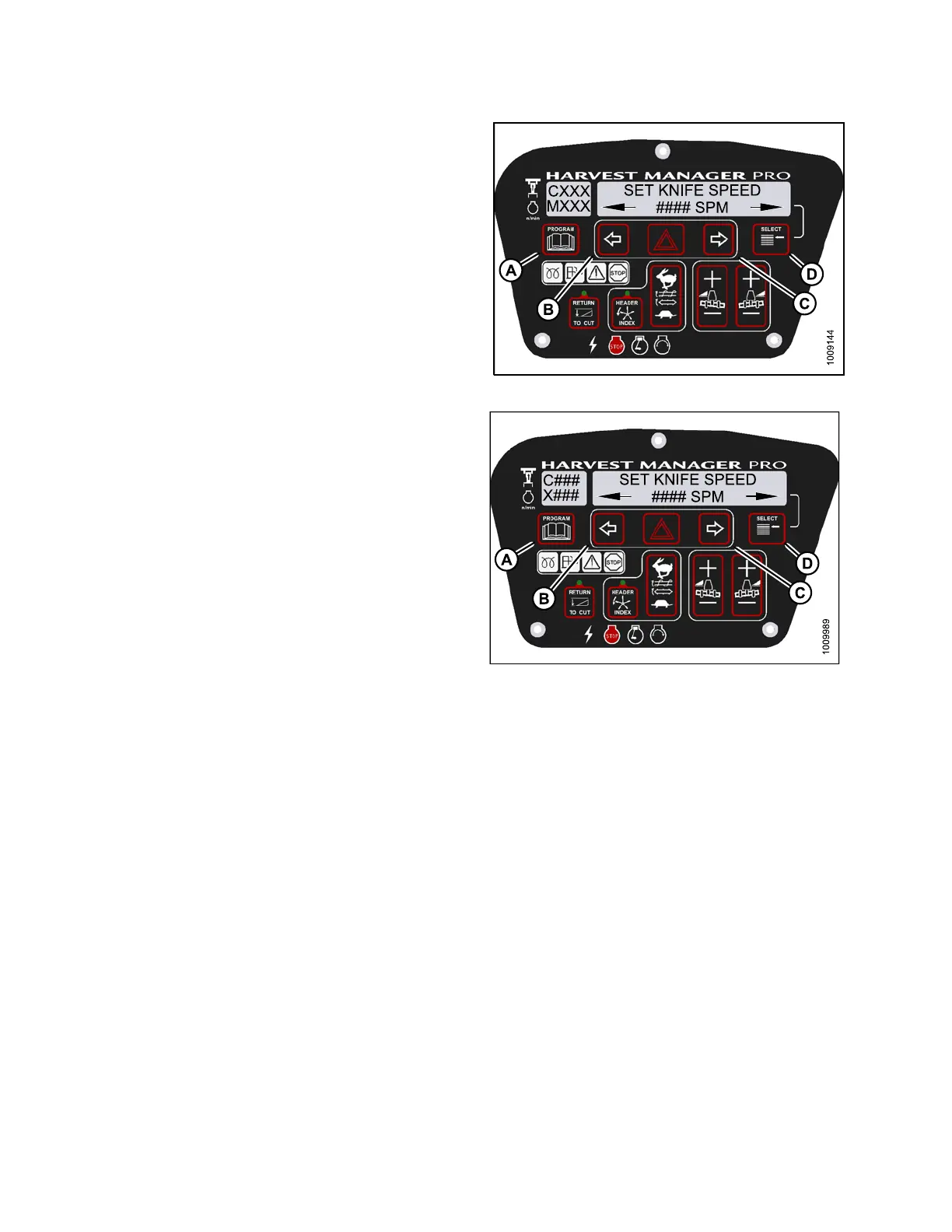
4. Press left (B) or right (C) arrows to select knife speed.
Press SE LECT (D).
5. Press PROGRAM (A) to exit Programming Mode or
press SELECT (D) to p roceed to next WINDROWER
SETUP action.
Figure 4.8
4: M155 Knife Speed
Figure 4.85: M205 Knife Speed
4.4.6 Setting the Knife Overload Speed
NOTE
:
•Theh
eader MUST be attached t o the windrower to pe rf orm this procedure. The cab displa y module (CDM)
auto
matically adju sts its programming for each header.
•The
recommended k nife overload speed is 75% of knife speed. For more information, refer to 5.11.13 Setting
and
Adjusting Knife Speed, page 351 to determine proper overload speed.
•Dis
playing knife drive speed on cab display module (CDM) requires installation of the optional Expansion Module
(MD
#B4666). For more information, refer to the windrower operator’s manual or the windrower technical manual.
147962 190 Revision A





 To Next Page