CAB DISPLAY MODULE (CDM)
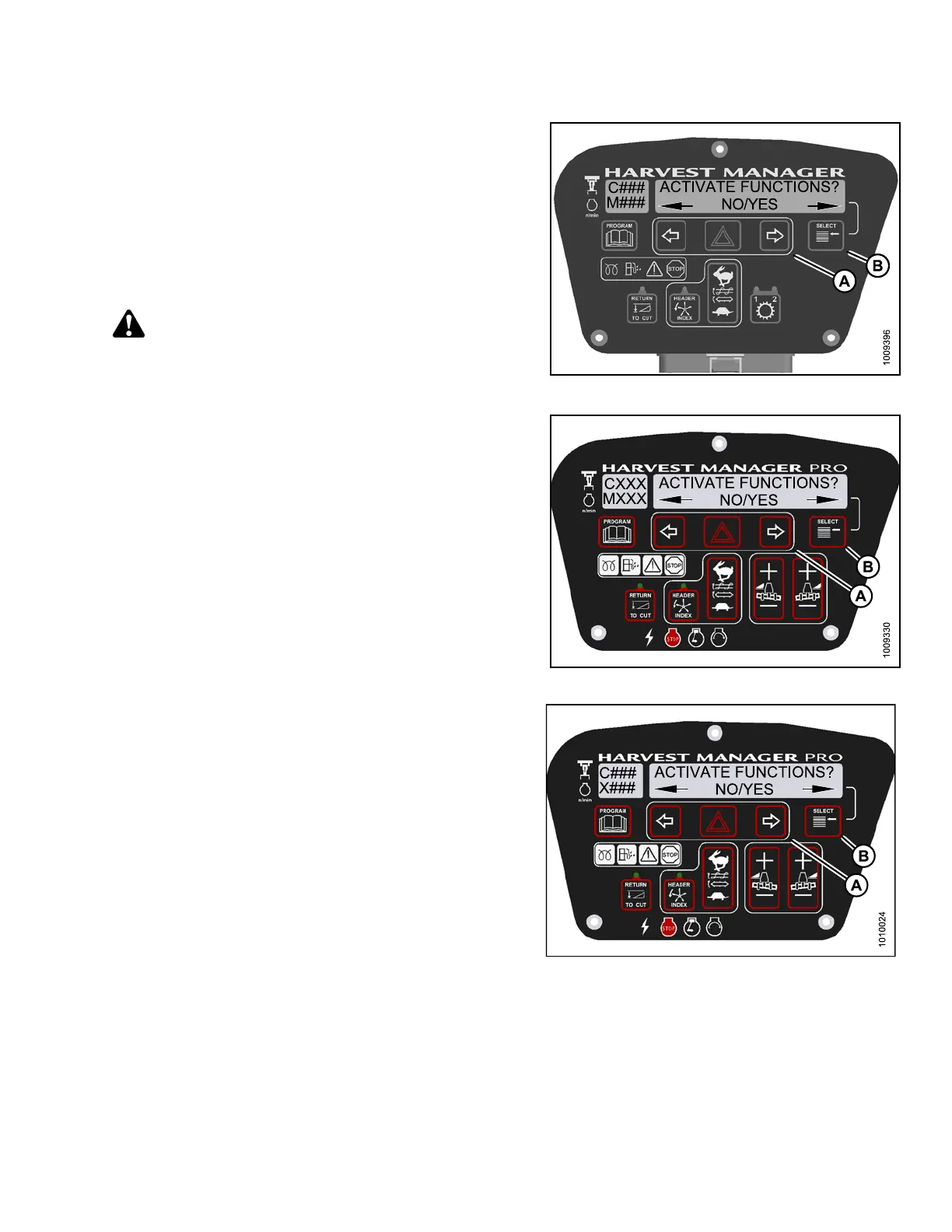
5. Press S ELECT (B) until ACTIVATE FUNCTIONS? is
displayed on the upper line.
• NO/YES is dis playe d on the lower lin e .
6. Press right (A) arrow to select YES. Press SELECT ( B).
7. Press S ELECT (B) until ACTIVATE FUNCTIONS? is
displayed on the upper line.
• NO/YES is dis playe d on the lower lin e .
8. Press right (A) arrow to select YES. Press SELECT ( B).
CAUTION
Check to be sure all bystanders have cleared the area.
Figure 4.3
21: M105 Functions
Figure
4.322: M155 Functions
Figure 4.323: M205 Functions
147962 291 Revision A





 To Next Page