7
Note: It is not necessary to dismantle the HD bracket when less than 4 HDDs are going to be installed .If the backup
device is removable HD, it should be installed on the fourth IDE port and set to the master disk working
mode
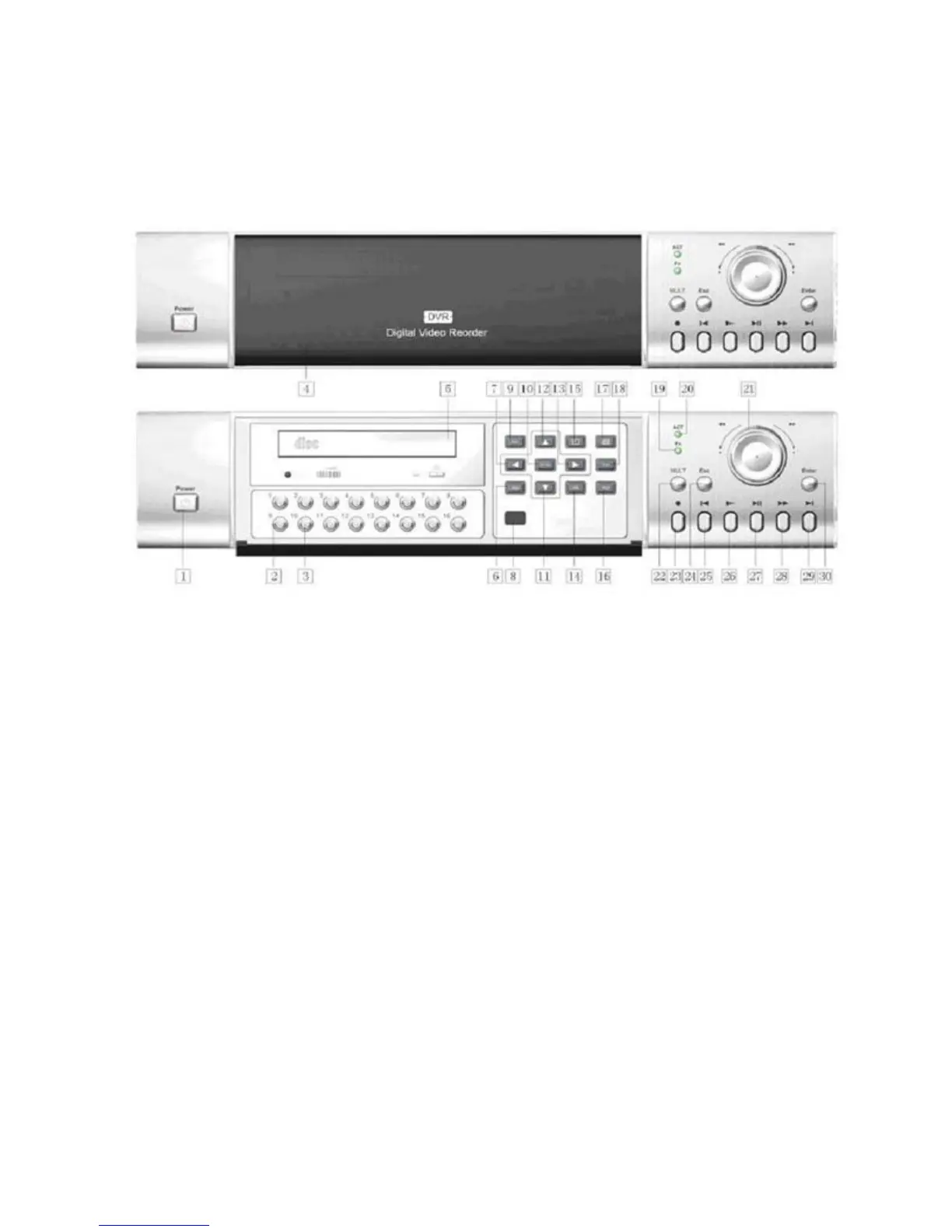
2. Front panel introduction
1.Power switch and indication light 2.Number 3.Recording light 4.Plastic veil 5.CD-RW
6. Address 7. Direction 8. Remote receiver 9.Cancel 10.Enter 11.Direction 12.Direction
13.Direction 14.Information 15.Single window display 16. Function assistant 2 17. multi-window splitting
18. Function assistant 1 19.Assistant indication light 20. Indicator light for standing by 21.flying shuttle
22.Multi-window shifting 23.Record 24.Cancel
25. Play last section 26. Slow play 27. Play/pause 28.Fast play 29. Play next section 30.Enter



 To Next Page