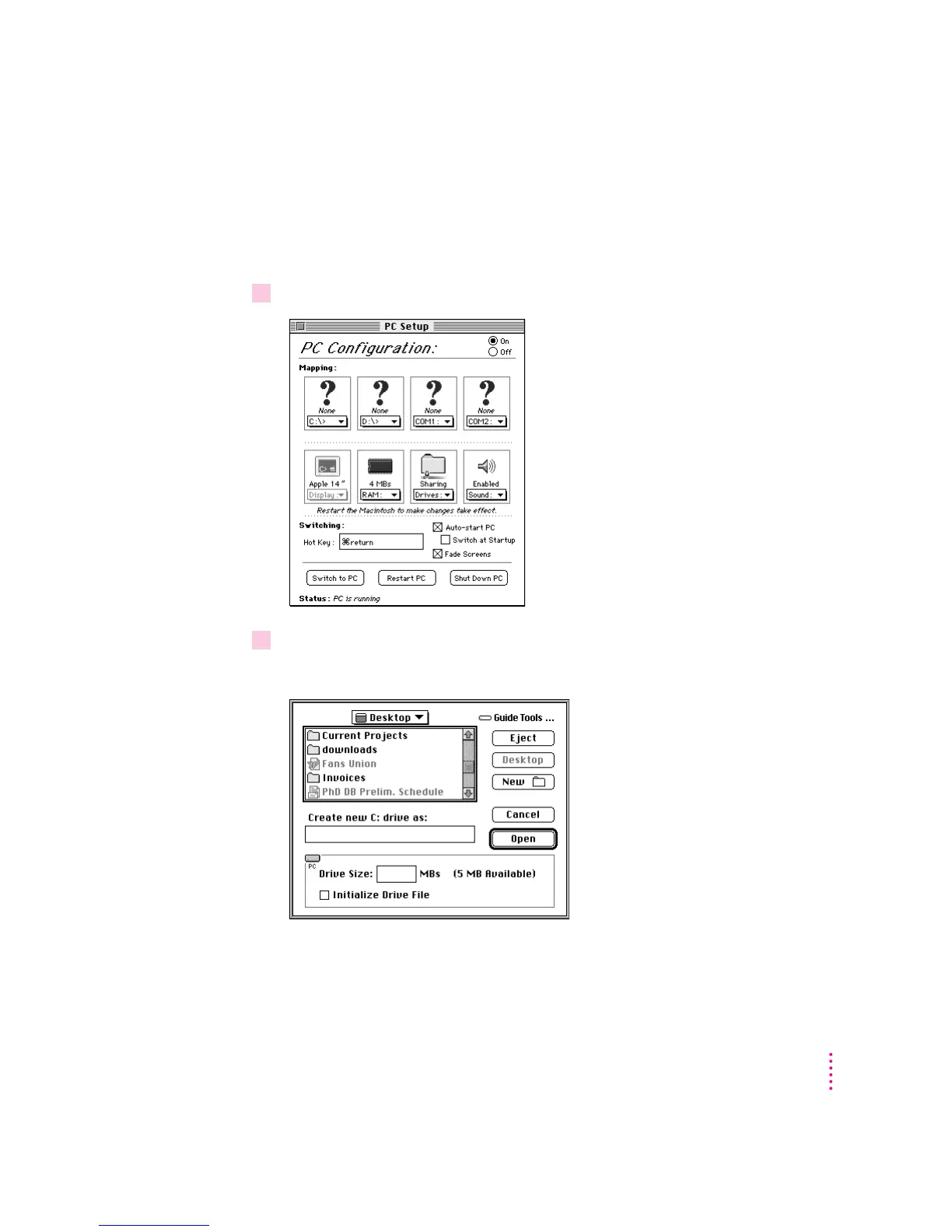
Creating a drive container
A drive container is a file on a Macintosh hard disk that acts as a hard drive
for the PC environment. You create a drive container using the PC Setup
control panel.
1 Open the PC Setup control panel.
2Choose New Drive File from the C: pop-up menu.
A dialog box appears.
113
Troubleshooting in the PC Environment



 To Next Page