Connecting external stereo speakers
You can take advantage of your computer’s stereo sound output by attaching
externally powered (amplified) speakers. (Only externally powered speakers
will work with your Macintosh.)
1 Assemble the speakers and the cable you need.
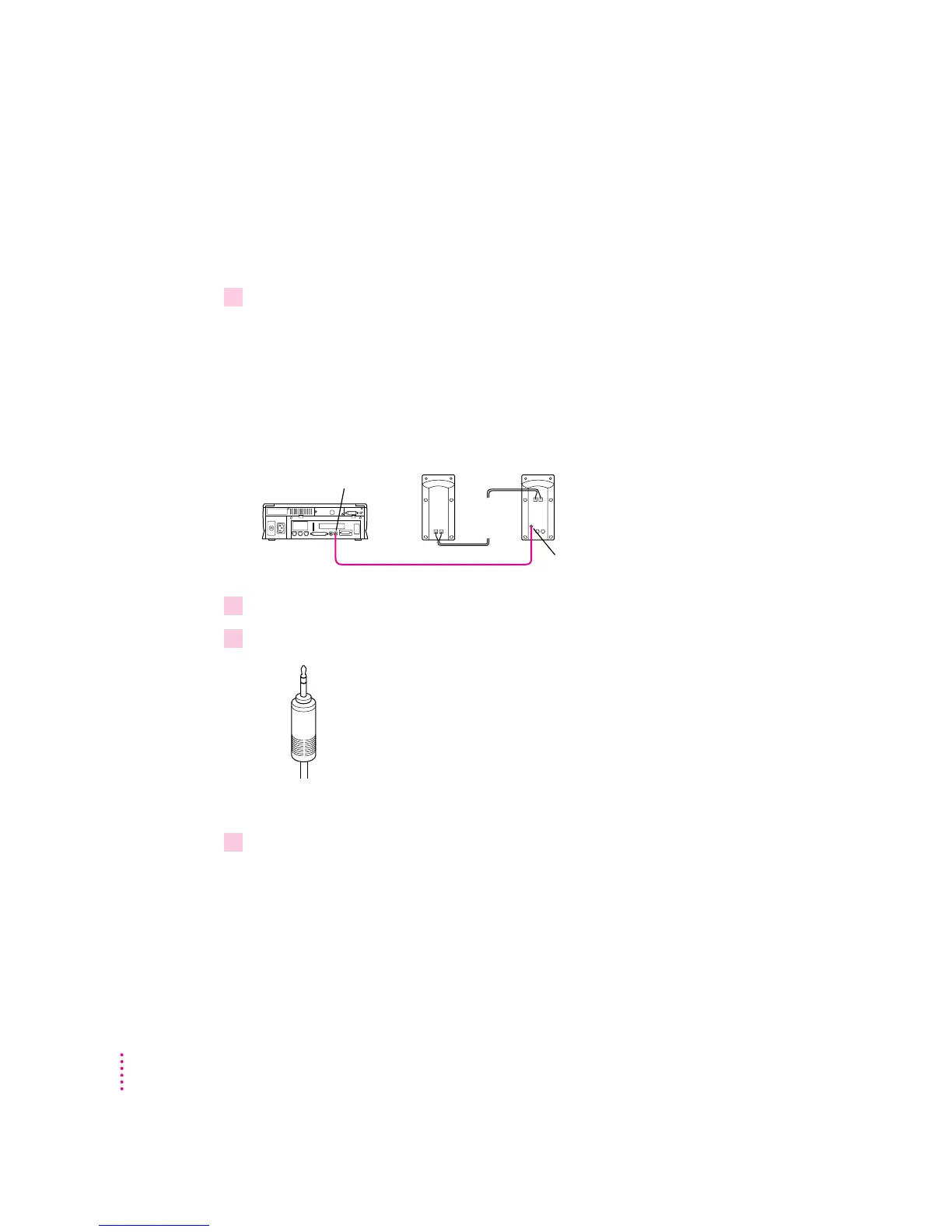
You need a cable with stereo miniplugs at each end to connect one or both
speakers to the computer. (Some speakers require a dual-plug adapter.
Others, like those shown here, accept a single stereo miniplug and are joined
by standard speaker wires.)
The following illustration shows the equipment configuration and the
connections for a computer sound system.
2 Turn off the Macintosh.
3Plug a stereo miniplug into the sound output port on the Macintosh.
4Plug a stereo miniplug into the Audio In port on one of the speakers.
If the speakers take a dual-plug cable, connect both plugs to the speakers’
Audio In ports.
Audio In port
-
Sound output port
Externally
powered
speakers
32
Chapter 3



 To Next Page