Learning the basics
If you are new to the Macintosh, you should begin by looking at the easy-
to-use program called Performa Tutorial. The tutorial teaches you the basic
skills you’ll need to use your computer. To start the tutorial once you are past
the welcome sequence, follow these steps:
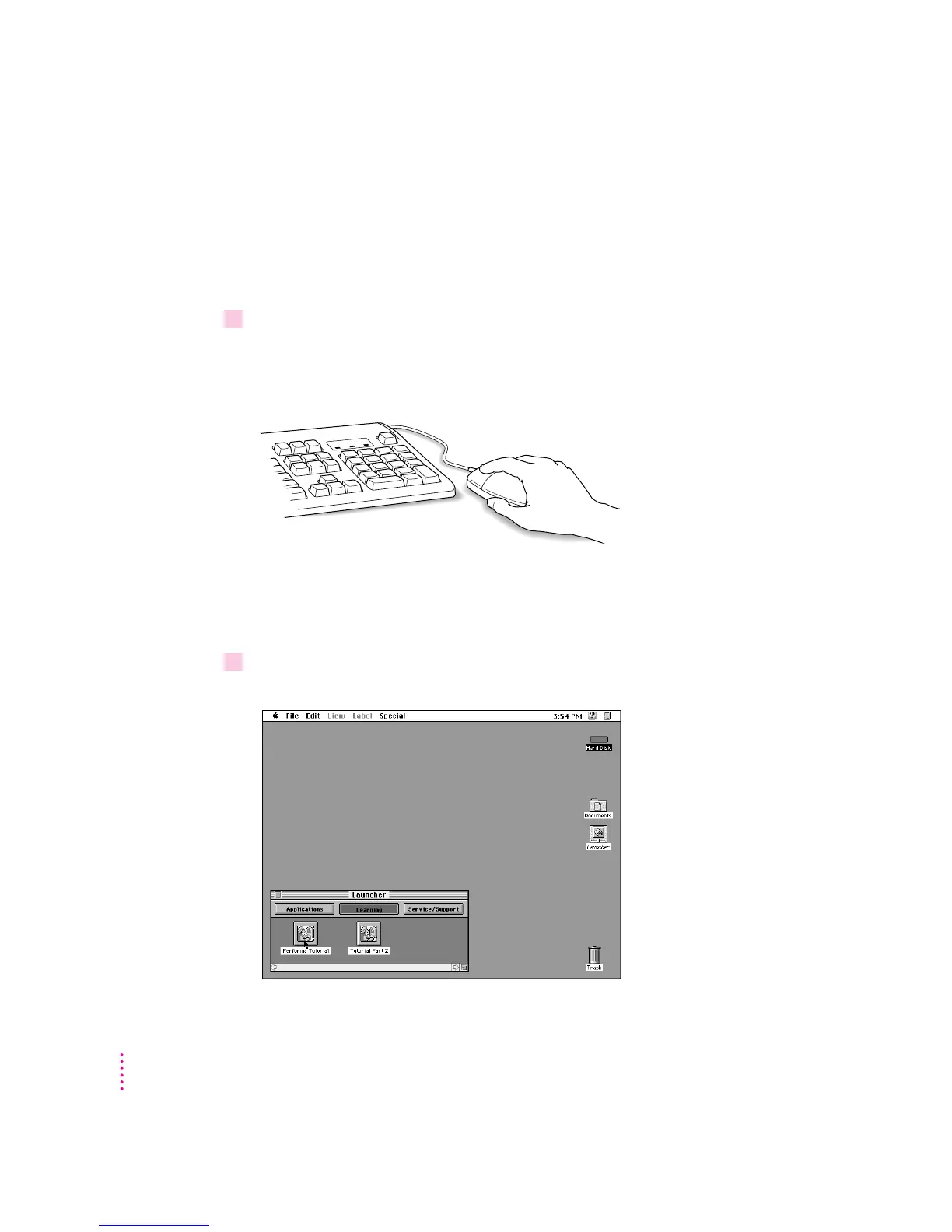
1Slide the mouse along your mouse pad or desk.
Hold the mouse as shown, with the cable pointing away from you. Don’t press
the mouse button (under your index finger). Notice that the arrow (8) on the
screen moves in the same direction that you move the mouse.
If the arrow doesn’t move, make sure that the cables connecting the mouse
and keyboard are secure and that your mouse is positioned as shown in the
illustration.
2Move the mouse so that the tip of the arrow (
8
) is over the picture labeled “Performa
Tutorial.”
12
Chapter 1



 To Next Page