Choosing settings
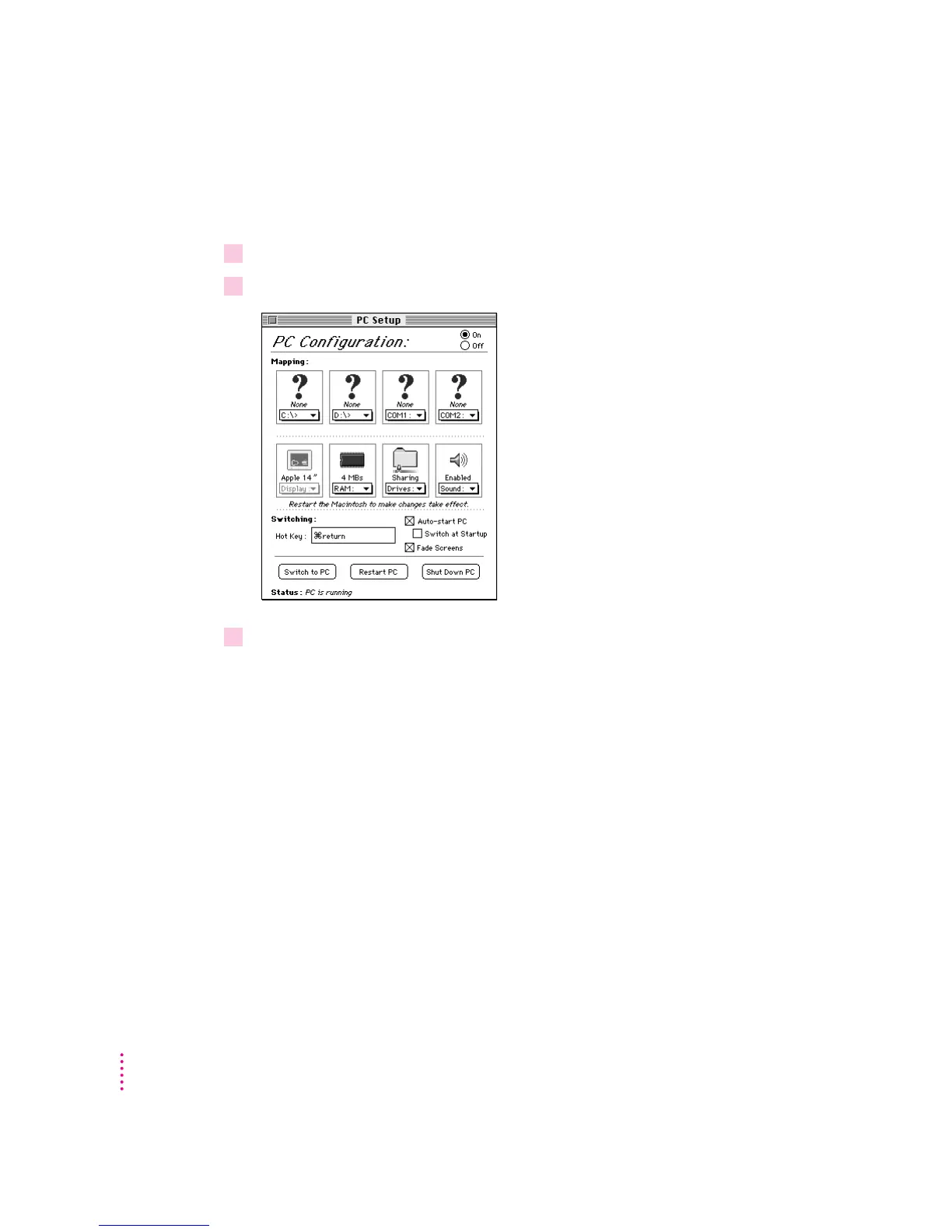
To choose settings, follow these steps:
1Choose Control Panels from the Apple (
K
) menu.
2Double-click the PC Setup control panel to open it.
3When you have specified the settings you want, close the control panel.
All settings except the setting for RAM take effect as soon as you make them.
If you change the RAM setting, you must restart the Macintosh before the
change can take effect.
Online help available: To get brief on-screen explanations of items in the
control panel, choose Show Balloons from the Guide (h) menu. To get
detailed step-by-step help, see the “DOS Compatibility Software” topic of
Macintosh Guide, available in the Guide (h) menu.
64
Chapter 6



 To Next Page