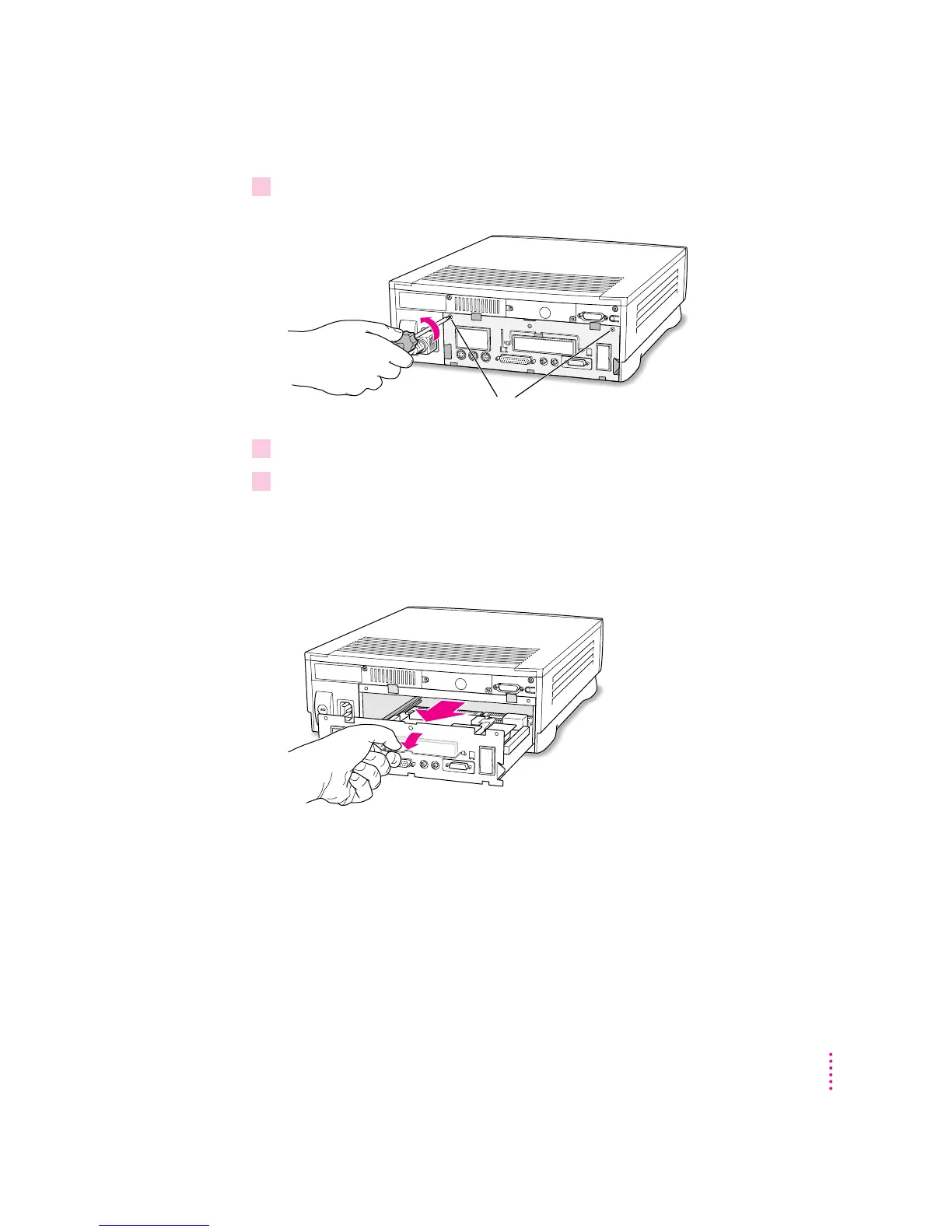
5If there are security screws on the vertical plate on the back of the computer, remove
them with a Phillips screwdriver.
6Unplug the power cord from your computer.
7Swing the handle out from its storage position. Then grasp the handle and gently but
firmly pull it toward you.
The vertical plate and the logic board to which it’s attached slide all the way
out of the computer. Carefully support the logic board as it comes out, and
put it on a stable, clean, flat surface.
What you do next depends on the type of equipment you want to install.
If there are security screws, remove both screws from the vertical plate.
139
Installing an Expansion Card or Memory for the PC Environment



 To Next Page