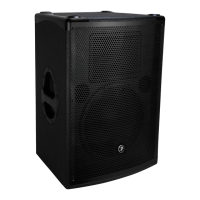
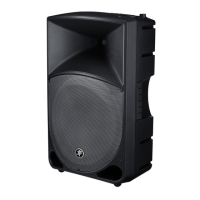
DRM12A 2000W 12" Arrayable Powered Loudspeaker
20
DRM12A 2000W 12" Arrayable Powered Loudspeaker
Unlocking – If you try to make any changes
or select anything, you will be asked to enter
the pin. Here you will need to re-enter the 4-digit
code and push the speaker control knob to unlock.
Secret Squirrel Unlock – If you – or worse, someone
else! – set up a 4-digit lock code and you don’t know
the passcode, there is a quick fix. Simply press and
hold down the speaker control knob down for a few
seconds and it will automatically unlock.
Illuminating and selecting the lef-facing arrow
returns you to the previous screen.
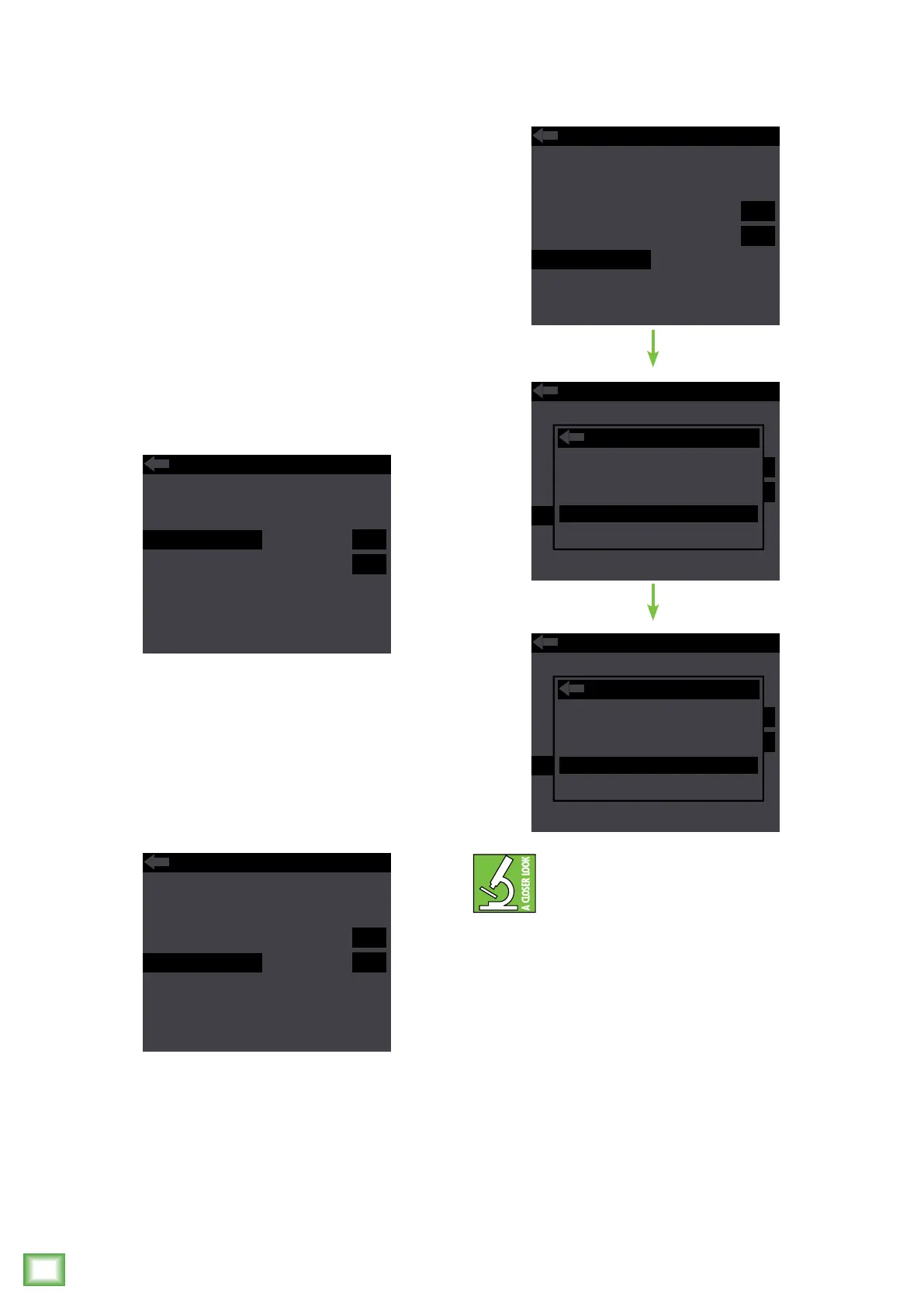
Backlight – The third configuration setting
that may be changed is the brightness – or lack
thereof – of the LCD screen.
There are three choices: o, dim and on.
Illuminating and selecting the lef-facing arrow
returns you to the previous screen.
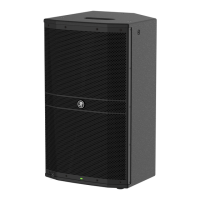
Front LED – Decide if you want the front LED
on or o. When illuminated, push the speaker
control knob to select between on or o.
Like the previous sub-menus, configuration also
has a lef-facing arrow. Illuminating and selecting
this simply returns you to the menu.
MEMORY 1 2 3 4 5 6
ABOUT
LOCK PIN 1 2 3 4
BACKLIGHT
FRONT LED
RESET
OFF DIM ON
OFF ON
MEMORY 1 2 3 4 5 6
ABOUT
LOCK PIN 1 2 3 4
BACKLIGHT
FRONT LED
RESET
OFF DIM ON
OFF ON
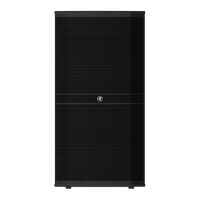
Reset – Resets all parameters back to their factory
default. This is a permanent reset with no undo,
so a confirmation dialog helps prevent accidents.
The middle screen displayed above may
be of particular interest. Yes, it’s true – you
CAN do a factory reset and either choose
to save your user presets or not!
Illuminating and selecting the lef-facing arrow
returns you to the previous screen.
MEMORY 1 2 3 4 5 6
ABOUT
LOCK PIN 1 2 3 4
BACKLIGHT
FRONT LED
RESET
OFF DIM ON
OFF ON
MEMORY 1 2 3 4 5 6
ABOUT
LOCK PIN 1 2 3 4
BACKLIGHT
FRONT LED
RESET
OFF DIM ON
OFF ON
RESET
Factory reset
Keep presets?
YES
NO
MEMORY 1 2 3 4 5 6
ABOUT
LOCK PIN 1 2 3 4
BACKLIGHT
FRONT LED
RESET
OFF DIM ON
OFF ON
RESET
Confirm factory
reset?
YES
NO



 To Next Page