24
PPM1012
PPM1012
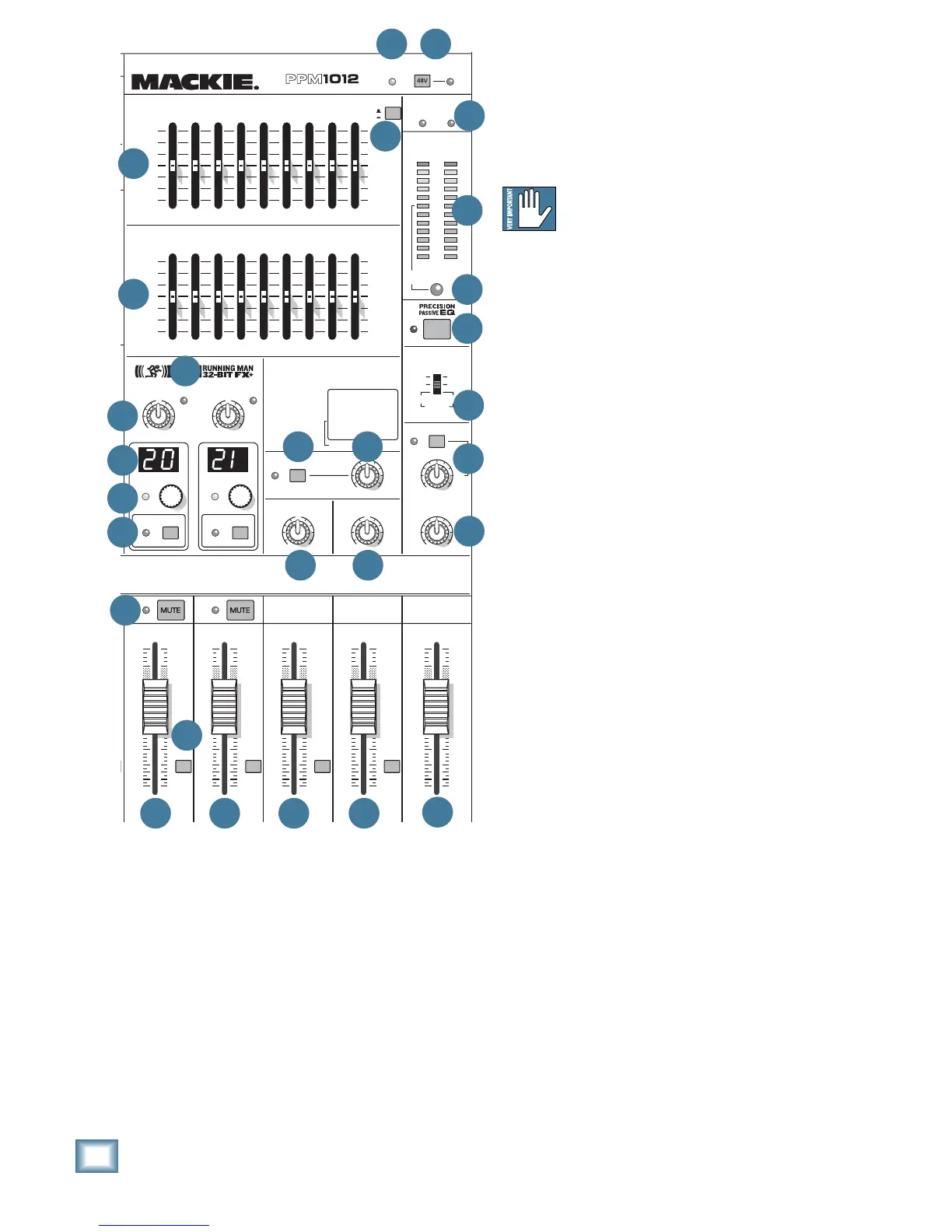
54. LPF (Low-Pass-Filter)
Press this switch in to add a low-pass fi lter to the
line-level mono outputs [17]. It turns them into line-
level subwoofer outputs that play the low frequency
range below the frequency setting of the LPF control
knob.
Most active subwoofers have their own
crossover, and you should keep the LPF
switch off in these cases. They usually
accept the full frequency range, and their crossover
fi lters out the unused mids and highs.
If you want to run an external power amplifi er with
a passive subwoofer, connect the mono output to the
amplifi er's line-level input. Press the LPF switch in,
and adjust the frequency knob to suit your subwoofer.
For example, if your sub is still good out to 150 Hz,
then set the frequency knob a little higher. The
amplifi er will then just receive the lows, and will not
have to waste energy and reserves powering the mids
and highs.
When LPF is engaged, the adjacent LED will light
as a reminder. The LPF frequency is adjustable from
75 Hz to 200 Hz, with 100 Hz straight up.
Whatever you use the mono outputs for, remember
that the mono out knob [55] allows you to balance
the level compared to the main left and right outputs
[16] and speaker-level outputs [3].
The low pass fi lter only affects the mono line-level
outputs. The main outputs and the internal ampli-
fi ers still receive the full frequency range.
55. MONO OUT
This knob allows you to adjust the level of the
mono line-level outputs [17]. Adjust it to make your
powered subwoofer, or mono loudspeaker match the
level of the other loudspeakers in your system.
The mono output can be the full frequency range to
run a mono PA for example, or just the low frequen-
cies to run a subwoofer if the LPF [54] is engaged.
Either way, this mono out control will let you adjust
the level.


 To Next Page