102 Chapter 5: Creating Interaction with ActionScript
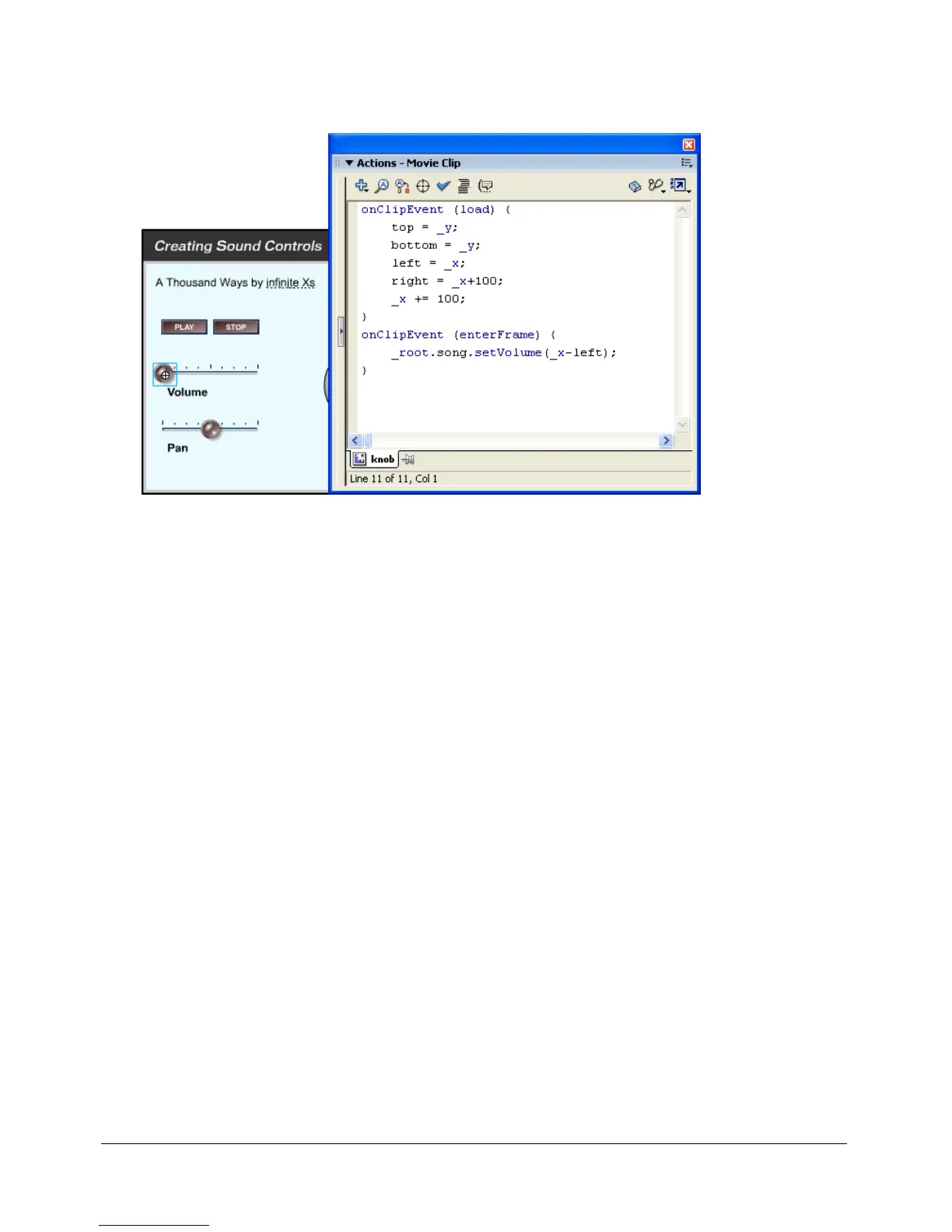
The Sound class’s setVolume() method controls the volume, and the setPan() method adjusts
the left and right balance of a sound.
When the user drags the volume slider, the setVolume() method is called.
The following procedures show how to create sound controls like the ones shown above.
To attach a sound to a Timeline:
1 Select File > Import to import a sound.
2 Select the sound in the library, right-click (Windows) or Control-click (Macintosh), and
select Linkage.
3 Select Export for ActionScript and Export in First Frame; then give it the identifier
a_thousand_ways.
4 Add a button to the Stage and name it playButton.
5 Add a button to the Stage and name it stopButton.
6 Add a movie clip to the Stage and name it speaker.



 To Next Page