OPERATION
HEATING/VENTILATION/AIR CONDITIONING
48 Operating Manual MT 25 / 30 YT
Heating/Ventilation/Air conditioning
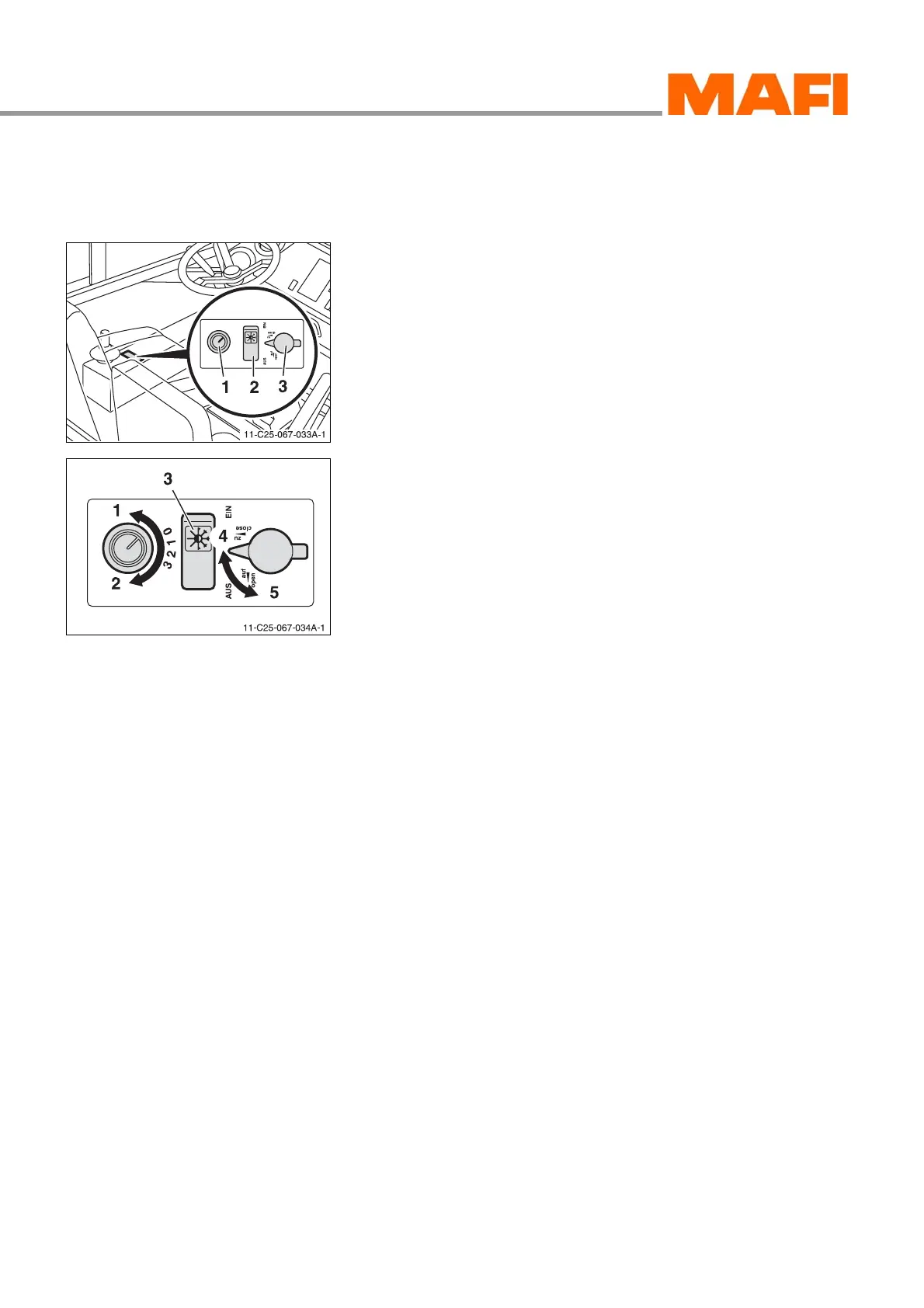
Control elements
Fig. 28: Control elements
1 Blower switch
2 Switch “air conditioning unit” – optional
3 Setting button “Heater”
The operating elements for heating, ventilation and air condi-
tioning (optional) are installed at the left of the driver's seat.
Fig. 29: Operation
1 Blower “off”
2 Maximum blower output
3 Switch, “air conditioning unit” – optional
4 Heater “completely closed”
5 Heater “completely open”
Set ventilation
The ventilation can be set in four steps by the blower switch.
X Turn the blower switch in the direction of the arrow 2.
level “3” = maximum blower output
X Turn the blower switch in the direction of the arrow 1.
level “0” = blower off
Air conditioning unit - optional
X Press switch 3 at top.
3 The air conditioning is switched on.
X Press switch 3 at bottom.
3 The air conditioning is switched off.



 To Next Page