OPERATION
OPERATING PANEL FOR AUTOMATIC TRANSMISSION
Operating Manual MT 25 / 30 YT 65
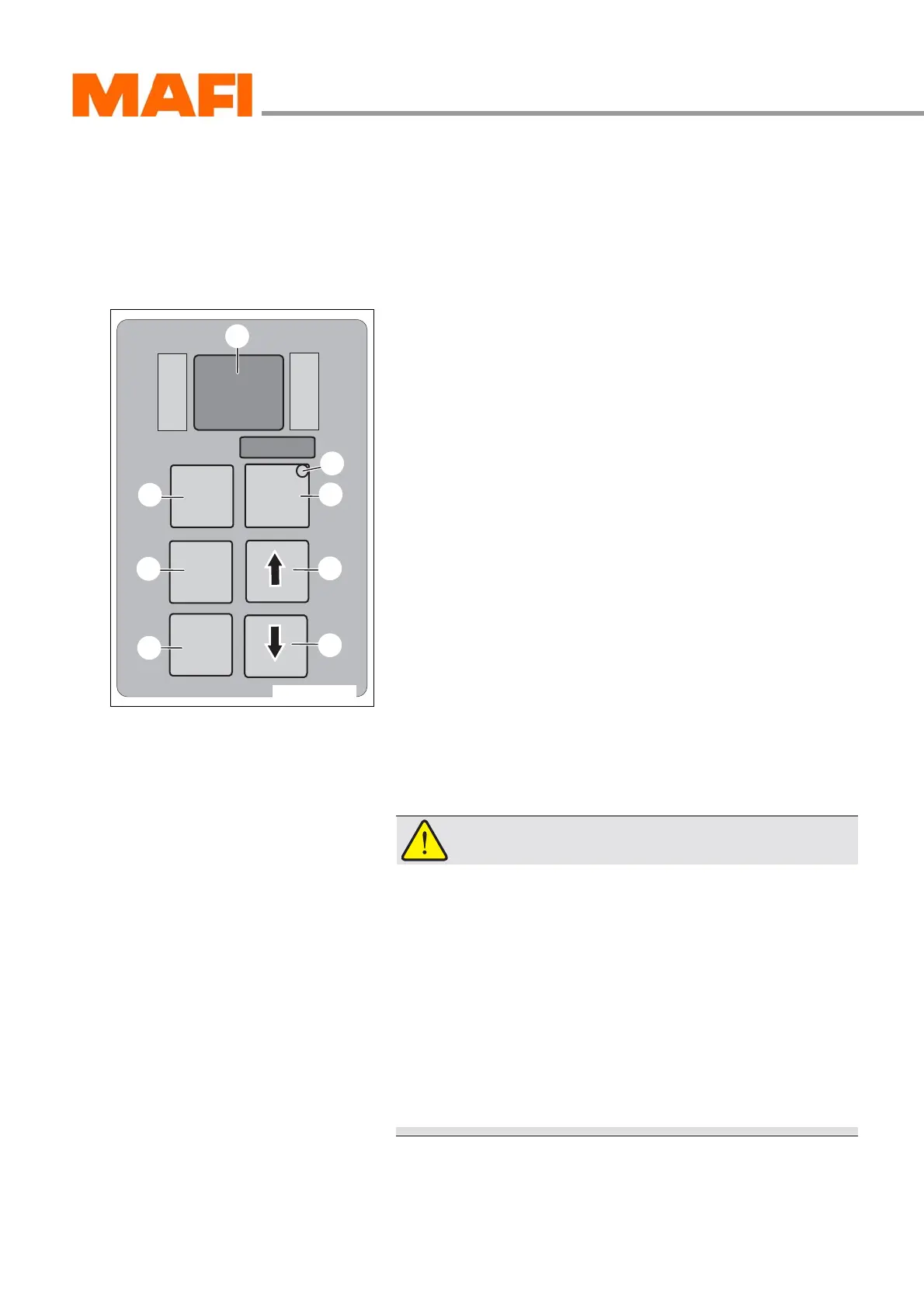
Operating panel for automatic transmission
Overview
The setting of the driving direction, the selection of the driving
program and the reading of the oil level or the error code can
be done with the operating panel.
Fig. 54: Operating panel
1 Reverse
2 Neutral (idle)
3 Drive (normal operation)
4 Lower driving range
5 Higher driving range
6 Mode key for additional function
7 Mode-ON LED indicator
8 Display
Basic rules for operating the automatic transmission
Follow the safety instructions to avoid damage to property and
accidents with the MT.
CAUTION!
Material damages!
Operating errors can damage your MT.
X Apply the parking brake only when the MT is at
standstill.
X Shift into neutral N only when the MT is standing and
applied parking brake or main brake.
X Change the driving direction forwards or reverse only
when the MT is standing still and the motor is at idle
speed.
X Always shift into neutral position N before switching
off the motor.
M
O
N
I
T
O
R
R
N
D
S
E
L
E
C
T
MODE
4
5
6
3
2
1
8
11-C25-067-084A-1
7



 To Next Page