OPERATION
OPERATING PANEL FOR AUTOMATIC TRANSMISSION
72 Operating Manual MT 25 / 30 YT
Display in diagnostics mode
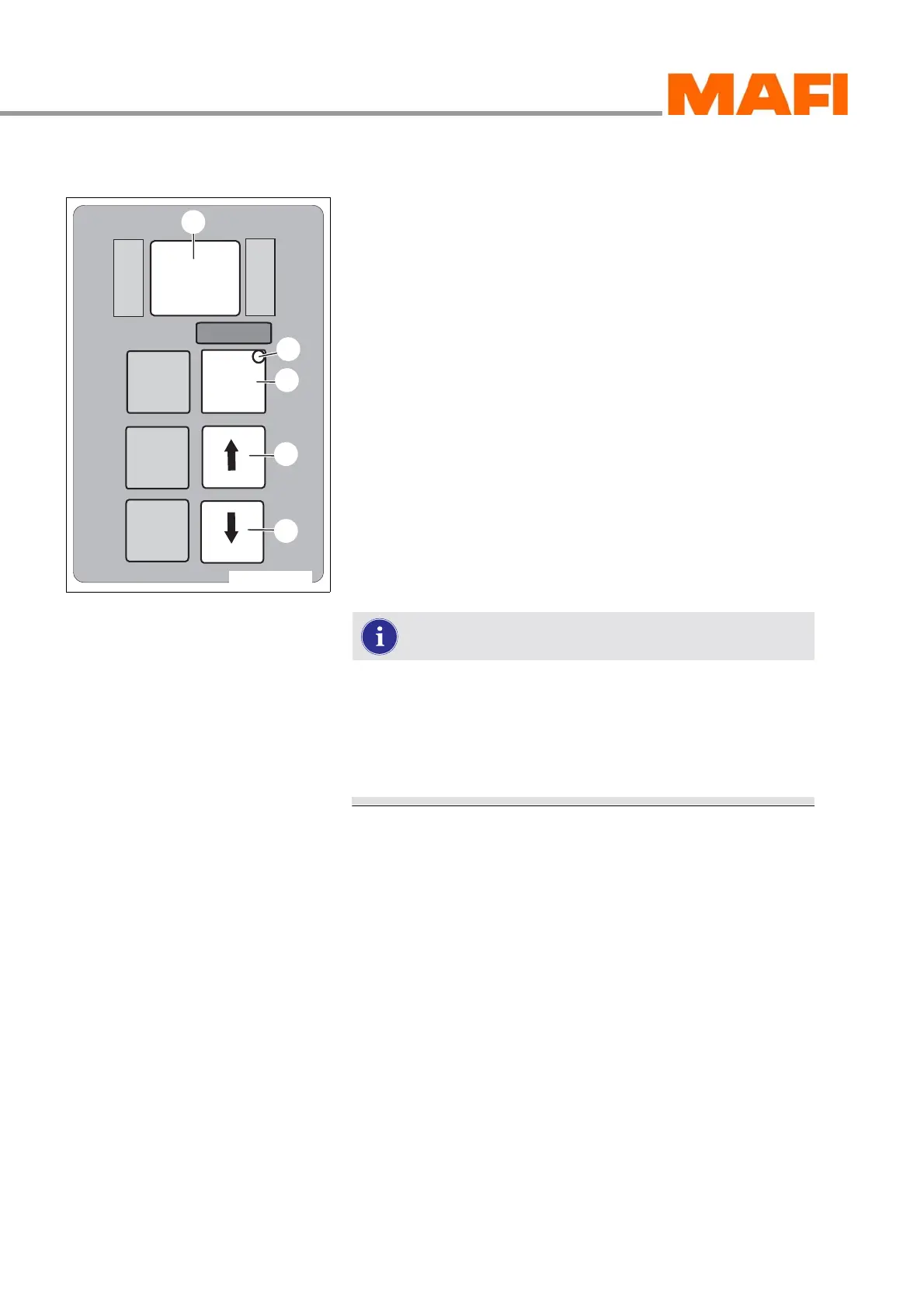
Fig. 62: Operating panel for error selection
1 Arrow key down
2 Arrow key up
3 MODE key
4 MODE-ON LED indicator
5 Display
When a transmission disturbance occurs, the “Transmission
Fault” warning indicator lights up in the multi-function display
and display 5 of the operating panel flashes simultaneously.
The disturbance is stored as an error code in the error
memory. There are five storage locations available for error
codes, which are labelled “d1” to “d5”.
When the diagnostics mode is opened, the error code of the
first storage location “d1” is always shown first in display 5.
Using MODE KEY 3, you can open the error codes of “d2”
to “d5”.
The error code consists of a letter and a four digit number,
e.g. P0722.
Example of an error code display: d1, P, 07, 22.
This means that the error code P0722 is stored in d1.
If there is no error, the displays shows the following:
d1, - - -.
The list of error codes can be found in the
documentation of the transmission manufacturer.
Opening diagnostics mode
X Park the MT on a level surface.
X Apply the parking brake and shift the transmission
to neutral.
The ignition must remain on.
X Press arrow keys 1 and 2 simultaneously to access the
diagnostics mode.
With the motor running, press arrow keys 1 and 2
simultaneously twice.
With the motor off, press arrow keys 1 and 2 simultaneously
once.
You are now in the diagnostics mode. Display 5 shows the
error code in the first storage location, “d1”.
M
O
N
I
T
O
R
R
N
D
S
E
L
E
C
T
MODE
11-C25-067-084A-8
3
4
1
2
5



 To Next Page