CONTROL ELEMENTS
Instrument panel
Operating manual MT 32 / 36 61
Front windscreen wiper
Front windscreen
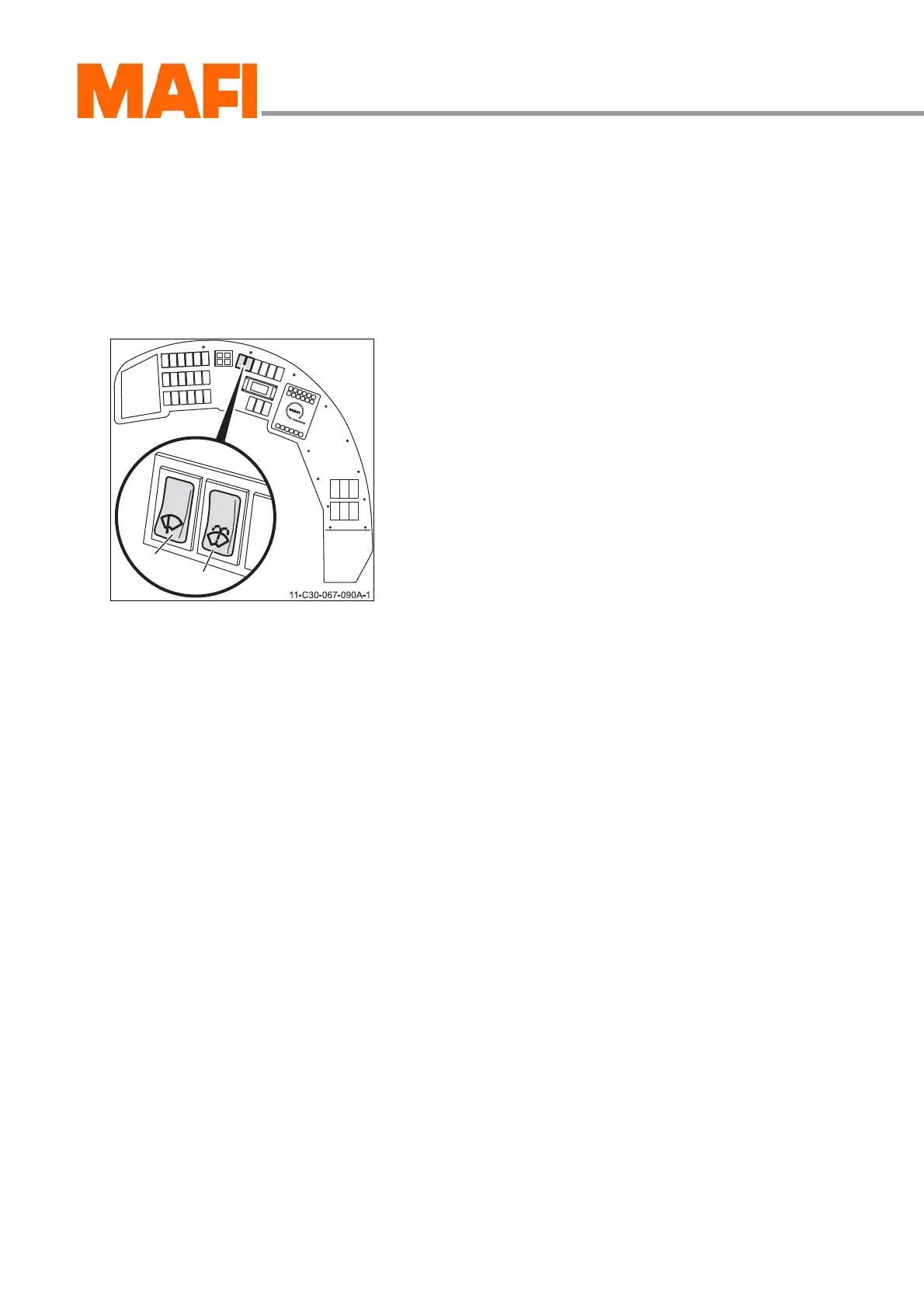
You can set the front windscreen wiper to two different speeds
with switch 1. Using the combination switch 2 you can operate
the front windscreen wiper in intermittent mode, and operate
the washer unit. Furthermore you can program the duration of
the interval with the combination switch.
Fig. 48: Control elements
1 “Front windscreen wiper” switch
2 Combination lever
Wiping the windscreen
X Press switch 1 down.
3 The slow speed stage is set.
X Press switch 1 down again.
3 The fast speed stage is set.
Intermittent wiping
X Press combination switch 2 up.
3 The intermittent wiper is activated.
Programming the intermittent intervals
X Press the combination switch 2 down briefly.
X After the desired interval press the combination switch 2
down briefly again.
3 The interval is saved.
When setting the interval note the following limitations.
Washing the windscreen
X Press the combination switch 2 down.
3 The windscreen washer is in operation as long as you
press the combination switch.
Minimum interval: longer than a single wiping cycle
Maximum interval: approx. 25 seconds



 To Next Page