Radio Disassembly – Detailed 2-7
6. Insert the Chassis Opener at the bottom of the radio, between the chassis and housing (see
“Figure 2-2”). Lift the chassis gently. Be careful not to damage the housing or the O-ring
underneath.
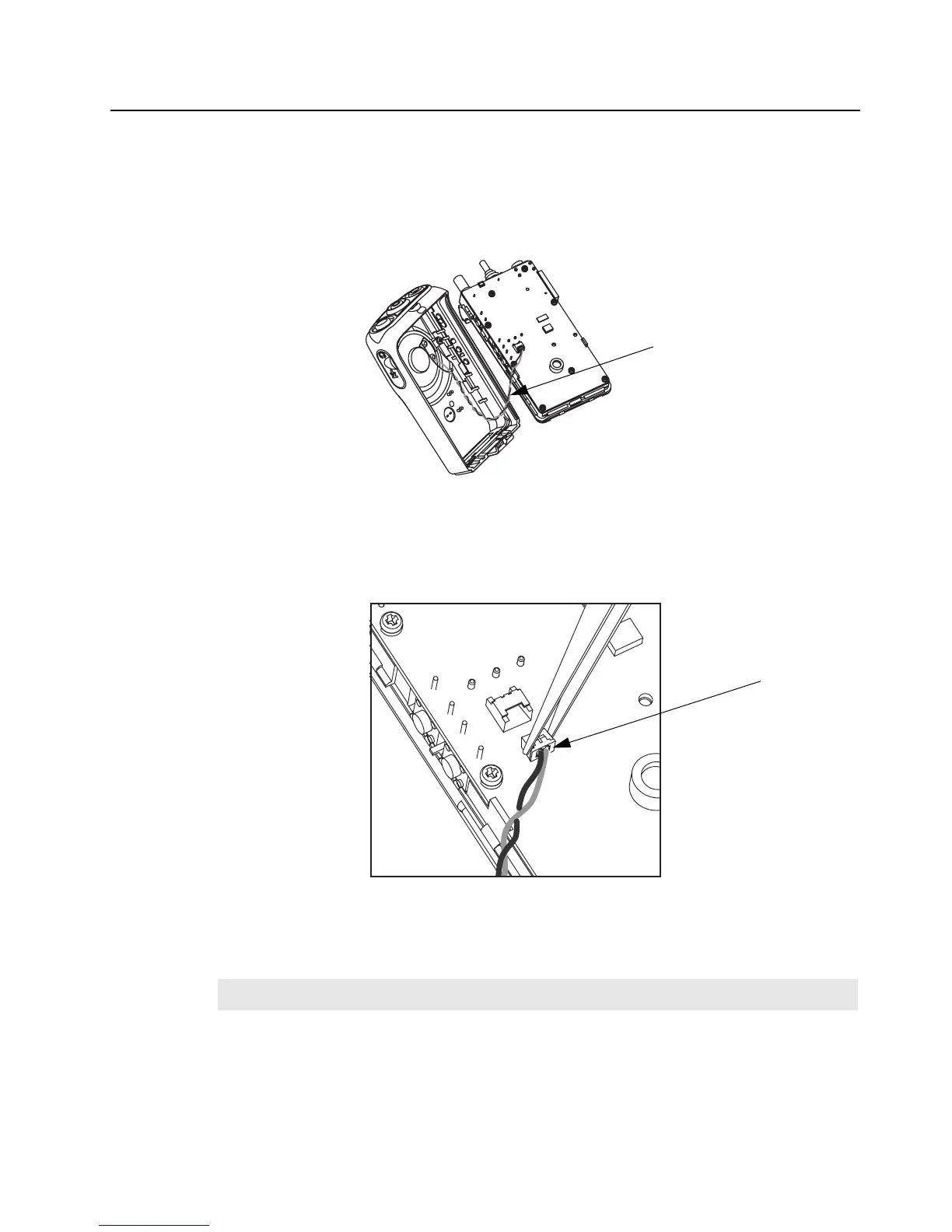
7. Lift rear chassis away from the front cover. Be careful not to damage the speaker wire under-
neath.
8. Slide the rear chassis downwards, and away from the front cover.
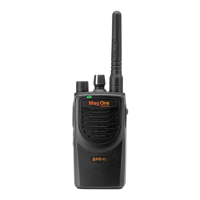
9. Remove the speaker connector, which connects between the PC Board and the internal
speaker on front cover (
see “Figure 2-4”).
10. Remove the latch pad from right slot space.
11. With the battery latch on the housing, push the shaft in the housing slot to the right (see “Fig-
ure 2-5”).
Figure 2-3
Figure 2-4
NOTE
Proceed to perform steps 10, 11, and 12 only if there is a need to replace the latch.
Speaker Wire
Speaker
Connector


 To Next Page