English
6
Preparing for First-Time Use
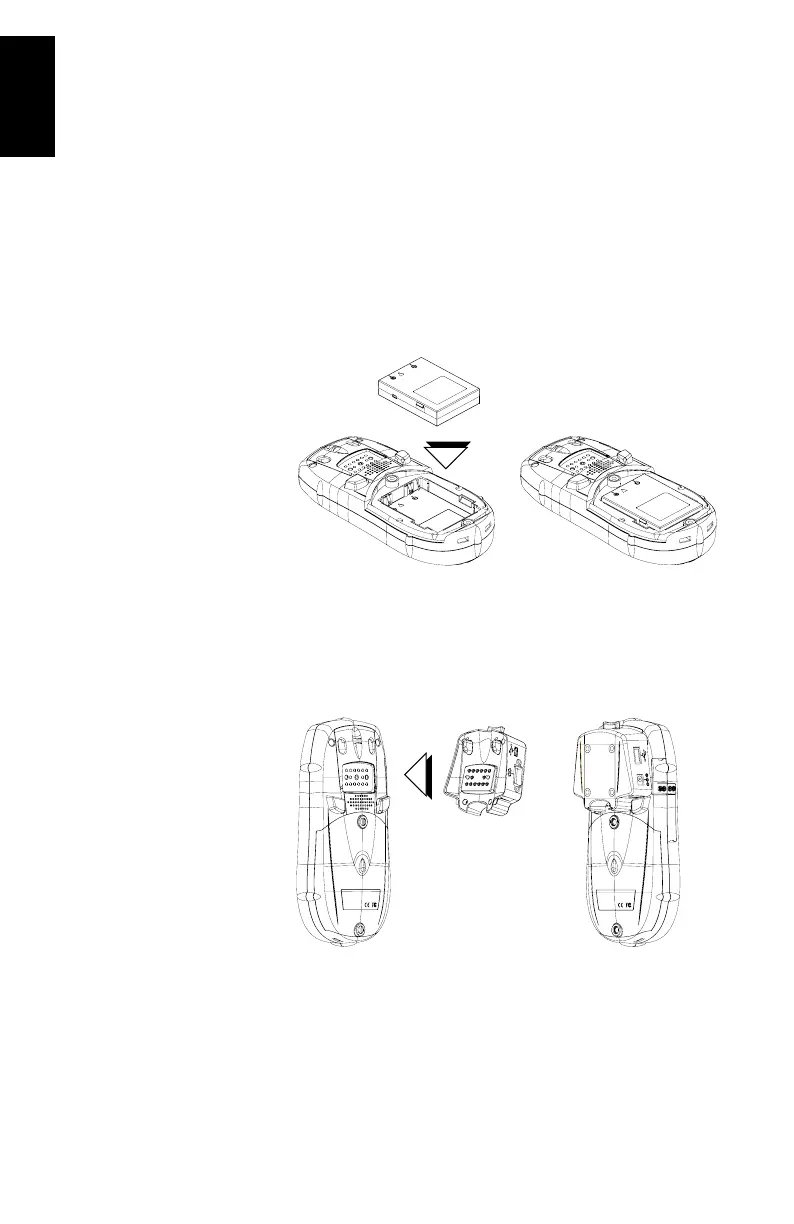
Charging the battery
Before using your MobileMapper CX handheld PC, you must
charge the battery:
1. Locate the removable battery in the product shipping box.
2. Open the battery door by turning the two screws one-quar-
ter turn counterclockwise.
3. Insert the battery into the battery compartment in the
back of the MobileMapper CX handheld as shown below:
4. Close the battery door and tighten the screws.
5. Attach the clip-on I/O module to the MobileMapper CX
handheld as shown below (insert lower part first and snap
in the top hooks):








 To Next Page