English
45
GPS Utilities
The set of GPS utilities provided in the Start menu allows you
to configure and monitor MobileMapper CX’s internal GPS re-
ceiver. This chapter describes the full set of GPS Utilities,
which includes the following items:
- DGPS Configuration
- GPS Initialization
- GPS Ports Configuration
-GPS Reset
- GPS Settings
- GPS Status
- Mission Planning
Note that some of these utilities have been described earlier
in this guide (see Preparing for First-Time Use chapter).
DGPS Configuration
The DGPS Configuration utility contains the latest Mo-
bileMapper CX enhancements. It is indeed through this utility
that you can implement the .NET capabilities of the unit,
namely NTRIP and Direct IP.
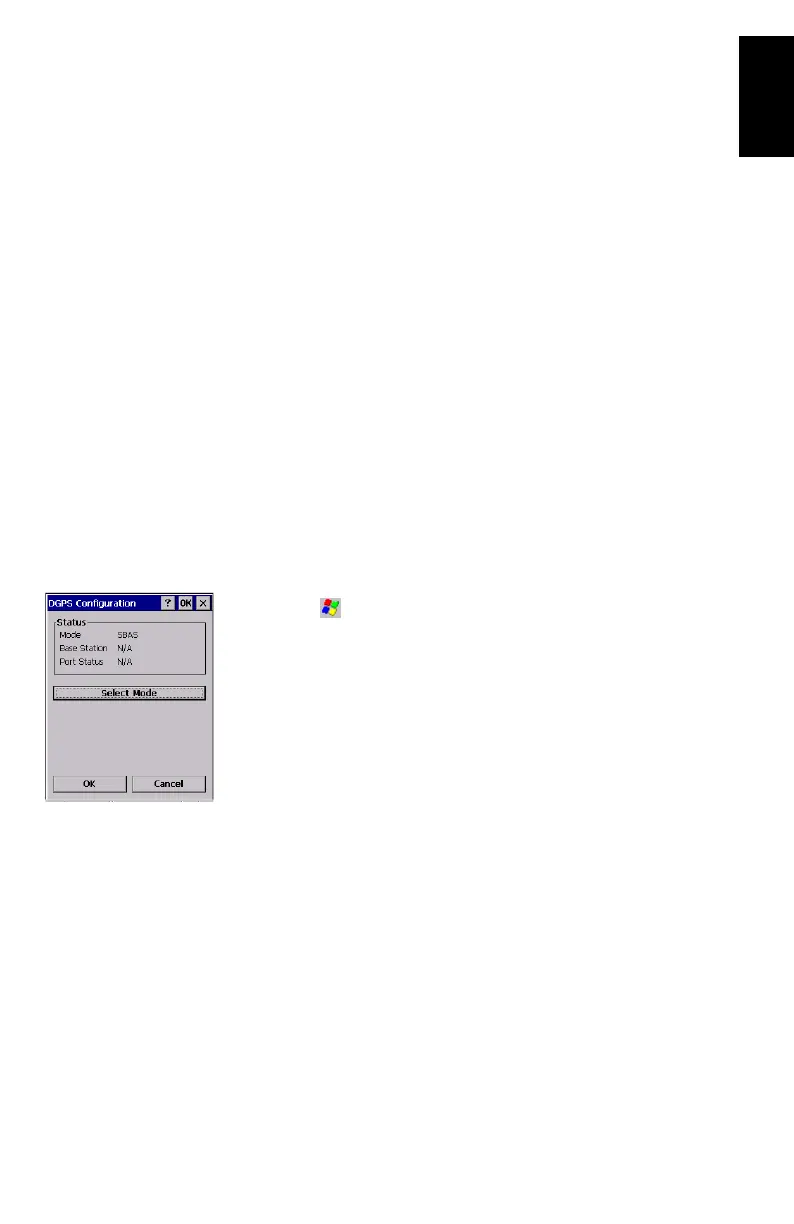
- Tap on , then Programs>GPS Utilities>DGPS Configuration.
The DGPS Configuration window opens showing the cur-
rent status of the DGPS configuration (top of the screen;
see example opposite).
At the bottom of the screen, a message indicates whether
correction data is being received or not.
- Tap on the Select Mode button. A new screen is displayed
on which you can select the Differential mode you would
like to use. For more information about DGPS Configura
-
tion, see Selecting a DGPS Mode on page 29.
GPS Initialization
See Initializing GPS on page 13.








 To Next Page