English
61
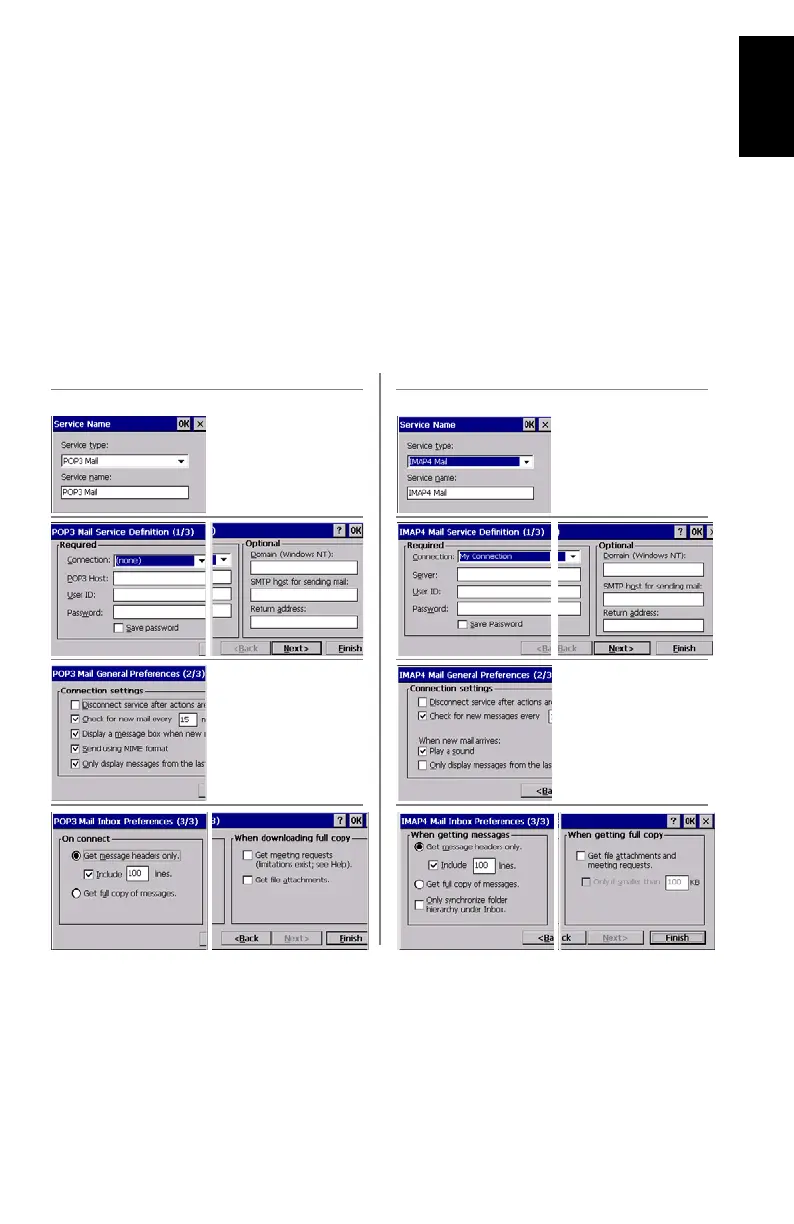
- Tap Add. This opens the Service Name dialog.
- Select the service type used by the email account you
want to connect to. There are two possible service types:
•IMAP4 Mail
•POP3 Mail
- Name the service or keep the default name (the default
name is the same as the service type name).
- Tap OK.
- Enter the parameters listed below (see also POP3/IMAP4
comparative flowchart below). For settings on screens 1/3
and 3/3, please drag the window to the left so you can
access the settings shown in the right part of the window.
POP3 Server Type Settings IMAP4 Server Type Settings









 To Next Page