28
Exploring with TR7
View and Save Searched Items
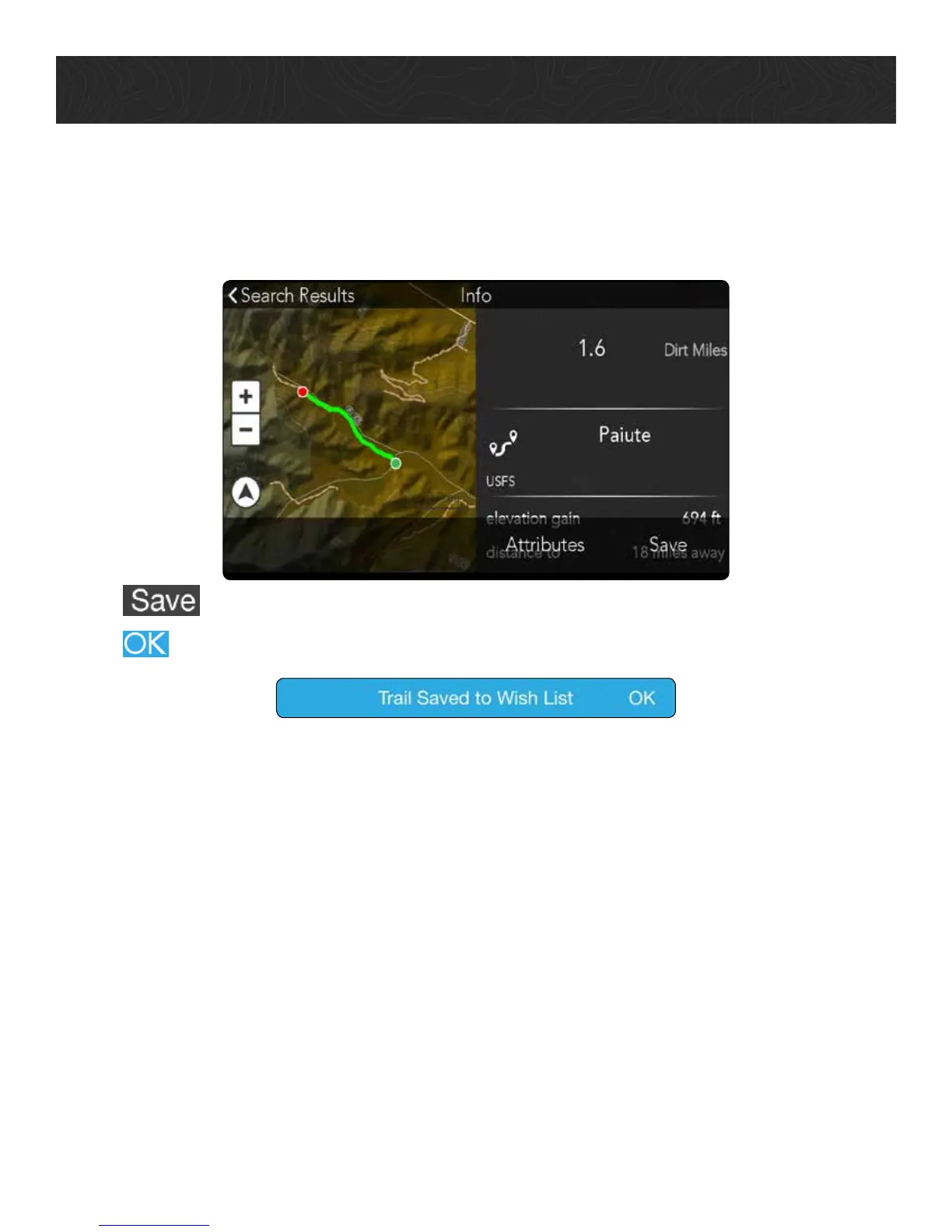
You can save items from your search results to your Wish List.
1. Tap on a Marker Label on the Map to see an item’s attributes.
2. Tap
to save the item to your Wish List.
3. Tap
to confirm.
Use Satellite Imagery.
You have several options for saving satellite imagery to your TR7 so that you can
access the satellite imagery associated with that map area even when you’re outside of
network coverage.
Notes
• You must have a DigitalGlobe subscription before you can access satellite imagery
on your TR7 (available through Magellan GPS for $29.99/year).
• You must have a strong, reliable Wi-Fi connection to download satellite imagery.
Satellite images are saved to large files and can take a long time to download using
a weak Wi-Fi connection.
• DigitalGlobe only permits you to download up to 2GB per day to your TR7.










 To Next Page