9
Getting Started
Account Creation & Registration.
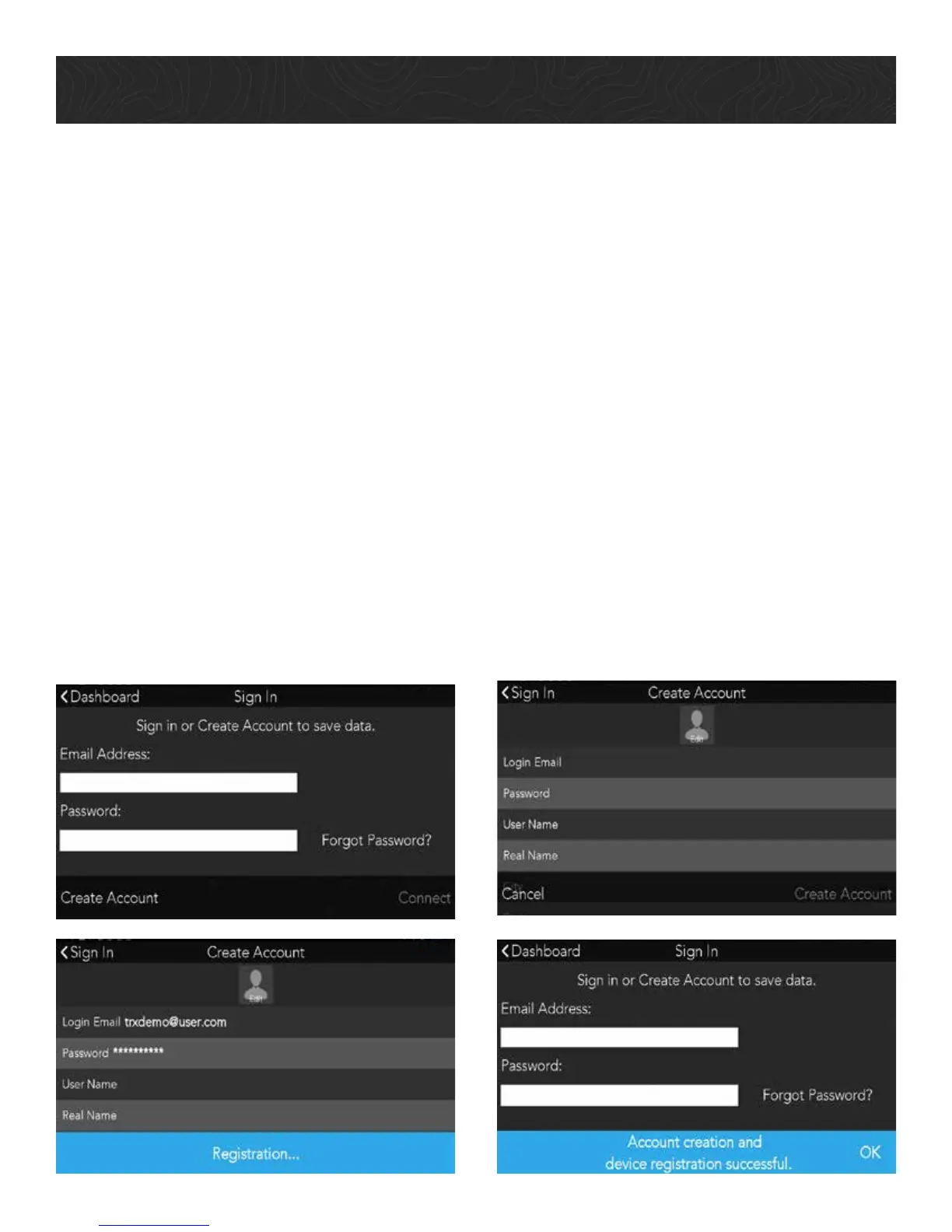
4. Create Your TRX Account and Register Your Device.
You must create a TRX account to save data to your device or sync with TRX Trailhead.
Not having a TRX account can result in lost data.
IMPORTANT: If you already have a Magellan GPS email address and password, use
those account credentials to create your TRX account.
1. When you reach the Sign In screen, enter an existing TRX account email address and
password OR tap Create Account if you haven’t yet created a TRX account.
2. Enter your account details. Use an existing MagellanGPS.com account if you have
one.
3. Tap Create Account to finish creating your TRX account. Your device will also be
registered to that account.
A MagellanGPS.com account will also be created if you’re new to Magellan and you’re
registering an email address for the first time.










 To Next Page